
Record a Vendor Payment
One payment per vendor per run, allocated across their bills.
It matches how the money actually left your bank, which is the only test that matters when you come to reconcile.
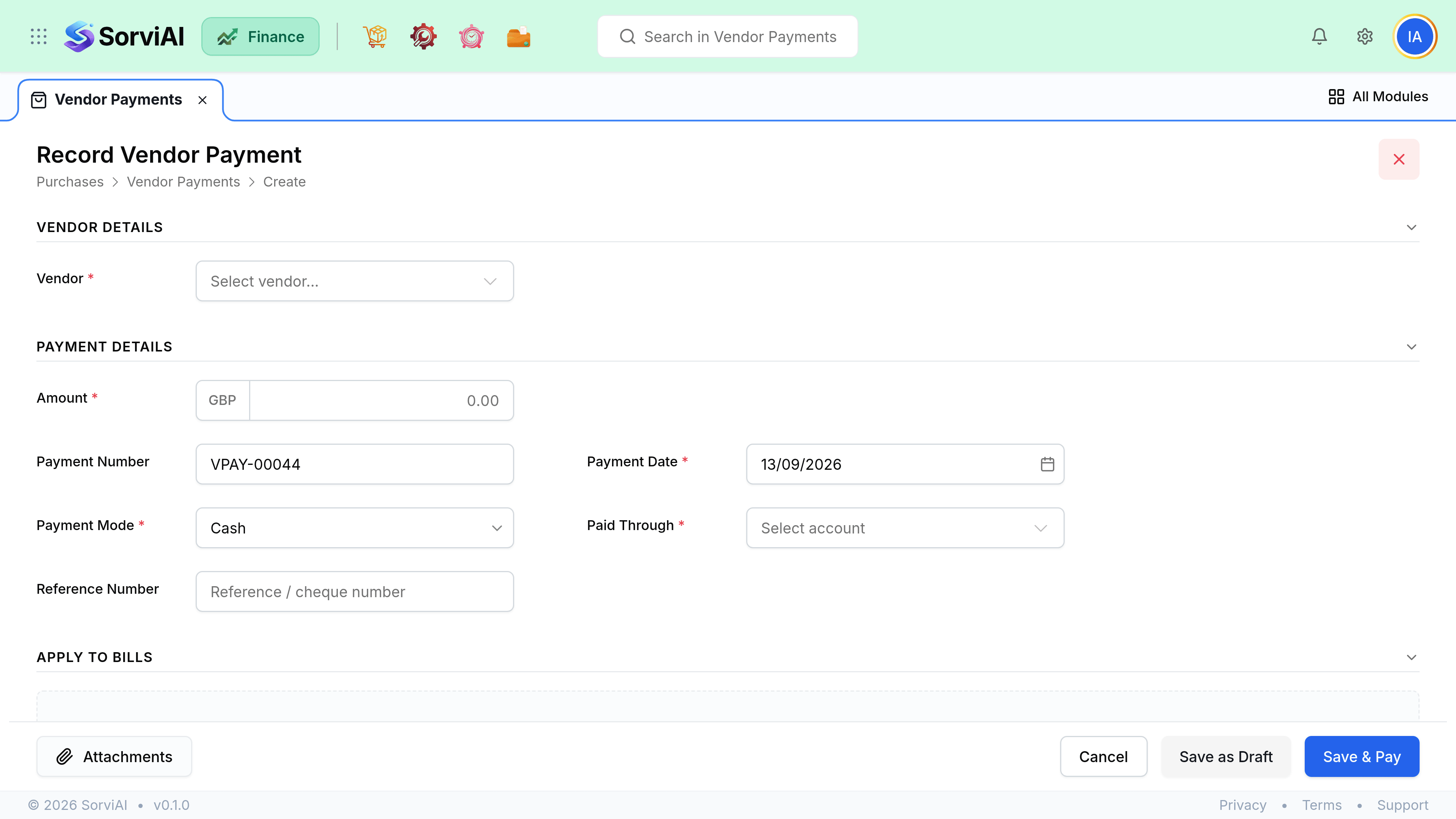
Record it
Check for vendor credits first
Applying an existing credit reduces what you actually have to send.
Enter the amount and date
The date the money left, which is what cash reporting uses.
Choose the account it left from
Which bank or cash account. This is what your reconciliation matches.
Allocate across bills
Tick the bills it settles. Allocate less than the full amount and the remainder sits as a prepayment.
Save
Bills reaching zero balance move to Paid.
Part payments and prepayments
| Case | How it behaves |
|---|---|
| Paid part of one bill | Bill stays open with a reduced balance |
| Paid more than the bills allocated | Excess sits as an unallocated prepayment |
| Paid a deposit before any bill | Record with no allocation, apply when the bill arrives |
| Paid the wrong vendor | Delete the payment and re-record it correctly |
| Paid in a different currency | Not possible. A payment settles bills in its own currency only |
Remittance advice
Send a remittance so the supplier can allocate their end. It lists the payment, the date and every bill it settled, which is exactly the information their accounts receivable team is otherwise going to email you for.