
Introduction - Reports
Reports read your posted transactions and present them in the shapes an accountant, a bank or a tax authority expects.
Last reviewed
Every figure in every report is read from transactions you have already posted. Nothing in this module writes anything back, which is what makes a report safe to run at any moment, on any period, including one you have locked.
Highlights of Reports
- Sixty-nine reports in thirteen categories, grouped as cards you can search, filter and star.
- Fifty-five of them are built today. The other fourteen are catalogued and greyed out, and that includes the headline financial statements.
- The toolbar changes with the report. Some carry Entities, some carry Group, a few carry neither.
- Comparison periods, so a second period sits beside the first in one table.
- Fifty-six selectable columns on a report like Sales by Customer, ticked on and off in a checklist.
- Three export formats plus print, each honouring exactly the filters and columns on screen.
Finding a report
The Reports List shows every report as a card, grouped by category, with a search box and a row of category pills carrying their counts.
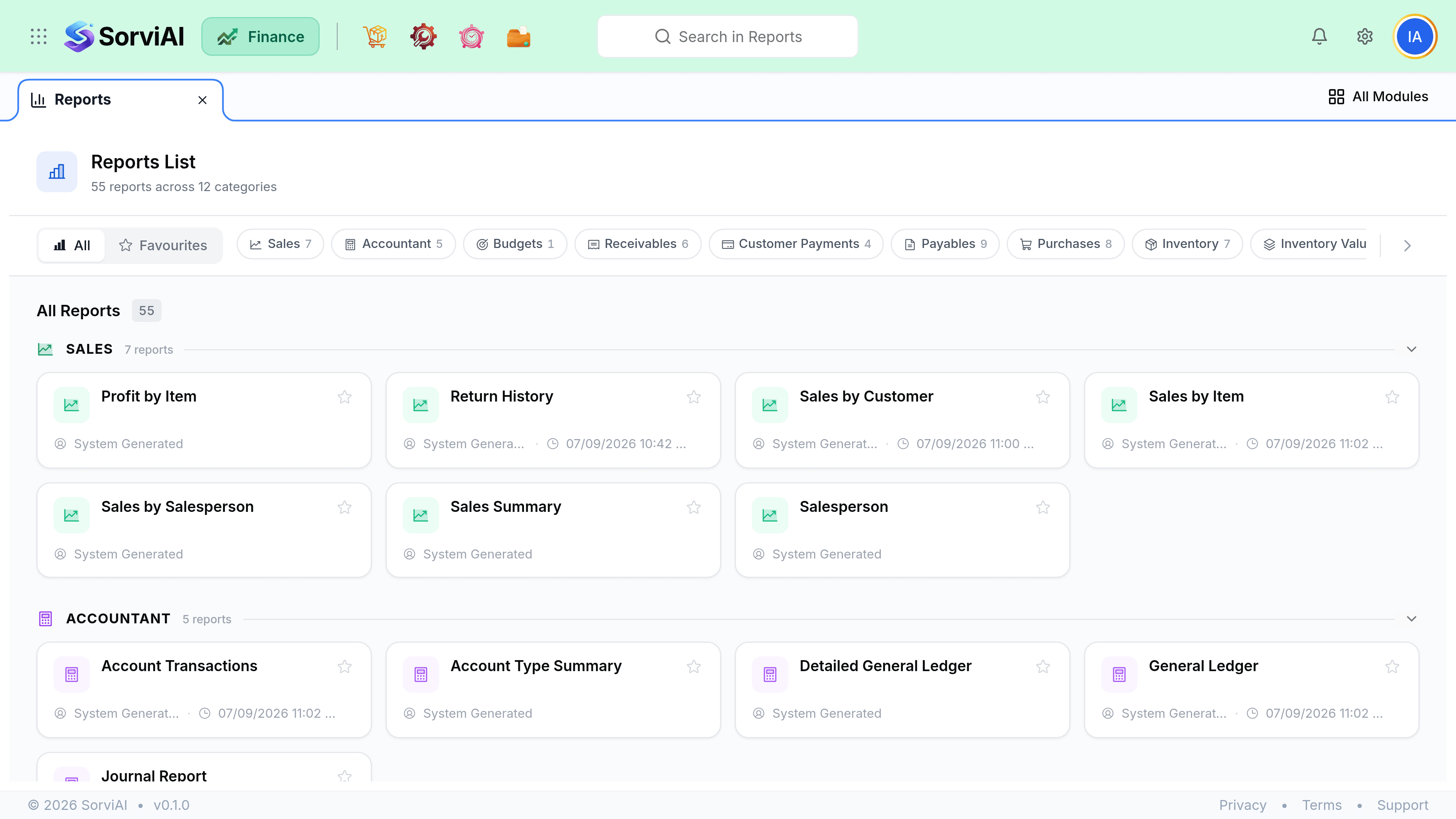
What you can run today
Fifty-five reports work. These are the ones that answer the questions people usually arrive with.
- What did we sell, and to whomSales by Customer, Sales by Item
- Invoice counts and values per customer or per item, over any period you choose.
- Are we making money on itProfit by Item
- Revenue against cost per item. The nearest thing available to a margin report.
- Who owes usReceivable Summary, Customer Balance Summary
- Outstanding balances per customer. Aged Receivables itself is not built, so these are the substitutes.
- What do we owePayable Summary, Vendor Balance Summary
- The purchase-side equivalents, and the closest thing to a payables ageing today.
- What hit the ledgerGeneral Ledger, Journal Report, Account Transactions
- The accountant's view. These are built and they are where a Trial Balance question has to be answered from instead.
The categories
| Category | Catalogued | Built |
|---|---|---|
| Business Overview | 6 | None. Profit and Loss, Balance Sheet, Cash Flow Statement and three others are all pending. |
| Sales | 8 | Seven. Everything except the EC Sales list. |
| Receivables | 7 | Six. Aged Receivables is pending. |
| Payments Received | 4 | All four. |
| Payables | 10 | Nine. Aged Payables is pending. |
| Purchases | 8 | All eight. |
| Inventory | 10 | Seven. Inventory Valuation, Product Sales Report and Inventory Aging are pending. |
| Inventory Valuation | 3 | Two. ABC classification is pending. |
| Warehouse | 3 | All three. |
| Accountant | 6 | Five. Trial Balance is pending. |
| Budgets | 1 | Budget vs Actuals. |
| Activity | 2 | Both. |
| Currency | 1 | Realised Gain or Loss. |
Reports never change data
Nothing in this module writes anything. A report is always safe to run, at any time, on any period, including one you have locked. That is worth knowing because it means the answer to "can I just check something" is always yes.