
Variants
Adding sizes, colours or grades to a product creates real items underneath it, each with its own SKU and stock.
A variant is how one product carries several versions of itself: sizes, colours, grades, capacities. Each combination you generate becomes a full item record with its own SKU, prices and stock, and the product above it becomes a label that groups them.
Because each variant is an item, it is invoiced, counted and reported on directly. The product is never transacted.
Add variants to a product
Save the product first
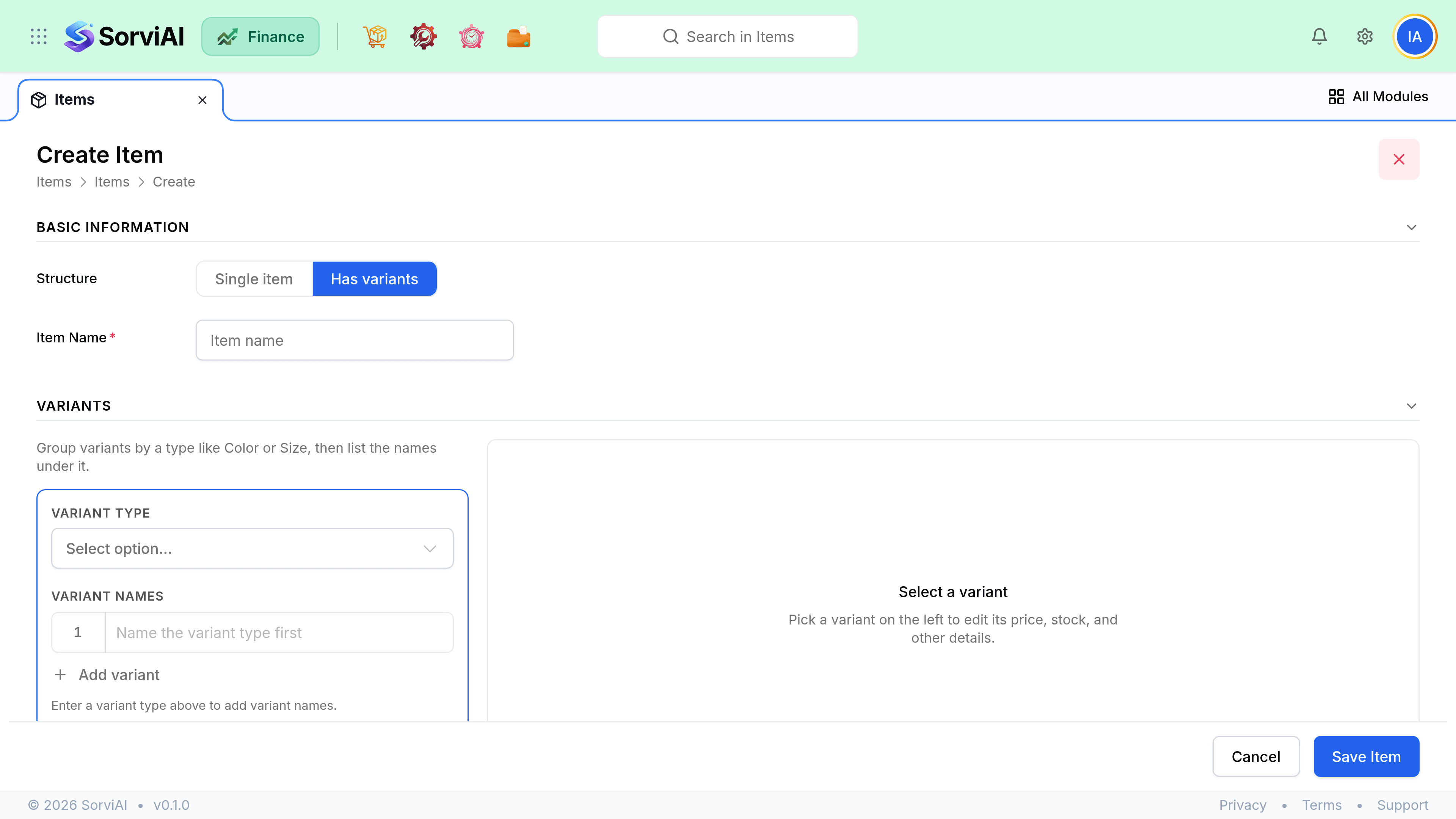
The variants panel appears only once the record exists, because each variant needs a parent to point at.
Define the options
Name the axes and their values, for example Size with three values and Colour with two. Two options of three and two values describe six combinations.
Generate the combinations
Clear any you do not actually sell before generating. Creating a size you will never stock leaves a record that shows up in every picker.
Give each one an SKU
Every variant needs its own, because every variant is an item that your warehouse and your imports have to be able to name.
Set the prices that differ
A variant with no price of its own does not fall back to the product. Prices are always the variant's, so leaving one blank leaves it unpriced.
What a variant keeps, and what it borrows
| Field | Owned by | What happens when it is blank |
|---|---|---|
| SKU, prices, stock, status | The variant | Nothing is inherited. A blank price is a blank price |
| Images | The variant | Falls back to the product's for display only |
| Descriptions, item group, brand | The product | Reads through to the product when the variant sets none |
| Accounts, tax, vendor, unit | The product | Reads through to the product when the variant sets none |
| HS code, country of origin | The product | Reads through to the product when the variant sets none |
| Stock tracking, valuation method | The variant | Set per variant and never inherited. It does not have to match the product or its siblings |
| Returnable, product type | The variant | Set per variant, which is what allows a mixed product |
| Usage | The product | Decided once, displayed on every variant row |
Finding and using a variant
- The items list shows products and standalone items only. Expand a product to load its variants underneath it.
- Search returns variants in their own right, so you can put one size on a document without opening the parent.
- A variant has its own address and opens as its own record, with the same screens any other item has.
- Filters, exports and reports treat a variant as an item, because it is one.