
Taxes
The rates every document line can carry, your registration and accounting basis, and the choice between filing yourself and filing through SorviAI.
Tax settings decide two separate things: what a document line may be taxed at, and what happens at the end of a period. Settle both before you raise anything with tax on it, because changing a rate later does not revisit documents already issued.
Go to SettingsFinanceTaxes. The tabs are Tax Rates, your tax's own settings tab, and Tax Filing Settings. Construction Industry Scheme is listed and not selectable.
Tax Rates
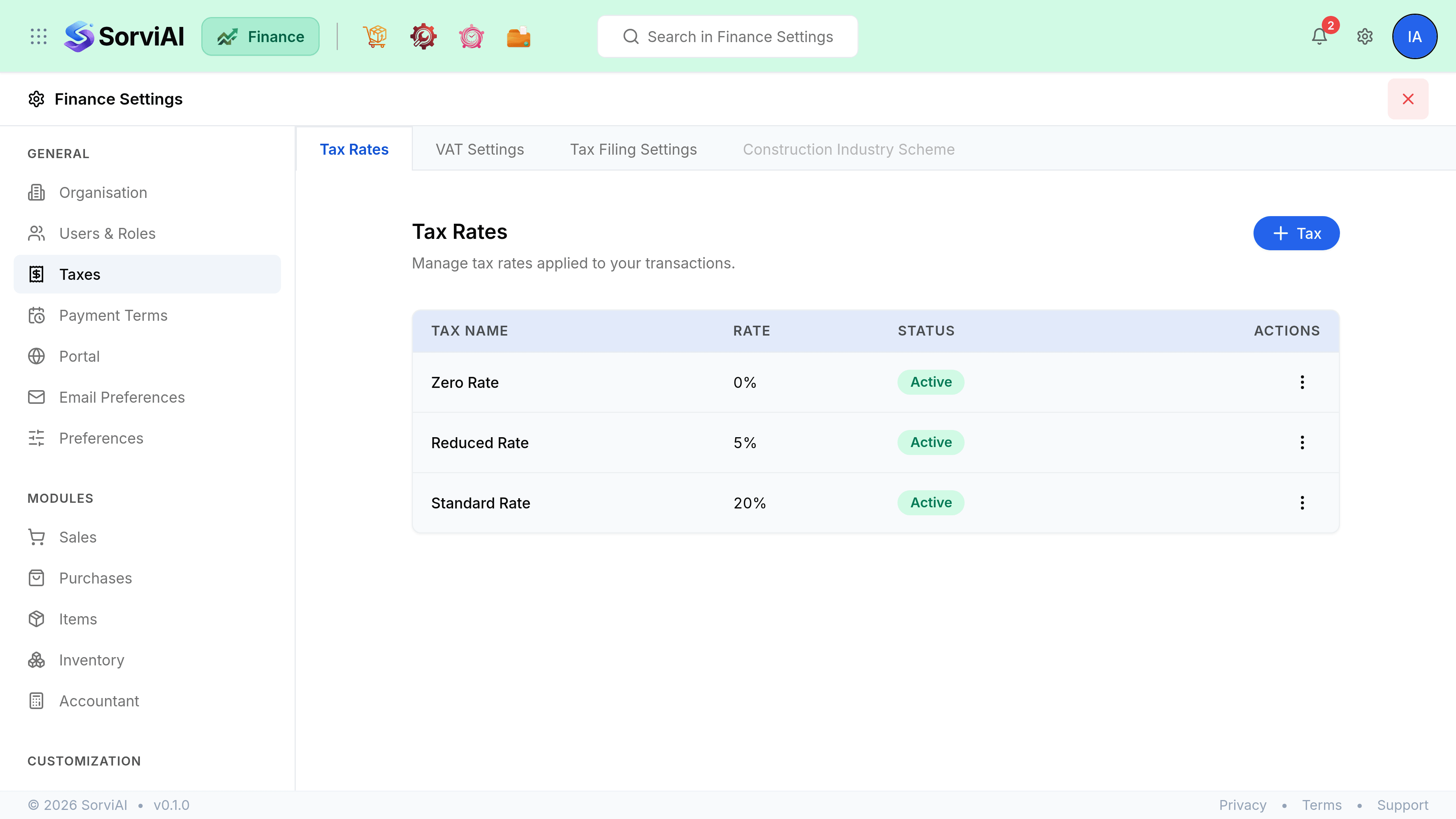
The rates a document line can be charged at, each with a name, a percentage and a status. Making a rate Inactive keeps it off new documents while leaving it on the documents that already use it, which is what you want when a rate changes rather than disappears.
The tax settings tab
Two sections: Registration and Filing.
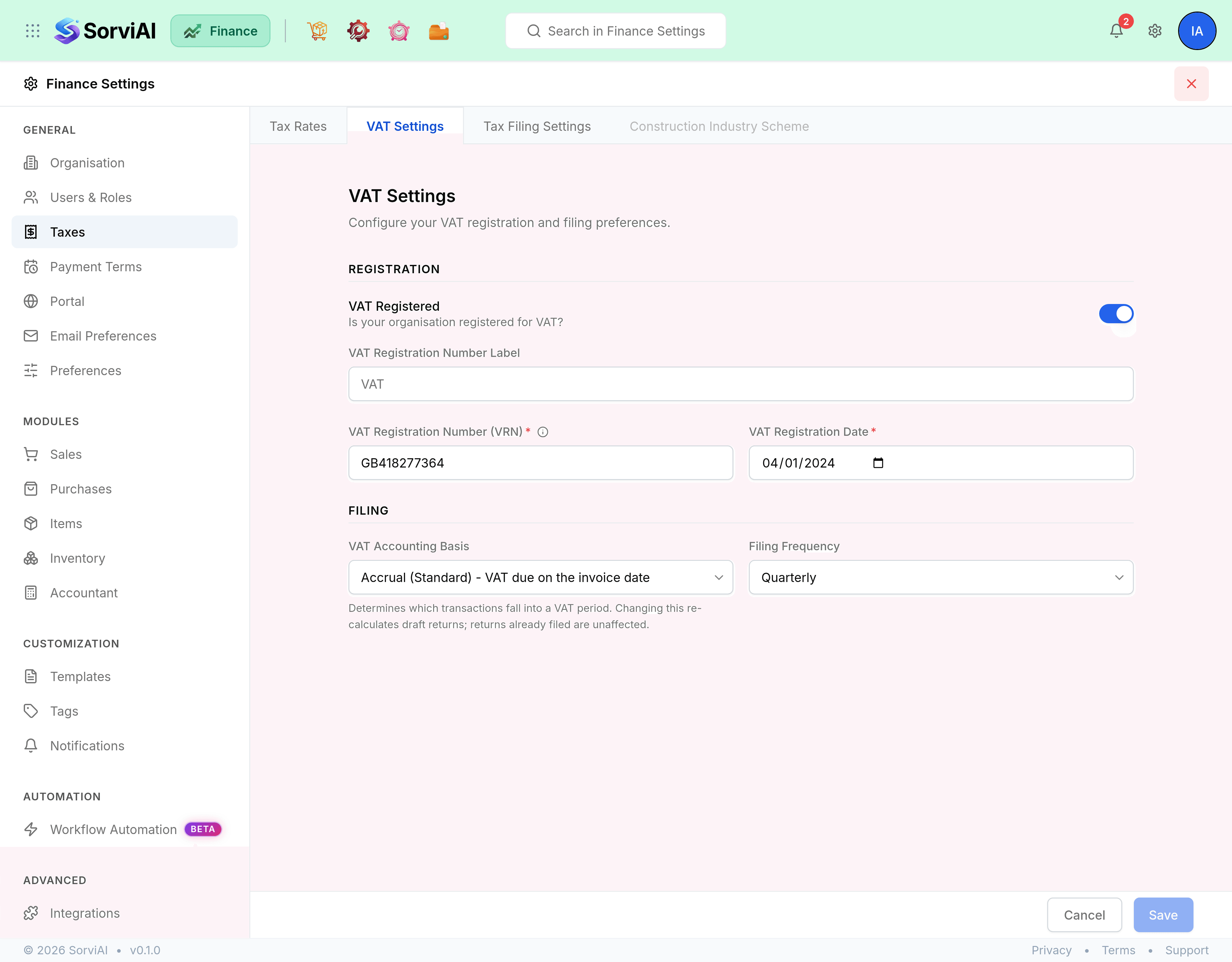
| Field | What it does |
|---|---|
| VAT Registered | Whether the organisation is registered. Turning it off clears the number and date rather than hiding them. |
| VAT Registration Number Label | What prints against the number on a document. Editable in both states, so a non-UK equivalent such as TRN reads correctly. |
| VAT Registration Number (VRN)Required | Your registration number, printed on every tax document you issue. Required once you are registered. |
| VAT Registration DateRequired | The date registration took effect. Required once you are registered. |
| VAT Accounting Basis | Accrual (Standard), where tax is due on the invoice date, or Cash Accounting, where it is due when payment is received. |
| Filing Frequency | Monthly, Quarterly or Annual. It is what generates your filing periods. |
A number that does not look like a UK registration number raises a note under the field rather than blocking the save, because a non-UK tax number is a legitimate thing to enter there.
Tax Filing Settings
Two cards, and choosing one of them is the whole screen.
- I want to file my tax returns to HMRC through SorviAI
- Finance connects to HMRC and the screen shows the connection status above the cards.
- I'll file my tax returns on my own
- Manual filing mode. Finance prepares the figures and you submit them yourself.
Where the connection is not yet made, the status reads Not connected to HMRC. Set up filing periods and File a return carry the rest of that job.
Where the rest of tax lives
- Set up filing periodsTurning a filing frequency into the periods you actually file.
- File a returnPreparing, checking and submitting a period.
- Record a tax paymentPaying what a filed return says you owe.