
Credit Note Preferences
Two default text fields, and the reason field people expect to find here but will not.
Sharing one with invoices makes the invoice sequence look broken to anybody auditing it.
Settings
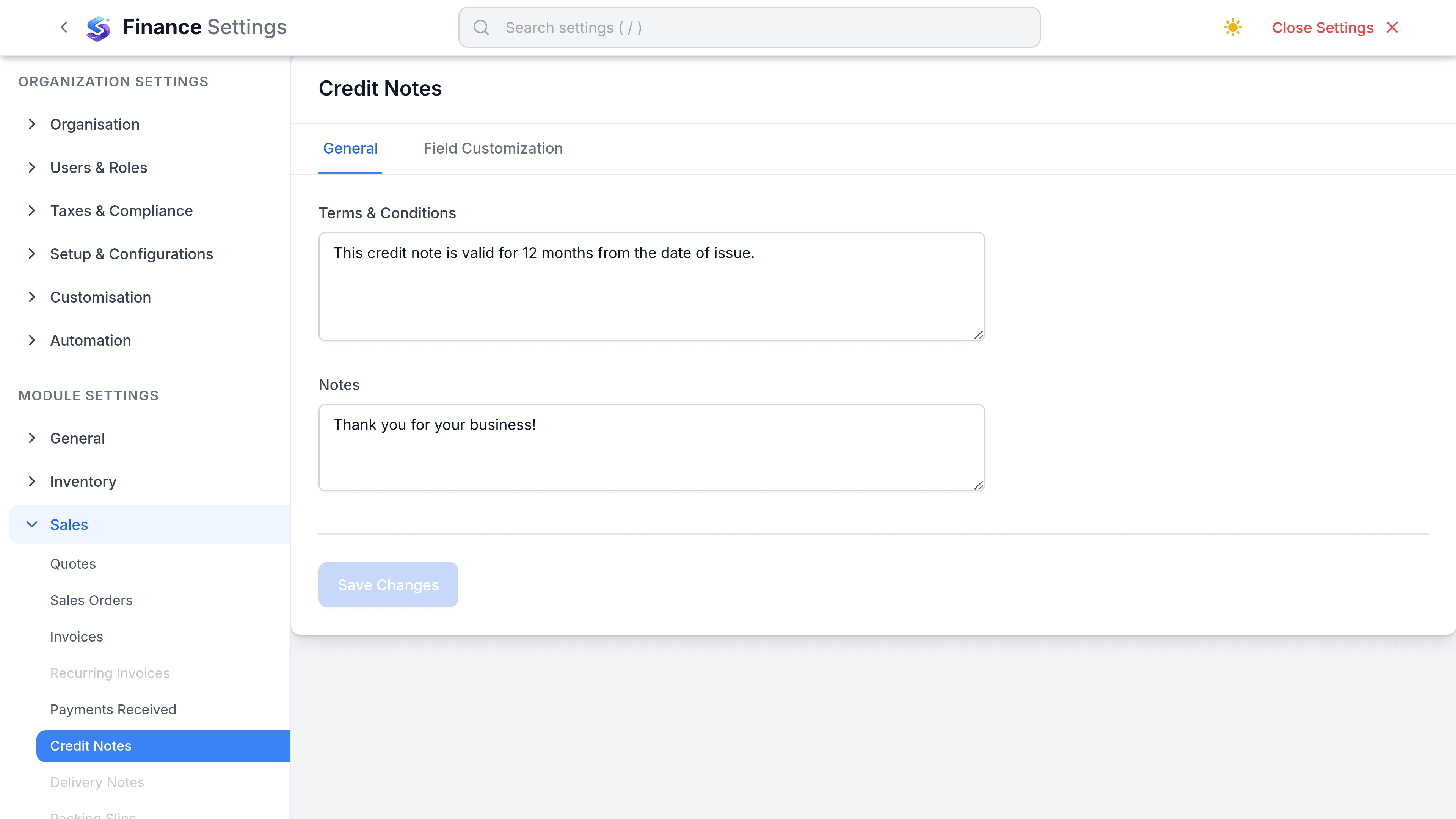
Go to SettingsFinanceSalesCredit Notes. This is the thinnest settings tab in Sales: two default text fields, and custom fields.
| Preference | What it does | Worth changing when |
|---|---|---|
| Default Terms & Conditions | Text carried onto every new credit note. | Your credit terms differ from your invoice terms. |
| Default Notes | Text carried onto every new credit note. | You always explain the same thing. |
What lives somewhere else
| Expected setting | Where it actually is |
|---|---|
| Numbering series | Real, but not here. Credit notes have their own series, set with every other document series under the numbering settings. |
| Template | Real, but not here. The credit note PDF layout is chosen under Customization, Templates. |
| Default reason list | Does not exist. There is no reason field on a credit note to populate. |
| Require a reason | Does not exist, for the same reason. |
| Auto-apply to the source invoice | Not automatic. A credit raised from an invoice carries that invoice as its source, but applying it is a deliberate step. |
Recording why a credit was raised
There is no structured reason field, so the explanation has to go in the notes or the line descriptions. That makes it prose rather than data: you cannot filter or report on it, and you cannot see at a glance whether you are crediting for pricing errors, damaged goods or service failures.
- Write the reason the same way every time, so a search finds them.
- If you need this as data, a custom field with a short list is the way to get it.
- Keep any such list short. Six options that get used beat twenty that get guessed at.