
Introduction - Bills
A bill is a vendor invoice: something you owe and have not yet paid.
It is the mirror image of a customer invoice, and it is the document that creates a payable. Until a bill exists, no purchase appears in what you owe.
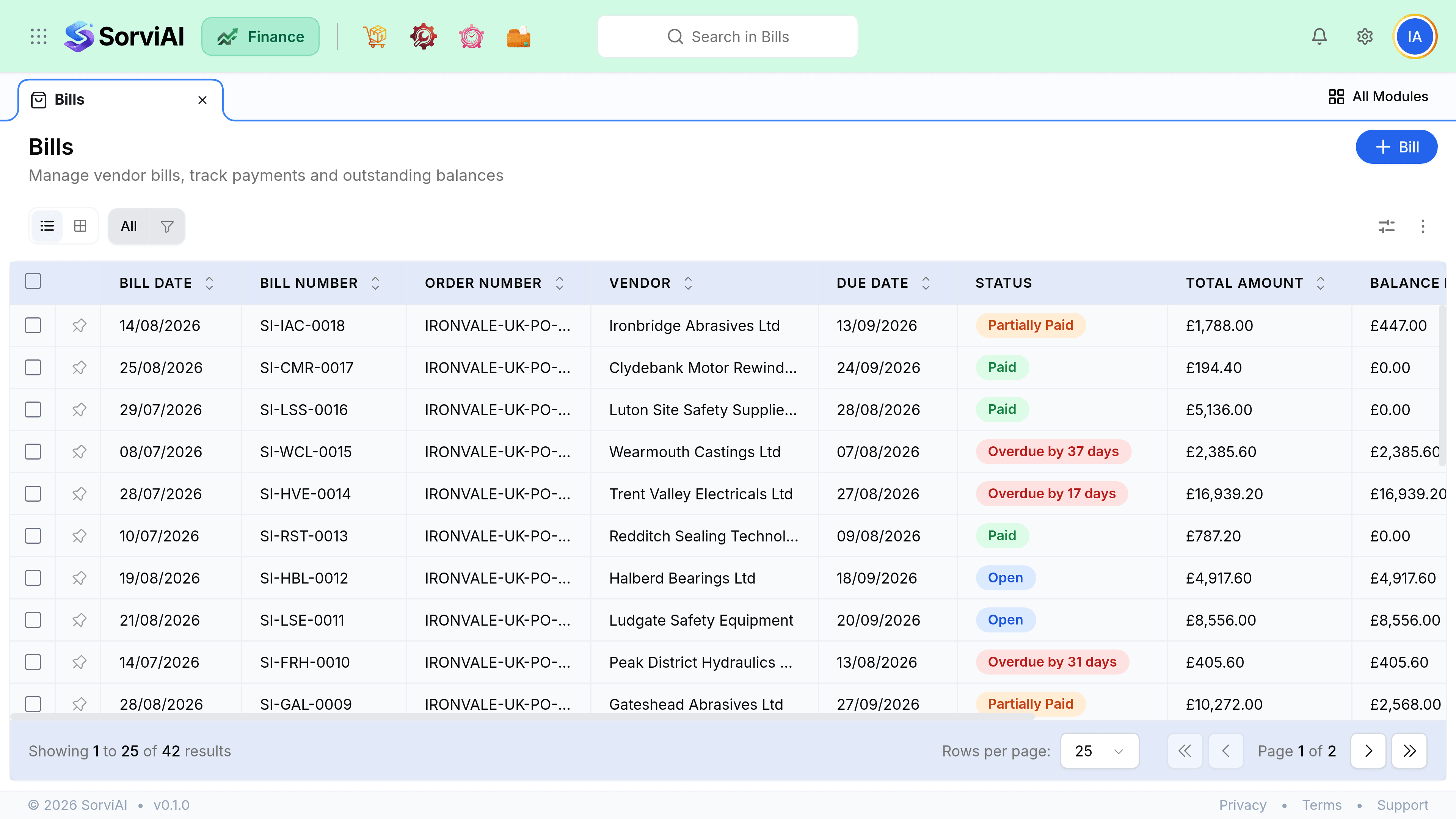
The line that draft crosses
A draft bill is a note to yourself. An open bill is a liability with a due date. Everything strict about this module starts the moment you open one.
- DraftEntered, posts nothing
- OpenPayable created
- Partially paidSome settled
- PaidCleared in full
Where bills come from
- From a purchase orderthe good route
- Copies the lines and gives you the ordered, received and billed comparison for free.
- From scratchad hoc
- A blank form. Fine for costs nobody ordered, such as a professional fee.
- From a recurring profilecontractual
- Generated on a schedule, always as a draft.
- Migratedone-off
- Brought across in bulk when you move onto SorviAI Finance. There is no self-service bill import afterwards; day-to-day bills are entered or converted from an order.
Bill or expense
A bill is unpaid, an expense is paid. If you are choosing between them, the only question is whether the money has already left. Everything else about the two documents follows from that.