
Attach a File
Attach at the point of entry, from the record rather than from Documents.
It takes seconds then and it is the difference between an auditable record and an afternoon of archaeology later.
Highlights of attaching
- Attach from the record, using the activity panel on its right-hand side.
- The Attachments tab counts what is there, so you can see at a glance whether a bill has its invoice.
- Ten files per record, fifteen on an item, 10 MB each.
- A few screens offer a QR code for uploading straight from a phone camera.
- Files attached to an unsaved form are held and claimed when you save it, so nothing is lost if you attach before finishing.
Attach it
Open the record
A bill, invoice, expense, receive, item, adjustment, journal or one of about forty others.
Find the Attachments tab in the activity panel
It sits on the right, beside Comments and Logs, and the number on the tab is how many files the record already has.
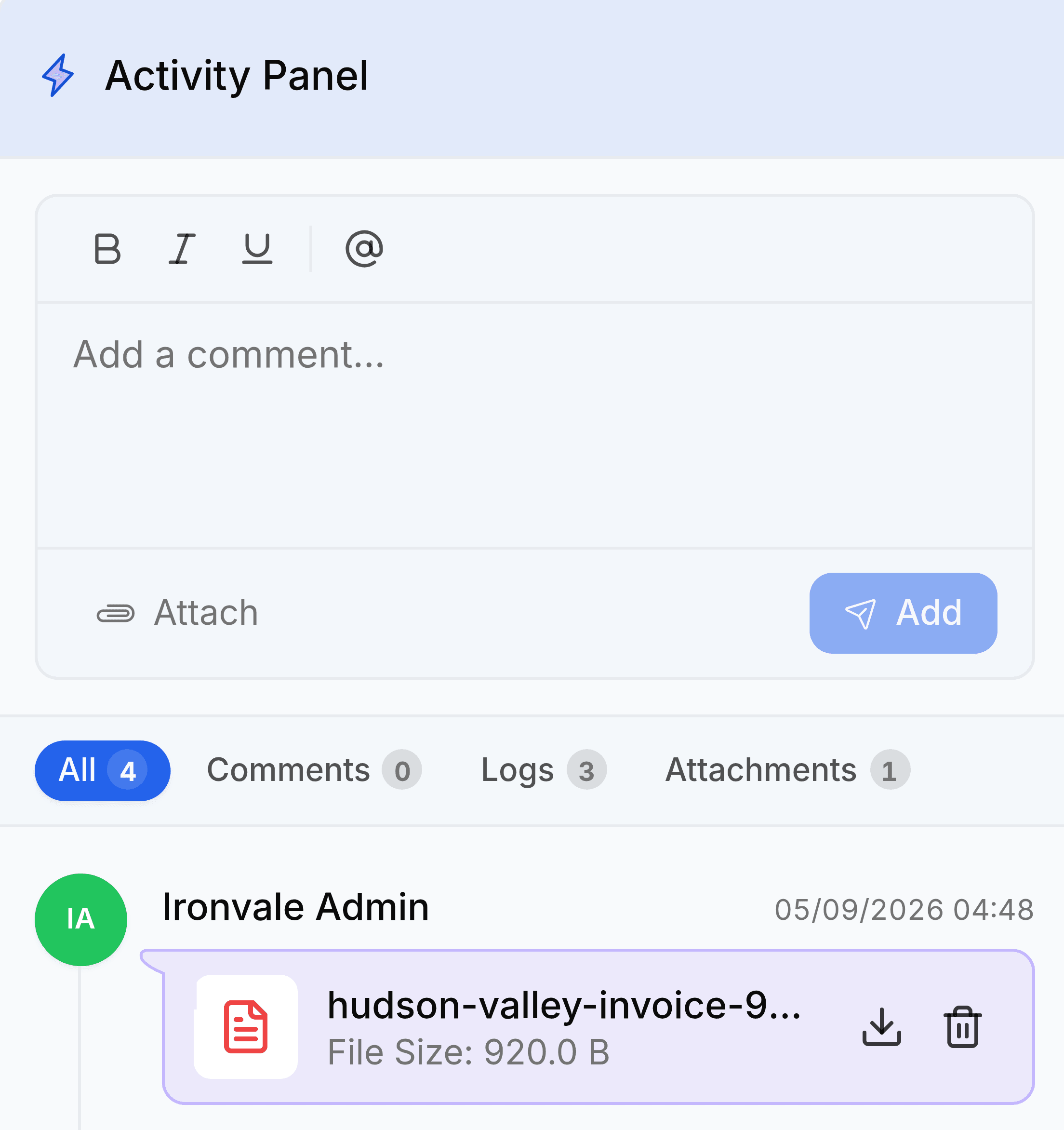
Attach the file
Use Attach beneath the comment box, or drop the file onto the panel. Several at once is fine, up to the record's limit.
Check it landed
The file appears in the panel with its size and who uploaded it, and in Documents against this record.
Uploading from a phone
Some screens, including recurring expenses and the item image gallery, offer Scan QR code. Scanning it opens an upload page on your phone, and anything you photograph there arrives on the record you started from. It is the quickest route for a paper receipt or a photograph of damaged goods, and it saves emailing a picture to yourself first.
What to attach where
| Record | Attach | Because |
|---|---|---|
| Bill | The vendor invoice PDF | It is the evidence for the cost and the tax claim. |
| Expense | The receipt | Without it the claim is unsupported. |
| Purchase receive | The delivery note, and photos of damage | Both are needed for a carrier or supplier claim. |
| Journal entry | The calculation or schedule | A journal has no document behind it. This is it. |
| Stock adjustment | The count sheet | It is what an auditor asks for. |
| Recurring expense | The contract or the insurer's schedule | It explains where the recurring figure came from. |
| Item | Datasheets and certificates | They belong to the product, not to one sale. |
File types and sizes
| Rule | Detail |
|---|---|
| Size | 10 MB per file. |
| Count | 10 files on most records, 15 on an item. |
| Documents | PDF, DOC, DOCX, ODT, RTF, TXT. |
| Images | JPG, JPEG, PNG, GIF, BMP, WebP. |
| Spreadsheets and slides | XLSX, XLS, CSV, PPT, PPTX. |
| Archives | ZIP, RAR, 7z. |
| Never accepted | Executables and scripts: EXE, BAT, CMD, SH, PS1, JS, PHP, JAR and similar. |