
Record a Transfer
Choose two of your own locations, add the items, and despatch.
The stock leaves the source at that moment and sits in transit until somebody at the other end receives it.
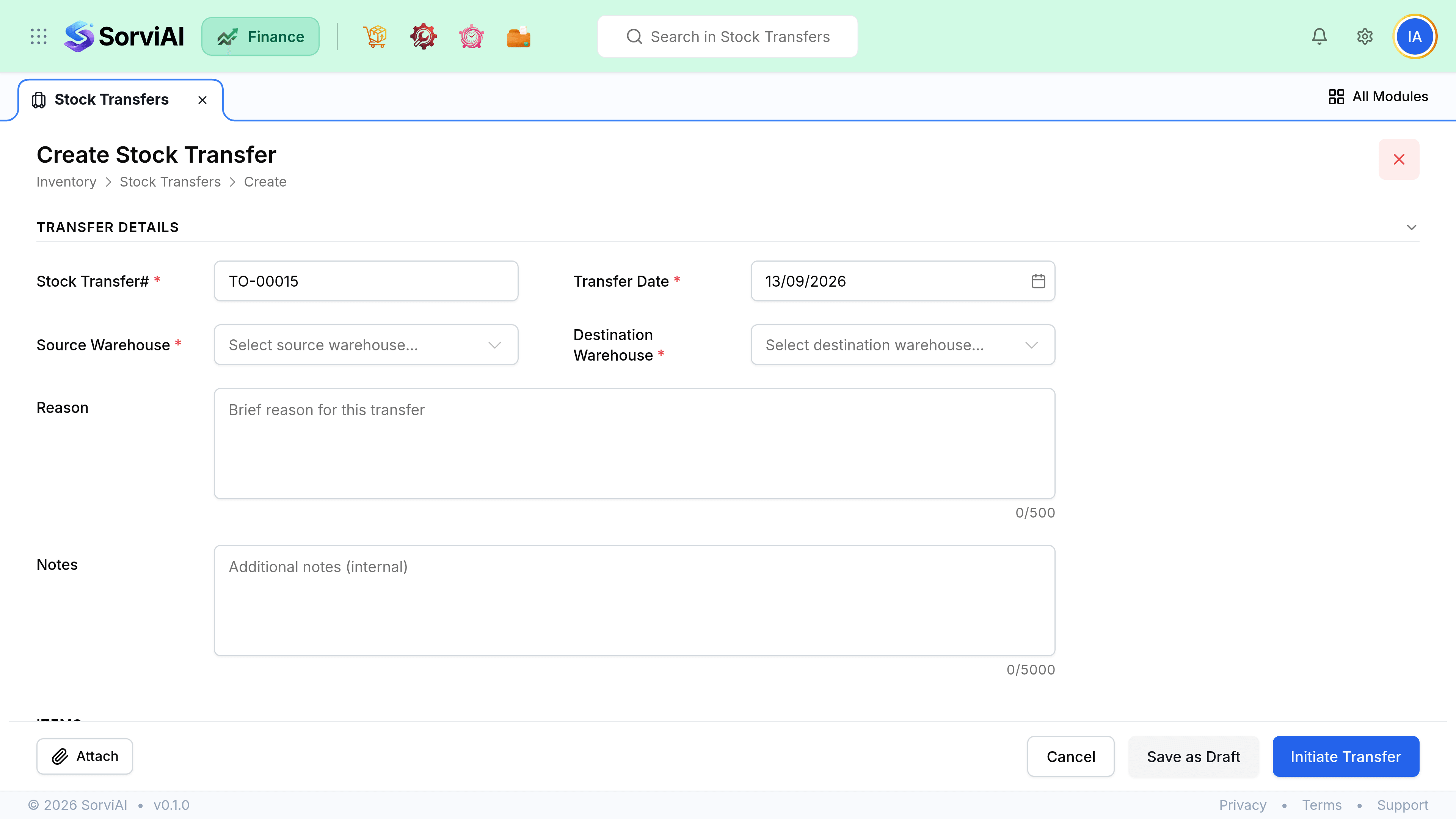
Record a transfer
Choose source and destination
Two of your own locations. Never a customer or a vendor.
Add items and quantities
Limited to what is actually on hand at the source.
Save as draft, or despatch
A draft moves nothing. Despatching is what takes the stock out of the source.
Print the transfer note
It travels with the goods so the receiving site knows what to expect.
What you can move
| Item | Transferable | Note |
|---|---|---|
| Tracked goods | Yes | The normal case. |
| Untracked goods | No | No quantity exists to move. |
| Services | No | Nothing physical. |
| A variant | Yes | It is a full item with its own stock. |
| A variant parent | No | Parents are never transacted. |
Despatching
Despatch when the goods physically leave the source, not when you decide to send them. The date decides when the source site stops being able to sell those units, and a transfer despatched a week early makes the source look empty while the stock is still on its shelves.