
Send and Track an Order
Issuing sends the order and makes it real to everyone downstream: the vendor can act on it and your warehouse can receive against it.
Tracking after that is mostly about watching the outstanding quantities.
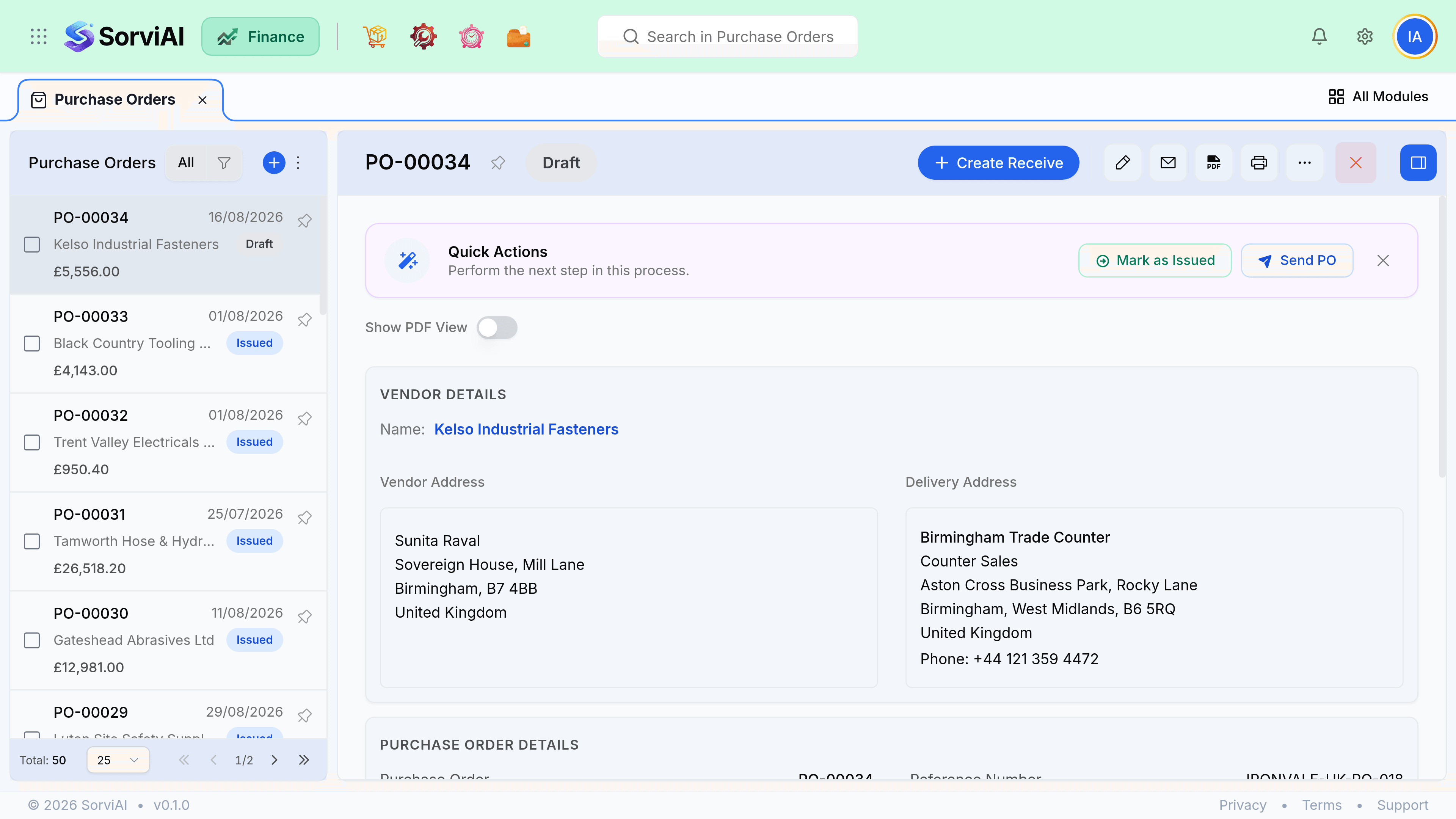
Issue it
Check the lines and the delivery location one last time
Both are editable on a draft and awkward afterwards.
Choose Issue, or Email the order
Emailing issues it and sends the PDF to the contact marked for purchase orders.
Confirm receipt with the vendor if it matters
Nothing in SorviAI Finance knows whether they read it. The activity timeline records the send, not the agreement.
Tracking what is outstanding
An issued order carries three quantities per line: ordered, received and billed. The gaps between them are the whole point of the document, and they are the first thing to look at when something has gone wrong.
| Gap | Means | Usual next step |
|---|---|---|
| Ordered above received | Still to arrive, or short delivered | Chase the vendor, or close short |
| Received above billed | Their invoice has not arrived yet | Wait, then enter the bill |
| Billed above received | Billed in advance, or a short delivery | Query before paying |
| All three equal | Complete | The order closes itself |
Chasing late deliveries
Sort the orders list by expected delivery date and filter to issued or partially received. That is your late list. There is no automatic chase, deliberately, because a supplier being a day late is not always worth an email.