
Other Actions in Stock Adjustments
Reversing, attaching evidence, and the report that turns a pile of adjustments into a question worth asking somebody.
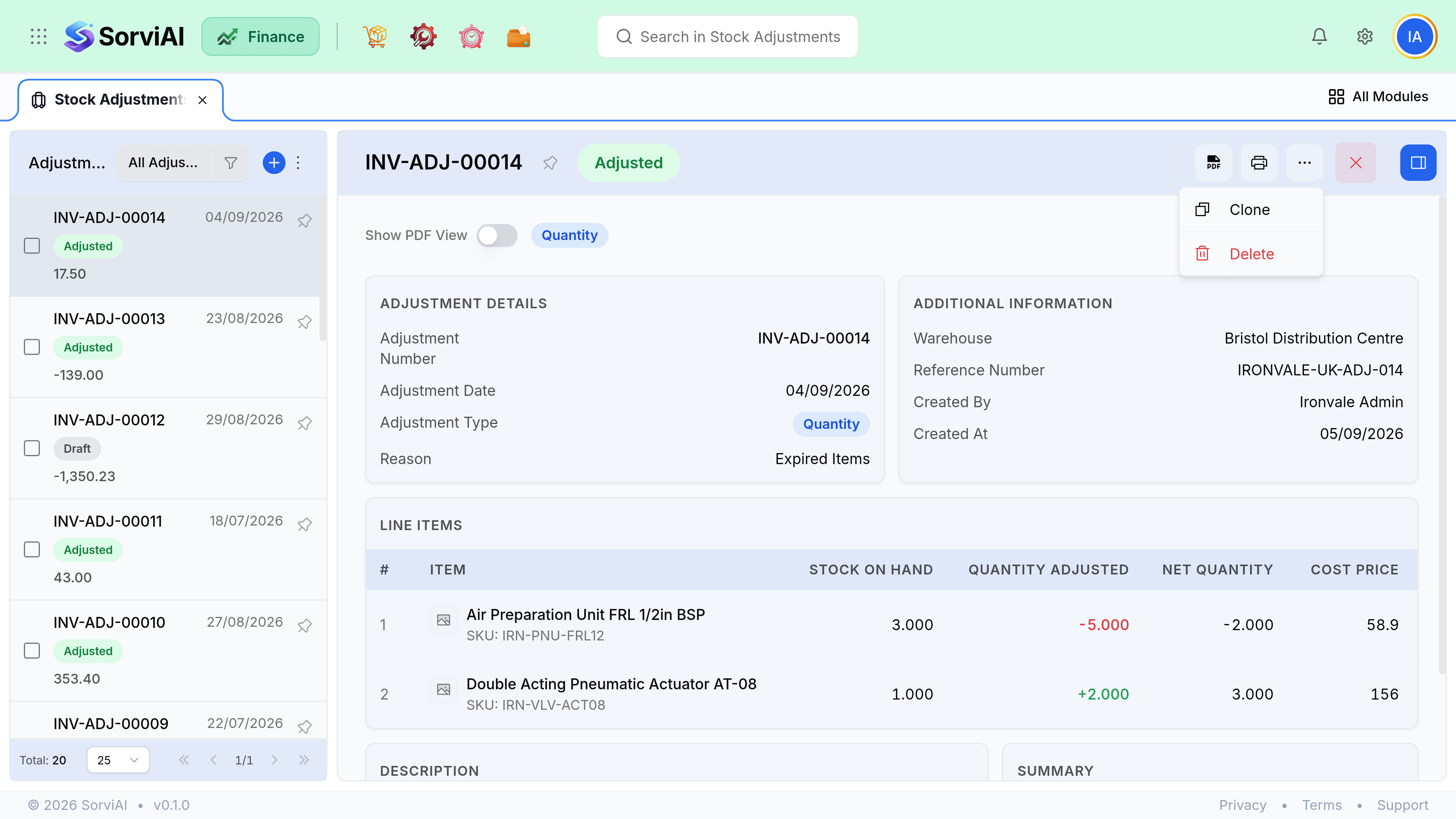
Reversing an adjustment
There is no undo and no void: the overflow menu offers only Clone and Delete. Record an opposite adjustment referencing the original, and pick a reason that says what happened. System Error Correction is the closest of the reasons supplied; Physical Count Discrepancy fits a recount. Cloning the original and flipping the quantities is the quickest way to build it. Both documents stay visible, which is the point: the record shows that a mistake was made and then fixed, rather than showing nothing at all.
Evidence
- Attach the count sheet to a stocktake adjustment. It is what an auditor asks for.
- Attach photographs to a damage adjustment, especially if you intend to claim from a carrier or a supplier.
- Notes on the adjustment are internal and searchable. Use them for who counted and who authorised.
- Attachments appear in Documents, linked back to the adjustment.
Reading the pattern
Run the Stock Movement report filtered to adjustments, monthly. One item appearing repeatedly is the interesting result, and it almost always means something upstream is broken rather than that the item is unlucky.
| Pattern | Usually means |
|---|---|
| One item, always short | Receives entered at the wrong quantity, or theft. |
| One location, always short | A process problem at that site. |
| Always found after a delivery | The purchase receive is being skipped or guessed. |
| Always at month end | Somebody is balancing to a target rather than counting. |
| Large write-downs on one line | Buying more than you sell. A purchasing question. |