
Record a Customer Payment
Record from the module rather than from an invoice whenever the payment does not map onto exactly one invoice.
That is more often than you would think, and doing it this way keeps your bank reconciliation matching one line to one payment.
Record it
Open the form
Go to SalesCustomer PaymentsNew.
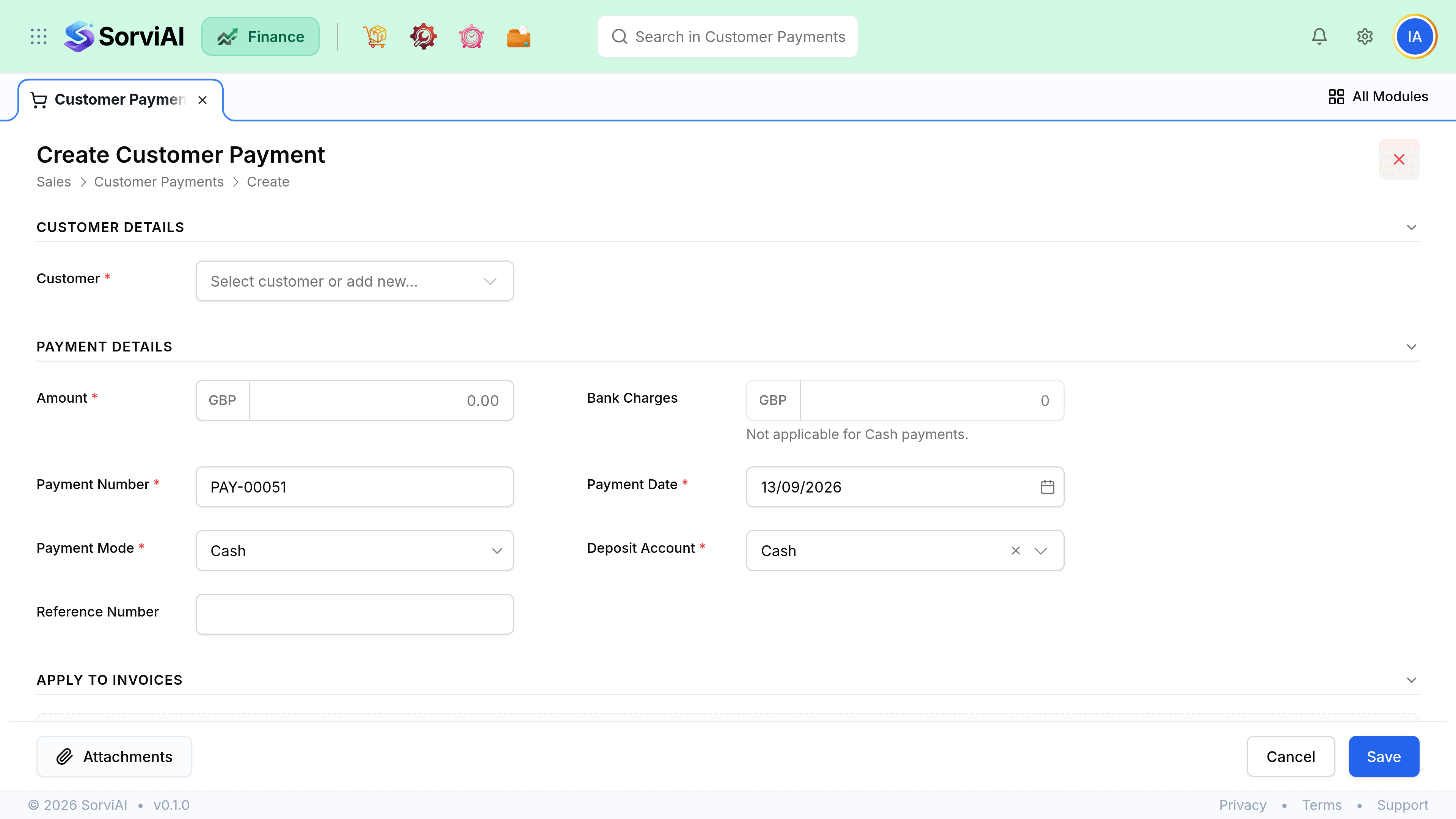
Pick the customer
Their open invoices appear below, oldest first, ready to allocate against.
Enter the amount and date
The date is when the money arrived, which is what your reconciliation and a cash-basis VAT return use.
Choose the deposit account and method
Which bank or cash account it landed in, and how it was paid. Both appear on your reconciliation.
Allocate across invoices
Tick the invoices it pays. Allocate less than the full amount and the rest stays unapplied.
Save
Invoices that reach a zero balance move to Paid automatically.
Field reference
| Field | Required | What it does |
|---|---|---|
| Customer | Yes | Sets the currency and lists the invoices available to allocate against. |
| Amount | Yes | What arrived. Not what any invoice says. |
| Payment date | Yes | When money arrived. Used by reconciliation and by a cash-basis VAT return. |
| Deposit account | Yes | The bank or cash account it landed in. |
| Payment method | No | Transfer, card, cash, cheque. Useful for filtering later. |
| Reference | No | Their transfer reference. The fastest way to match a bank line. |
| Notes | No | Internal. Not shown to the customer. |
Bank feeds and imports
If payments arrive as a bank statement rather than one at a time, import the statement and match lines to customers, then allocate. The import creates the payments; allocation is still yours to do, because only you know which invoice a round number was meant for.
- A matched line becomes a payment with the bank reference already filled in.
- An unmatched line stays unmatched rather than guessing. Guessing here is worse than doing nothing.
- Imported payments can be left unapplied and allocated in a single pass later.