
Create a Recurring Profile
Build the invoice template, choose the rhythm, decide when it stops, and decide whether a human reviews each one before it goes out.
The last decision is the one to think hardest about.
Set it up
Build the invoice template
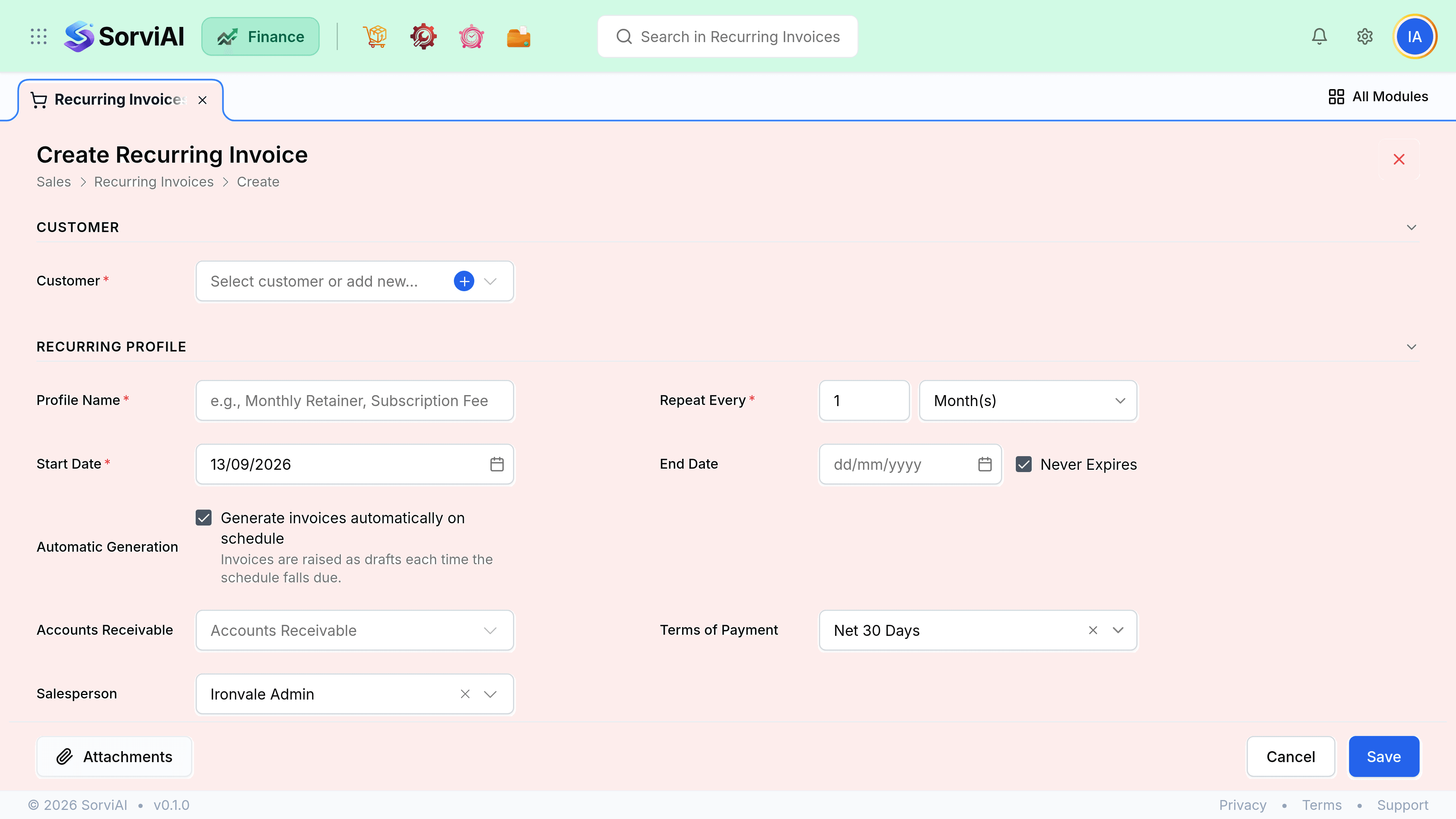
Customer, lines and terms, exactly as you would a one-off invoice. Everything a normal invoice inherits from the customer is inherited here too.
Choose the frequency
Weekly, monthly, quarterly or yearly, starting from a date you pick. The start date sets the day of the cycle.
Set an end condition
An end date, a number of cycles, or neither for an open-ended arrangement.
Decide auto-send
Generate as a draft for review, or generate and email the customer without anyone touching it.
Activate
Nothing generates until the profile is active. A draft profile is a plan, not a schedule.
| Setting | Effect |
|---|---|
| Generate as draft | Safest. Someone reviews each invoice before it goes out. |
| Generate and send | Fully hands-off. Right for stable, unchanging retainers. |
| End date | Profile expires on that date and stops generating. |
| Number of cycles | Counts down and expires after the last one. |
| No end condition | Runs until somebody stops it. Review these annually. |
Draft or auto-send
Auto-send is the point of the feature and also its main risk. An unattended profile with a wrong line bills the wrong amount every month until somebody notices, and the person who notices is usually the customer.
- Generated drafts appear in the invoice list like any other draft, filterable by their profile.
- A draft that nobody sends posts nothing, so an unattended draft-mode profile quietly bills nothing at all.
- Auto-send emails the customer's primary contact and posts immediately.
Dates and the first cycle
The start date is both the first generation date and the day of the month the cycle lands on. A profile starting 15 March generates on the 15th of every month after. Setting a start date in the past generates once immediately and then continues from there, which is occasionally what you want and usually a surprise.