
Refund a Credit Note
Refunding sends money back rather than offsetting it.
Do it when there will be no next invoice, and check first that the credit is genuinely unapplied, because applied value has already been used.
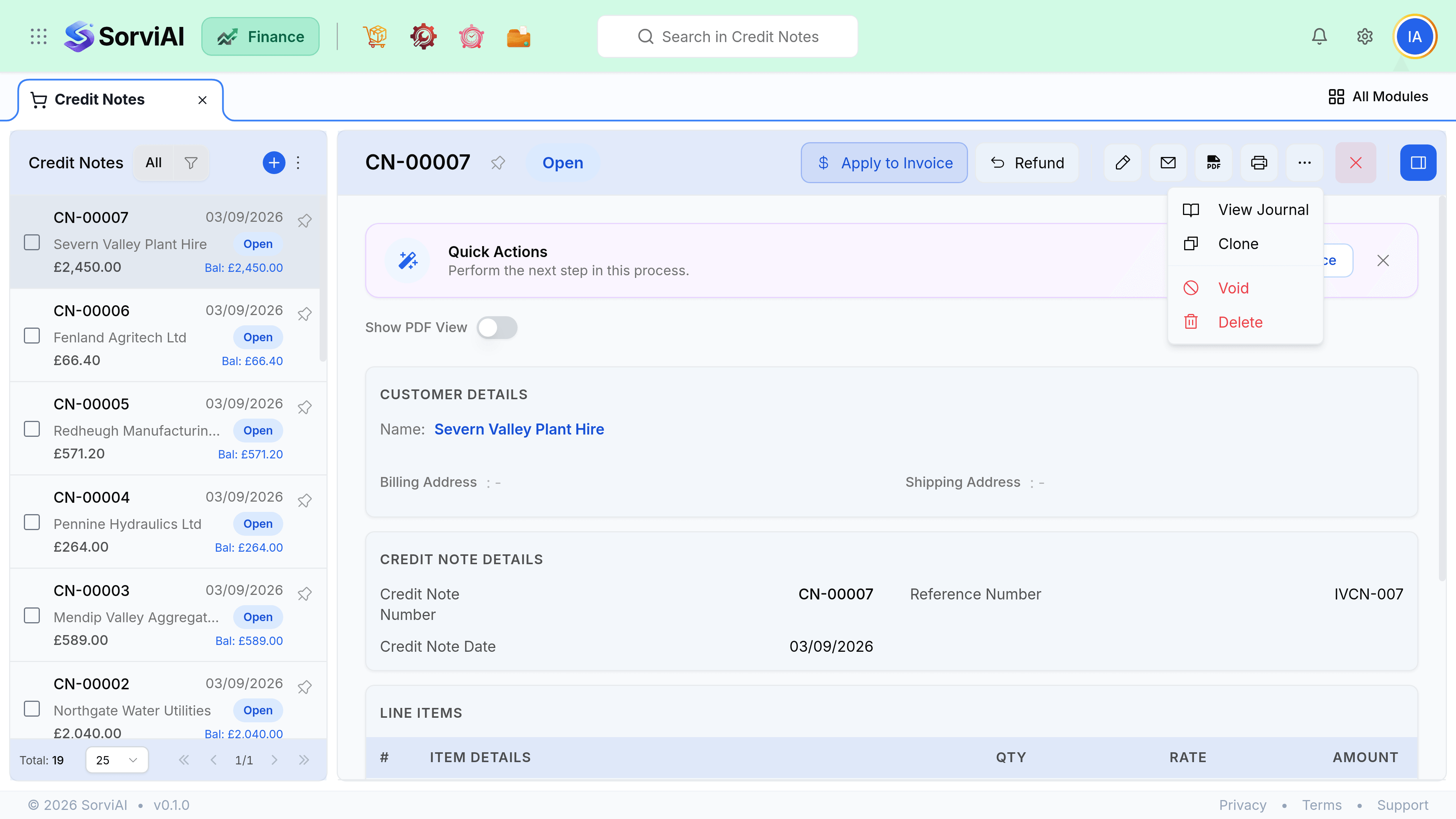
Refund it
Check what is unapplied
The credit note shows applied and remaining. Only the remaining part can be refunded.
Raise the refund
From the credit note. Choose the account the money leaves from.
Set the date money left
Your reconciliation matches on this date, not on the credit note date.
Save
Cash reduces and the credit note moves to Refunded once nothing is left.
Part applied, part refunded
A credit does not have to go one way. Apply what covers an open invoice and refund the rest, which is the usual outcome when a customer is closing their account with one invoice still outstanding.
| Credit note | Applied | Refunded | Status |
|---|---|---|---|
| 500 | 500 | 0 | Applied |
| 500 | 0 | 500 | Refunded |
| 500 | 200 | 300 | Refunded, fully used |
| 500 | 200 | 0 | Open, 300 remaining |