
Purchase Order Preferences
The only purchases tab with real settings: when an order closes itself, and the terms and notes every new order starts with.
Settings
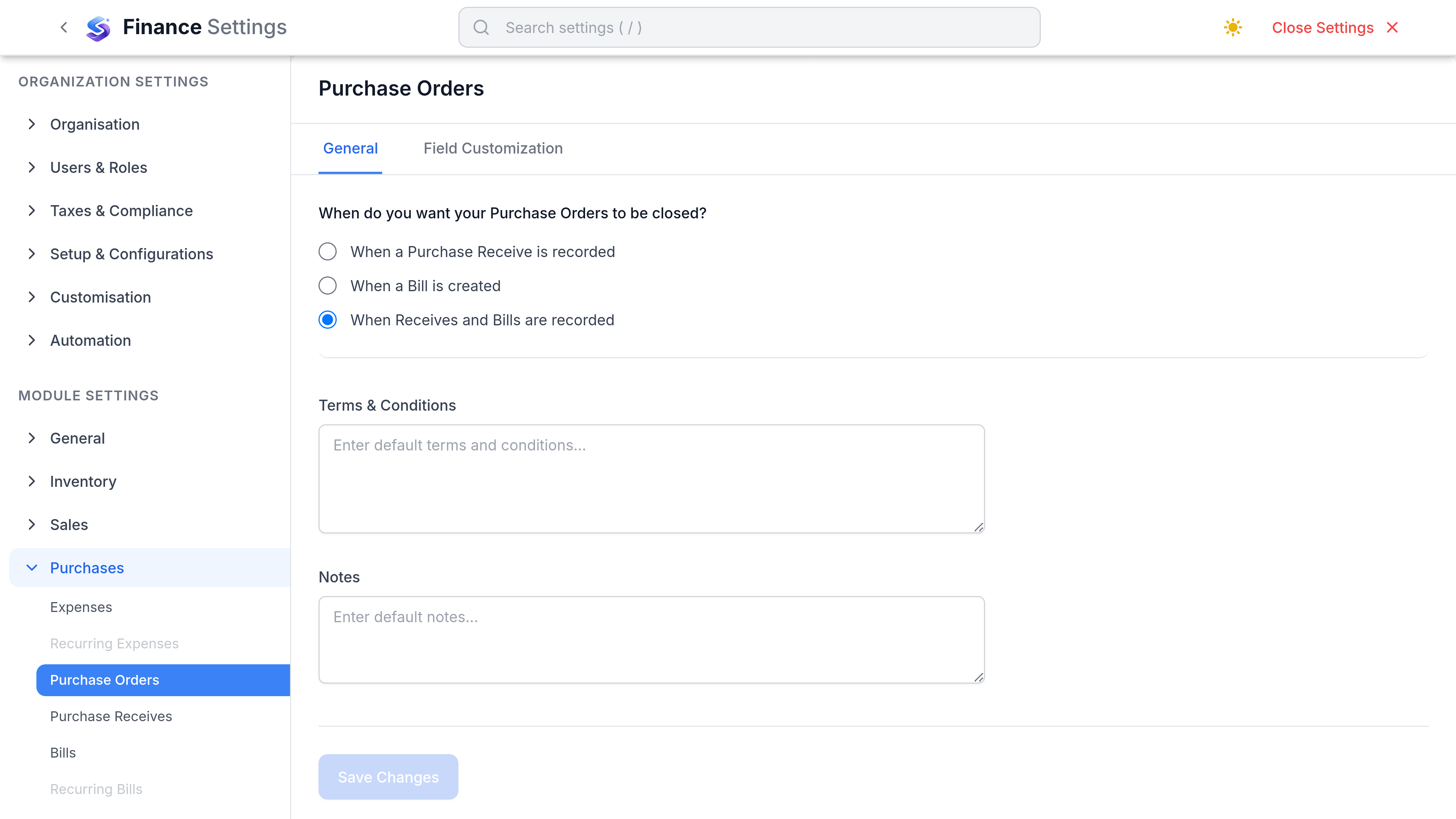
Go to SettingsFinancePurchase Orders. This is the only tab under Purchases that carries settings rather than just custom fields, and it splits into General and Field Customisation.
| Preference | What it does | Worth changing when |
|---|---|---|
| When orders are closed | Chooses the event that closes an order automatically: when a purchase receive is recorded, when a bill is created, or when both have happened. Both is the default. | You bill without receiving, or receive without billing. |
| Default Terms & Conditions | Text carried onto every new order. | Your purchasing terms should travel with the order. |
| Default Notes | Text carried onto every new order. | Delivery instructions repeat on every order. |
What lives somewhere else
| Expected setting | Where it actually is |
|---|---|
| Numbering series | Real, but not here. Purchase order numbering is set with every other document series under the numbering settings. |
| Template | Real, but not here. The order PDF layout is chosen under Customization, Templates. |
| Default delivery location | Not a setting. The warehouse is chosen on each order, and defaults to your primary warehouse. |
| Require an order before a bill | Does not exist. Nothing blocks a bill with no order behind it. |
| Require approval to issue | Not configurable. Purchase orders do carry an approval state, but there is no setting that makes approval compulsory before an order is issued. |
| Approval threshold | Does not exist. There is no value above which an order needs a second person. |
Approval
An order carries an approval state of its own alongside its order status, so pending, submitted, approved and rejected are all recordable. What is not available is a rule that forces an order through that path: nothing prevents a draft being issued directly. Treat approval as a record of what happened, and put the actual control in who is permitted to issue orders.