
Add an Account
Type first, because it cannot be changed once anything posts.
Then a code, a name and a parent if you group. The whole job takes a minute and lives with you for years.
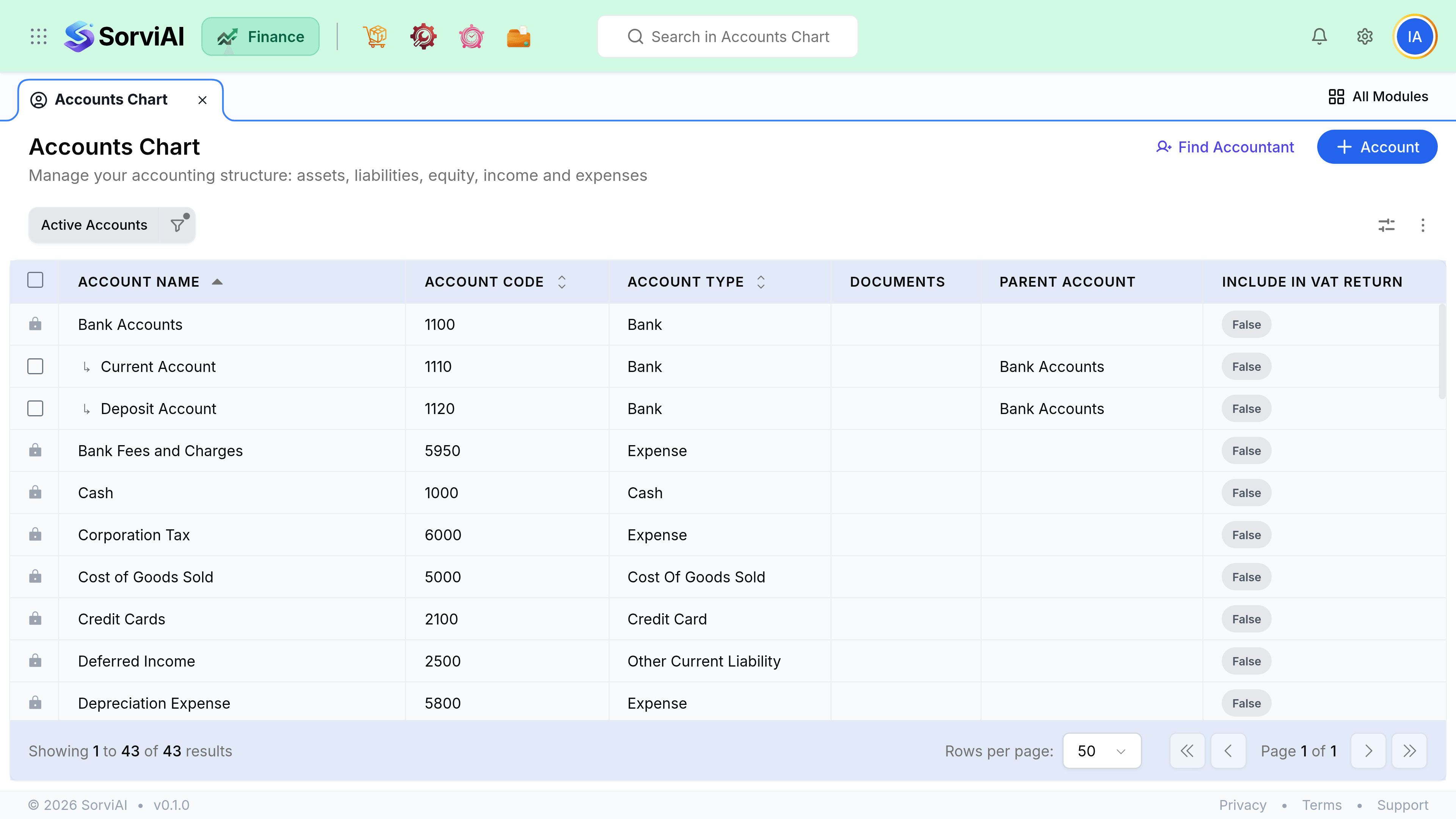
Add one
Choose the type first
Asset, liability, equity, income or expense. This decides which report it appears on and cannot be changed once it has transactions.
Give it a code and a name
Codes control the order accounts appear in. Leave gaps so you can insert later.
Set the parent, if you group accounts
Sub-accounts roll up into their parent on reports.
Decide whether it belongs in the VAT return
An account carries an Include in VAT Return flag rather than a tax rate. It is the flag that decides whether the balance reaches a return; the rate itself comes from the item or the document line.
Save
It is immediately available on every document.
Numbering
Account codes are ordering, not identity. A conventional block scheme keeps the chart readable and leaves room to add without renumbering.
| Range | Typically |
|---|---|
| 1000 to 1999 | Assets |
| 2000 to 2999 | Liabilities |
| 3000 to 3999 | Equity |
| 4000 to 4999 | Income |
| 5000 to 5999 | Cost of goods sold |
| 6000 upwards | Overheads and other expenses |