
Customer Preferences
Two switches govern customers, and most of the defaults people look for here are decided somewhere else.
They change nothing about customers that already exist, which is the single most useful thing to know before you edit them.
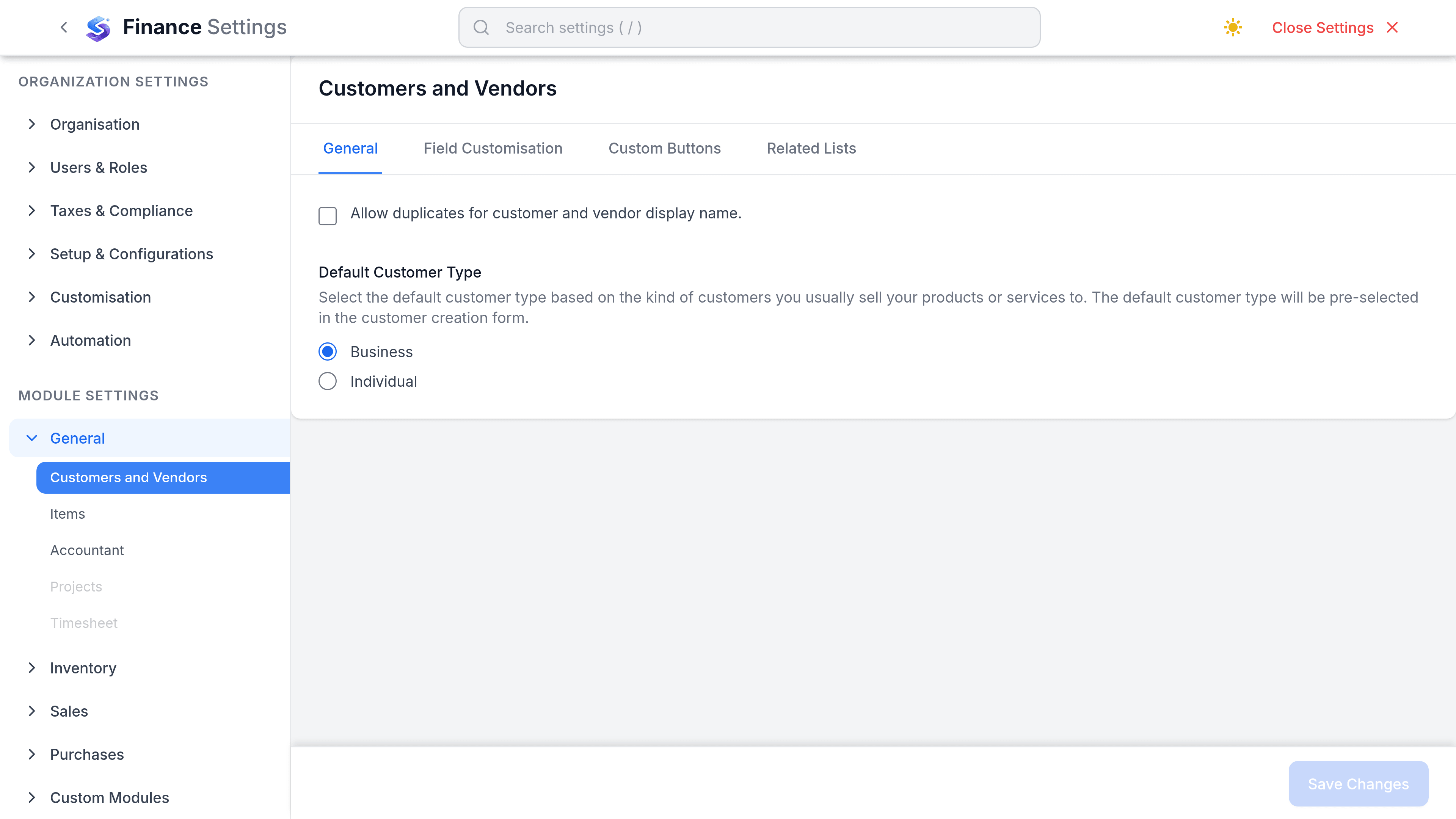
Where they live
Go to SettingsFinanceSalesCustomers. You need the Finance settings permission, which is separate from the permission to create customers. The tab splits into General and Field Customisation.
| Preference | What it sets | Applies to |
|---|---|---|
| Default customer type | Whether a new customer starts as Business or Individual. | New customers only |
| Allow duplicate customer/vendor names | Off by default, which refuses a second contact whose display name matches an existing one. | Customers and vendors together, immediately |
Those two are the whole of the General tab. Everything else is custom fields.
What is not configurable
| Expected setting | What actually happens |
|---|---|
| Default payment terms | One payment term is marked the workspace default and offered everywhere. There is no customer-specific default. |
| Default currency | New customers start from your organisation's base currency. |
| Default tax treatment | Chosen per customer on the form. There is no default. |
| Customer numbering | Customers are not auto-numbered. Customer ID is a free-text field in the shape CUST-XXXX. |
| Portal access | Portal behaviour is configured under the portal settings, not per new contact from here. |
Custom fields
Add a custom field when you need to store something SorviAI Finance does not model: an account manager, a contract reference, a delivery window. Fields can be text, number, date, or a list you define.
- A custom field can be made required, which applies to new records only. Existing records are not retrospectively invalid.
- Fields can be shown on the customer list as a column, which is what makes them useful for filtering.
- Deleting a field deletes its data everywhere. Hide it instead if you might want it back.