
Other Actions in Shipments
Deleting a shipment to put the stock back, printing delivery notes, and the two month-end filters that keep your cost of goods and your revenue in the same month.
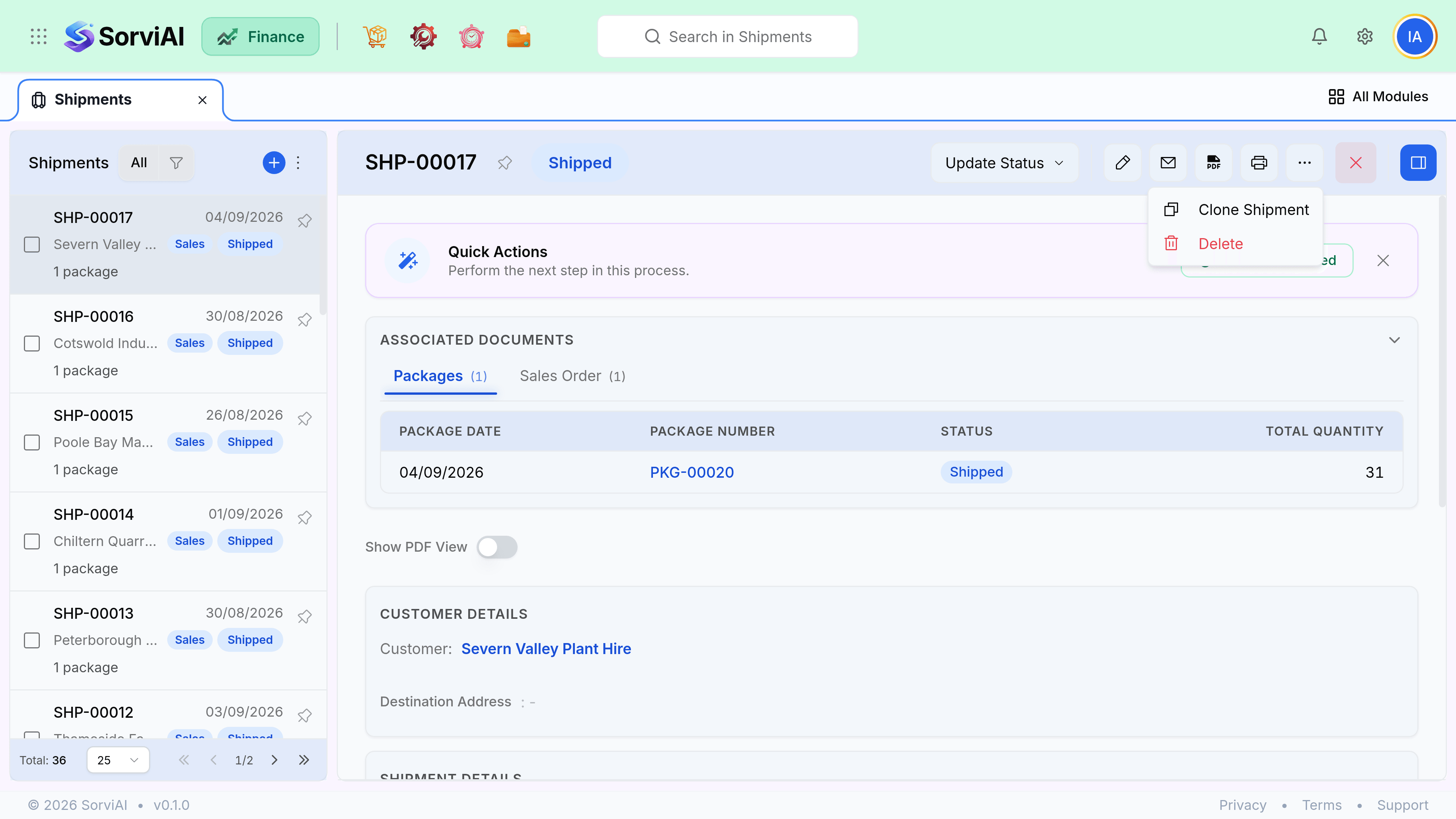
Undoing one
There is no cancel on a shipment. The overflow menu offers Clone Shipment and Delete, and deleting is what undoes it: the inventory movements the shipment made are reversed and every package on it goes back to Not Shipped, ready to be despatched again.
- Delete: the goods never left. Stock comes back and the packages return to the queue.
- Return: the goods left and came back. That is a sales return, which records the condition they came back in and credits the customer.
- Deleting a shipment does not touch an invoice raised against the order. If you have already invoiced, credit that separately.
Delivery notes
| Document | Goes | Shows |
|---|---|---|
| Delivery note | In the box or with the driver | Items and quantities, prices optional |
| Packing slip | In each box | Contents of that box only |
| Shipping label | On the box | Address and carrier reference |
| Invoice | By email | Everything, including prices |
The delivery note layout is chosen under Customization, Templates, and usually hides prices, because it is going to your customer's warehouse rather than to their accounts department.
Month-end checks
- Shipped not invoicedcost without revenue
- Cost of goods recognised against revenue that has not been. Invoice these before the close, or your margin for the month is understated.
- Invoiced not shippedrevenue without cost
- The opposite problem. Usually a service, sometimes a shipment nobody recorded. Check which.