
Module settings
The five screens under Modules, the tab each document type owns, and the article that covers each one in full.
The Modules group holds one screen per part of Finance, and each of those screens holds one tab per document type. A tab configures the records it is named after, so it is written up beside those records rather than here. This page is the map.
Go to SettingsFinance and look under Modules: Sales, Purchases, Items, Inventory and Accountant.
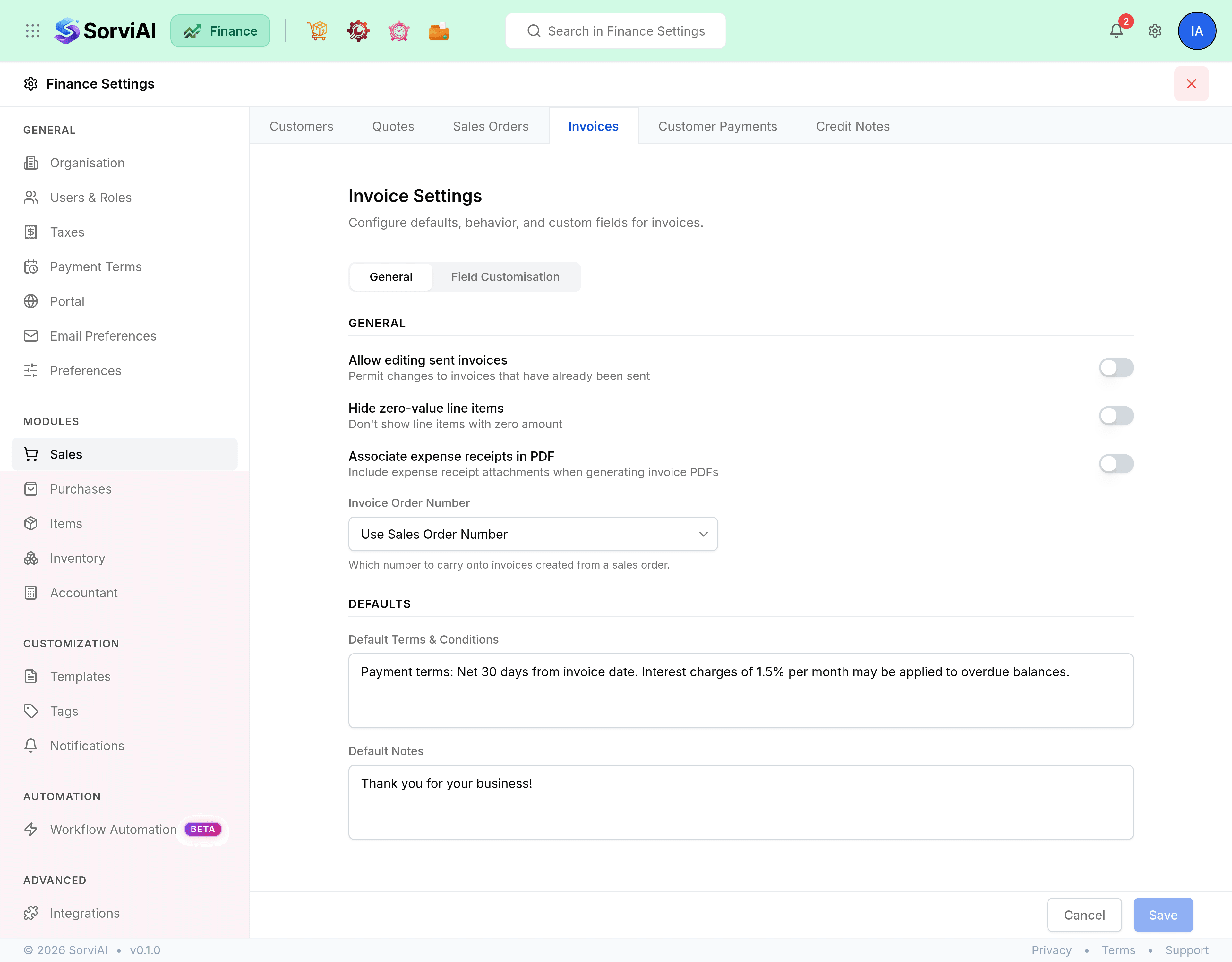
What a module tab holds
Most tabs carry two things, and some carry only the second.
- Preferences
- Switches and default text for that document type, such as whether a sent invoice may be edited, or the terms printed at the foot of a quote.
- Field Customisation
- Custom fields added to that document's form. Several tabs are field customisation and nothing else, which is what the article on each one will tell you.
Sales
- Customer PreferencesDuplicate display names, and the rest of the Customers tab.
- Quote PreferencesGeneral switches, default text, and custom fields.
- Sales Order PreferencesThe richest tab in Sales: conversion, closing, shipping and defaults.
- Invoice PreferencesEditing sent invoices, order numbers, and default terms and notes.
- Credit Note PreferencesTwo default text fields, and custom fields.
Purchases
- Vendor PreferencesWhat the Vendors tab holds, and where the duplicate-name switch actually lives.
- Expense PreferencesCustom fields on an expense.
- Purchase Order PreferencesThe only tab under Purchases with settings rather than just custom fields.
- Bill PreferencesCustom fields on a bill.
Items
One tab, Items, and it is the screen behind how every document line behaves.
Inventory
One tab, Inventory Adjustments, and it is custom fields for a stock adjustment.
Accountant
Two tabs: Chart of Accounts and Exchange Adjustments.
- Chart PreferencesThe Chart of Accounts tab and its two account-code switches.
- Exchange ratesThe rates an adjustment is calculated from, held on the Organisation screen.
Exchange Adjustments holds a single choice: the default account that records rounding differences on foreign-currency transactions. Set it once, when you start trading in a second currency.