
Other Actions in Sales Orders
Closing an order short, cancelling one that should never have existed, duplicating a repeat order, and the bulk actions on the list.
All the things that are not raising or shipping.
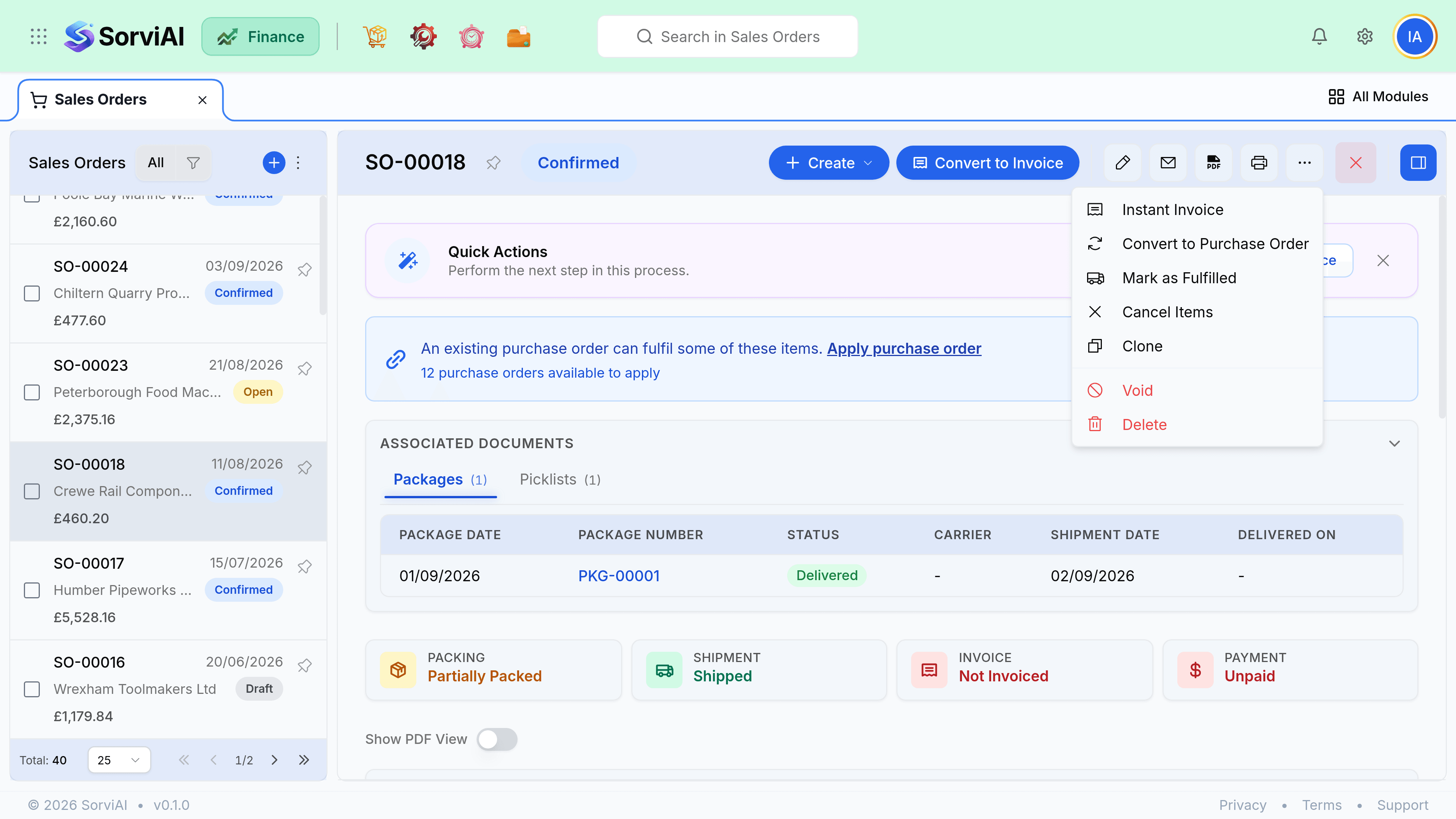
Closing and cancelling
These two look similar in the menu and mean completely different things. Closing accepts what happened. Cancelling says nothing should have happened.
Close short
Some of it was delivered
- YesKeeps everything already shipped and invoiced
- YesRemoves the remainder from the fulfilment queue
- YesCredits nothing, because nothing was billed for the remainder
- NoCannot be used on an order with nothing shipped
Cancel
None of it happened
- YesRight for an order raised in error
- YesLeaves the order visible with a cancelled status
- NoRefused once anything has shipped or been invoiced
- NoDoes not undo a shipment. Delete the shipment first.
Reopening
A closed order reopens automatically if you add a line to it, and can be reopened by hand when a customer changes their mind about the balance. Reopening does not undo anything: the shipments and invoices against it stay exactly as they are.
Duplicate and repeat
Duplicating copies the lines, quantities, prices, shipping address and delivery method into a new draft. It is the fastest path for customers who reorder the same thing, and far safer than retyping quantities.
- The reference field is copied, so clear it if it belonged to their old purchase order.
- Prices copy from the original, not from today's item prices. Check them if the order is old.
- The duplicate starts as a draft, so it is invisible to the warehouse until you confirm it.
Bulk actions and export
| Bulk action | What it does |
|---|---|
| Confirm | Confirms every selected draft, skipping ones that are already confirmed. |
| Create picklist | One picklist across several orders, for a warehouse that picks by round. |
| Print delivery notes | One PDF per order, in a single download. |
| Export | CSV of the columns and filters currently on screen, not of every field. |
| Close | Closes every selected order short. Refused on orders with nothing shipped. |