
Folders, Permissions and Deleting
Grouping files into folders, who is allowed to remove one, and what deleting actually does.
There is no settings page for Documents. What there is instead is a folder on each file, a permission on the role, and a delete that is gentler than it looks.
Highlights
- Folders are a label on the file, created as you type a new name, with no setup step.
- A file sits in one folder or in none, and folders do not nest.
- Deleting is soft: the record is marked inactive rather than destroyed.
- Attaching and deleting are one permission, not two.
Folders
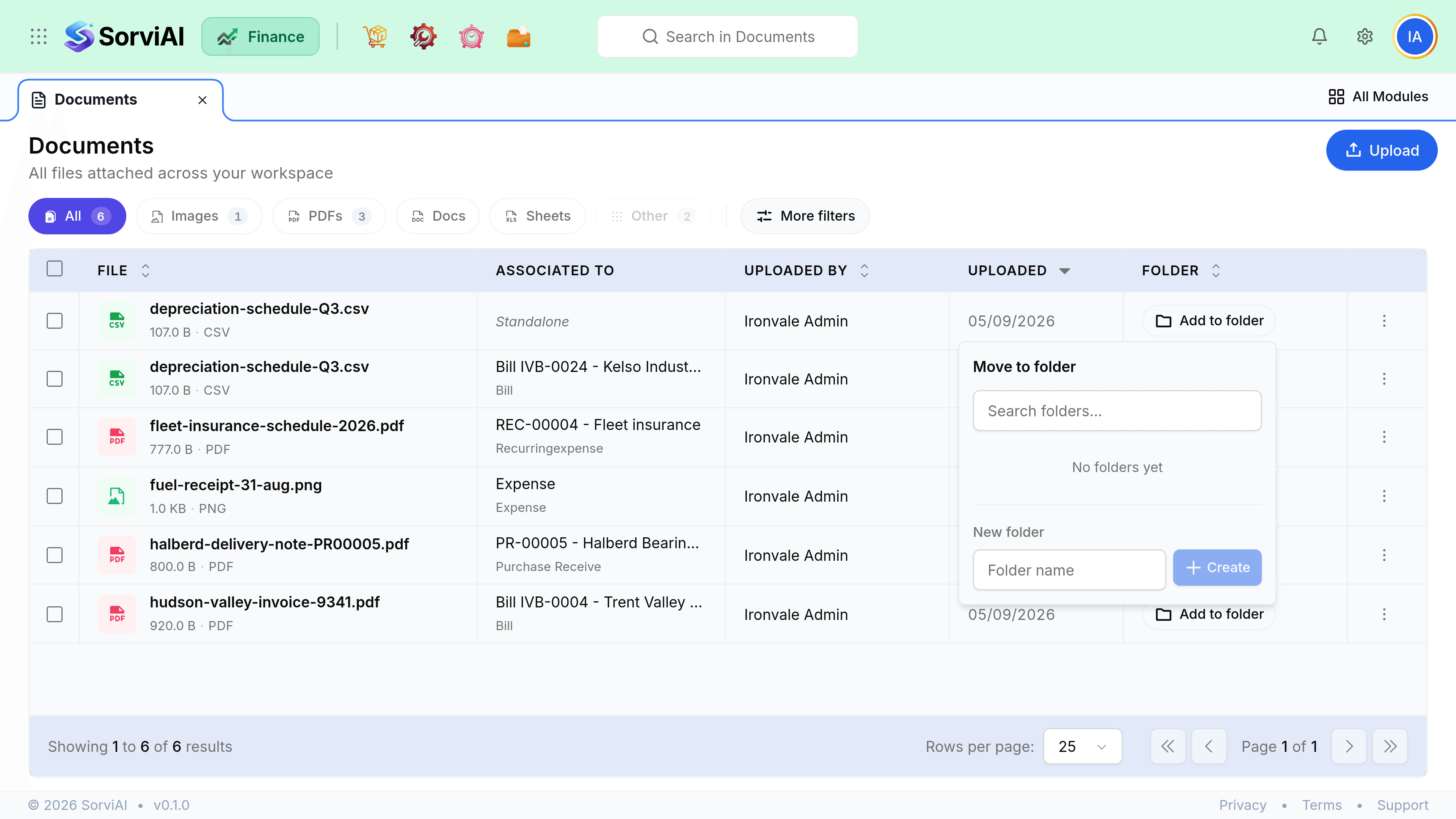
Add to folder on any row opens a small panel: search the folders that exist, or type a name under New folder to make one on the spot.
| Behaviour | Detail |
|---|---|
| Creating | Type a name in the panel. The folder exists as soon as a file is put in it. |
| Membership | One folder per file, or none at all. |
| Nesting | Not available. Folders are a flat list. |
| Filtering | The Folder filter under More filters narrows the table to one folder. |
| Emptying | Move every file out and the folder stops appearing, because it was only ever a label on those files. |
Who can attach and delete
Documents is governed by a single permission on the Finance role, covering both attaching files and removing them. There is no separate right to delete, so anyone who can attach evidence can also take it away.
Deleting
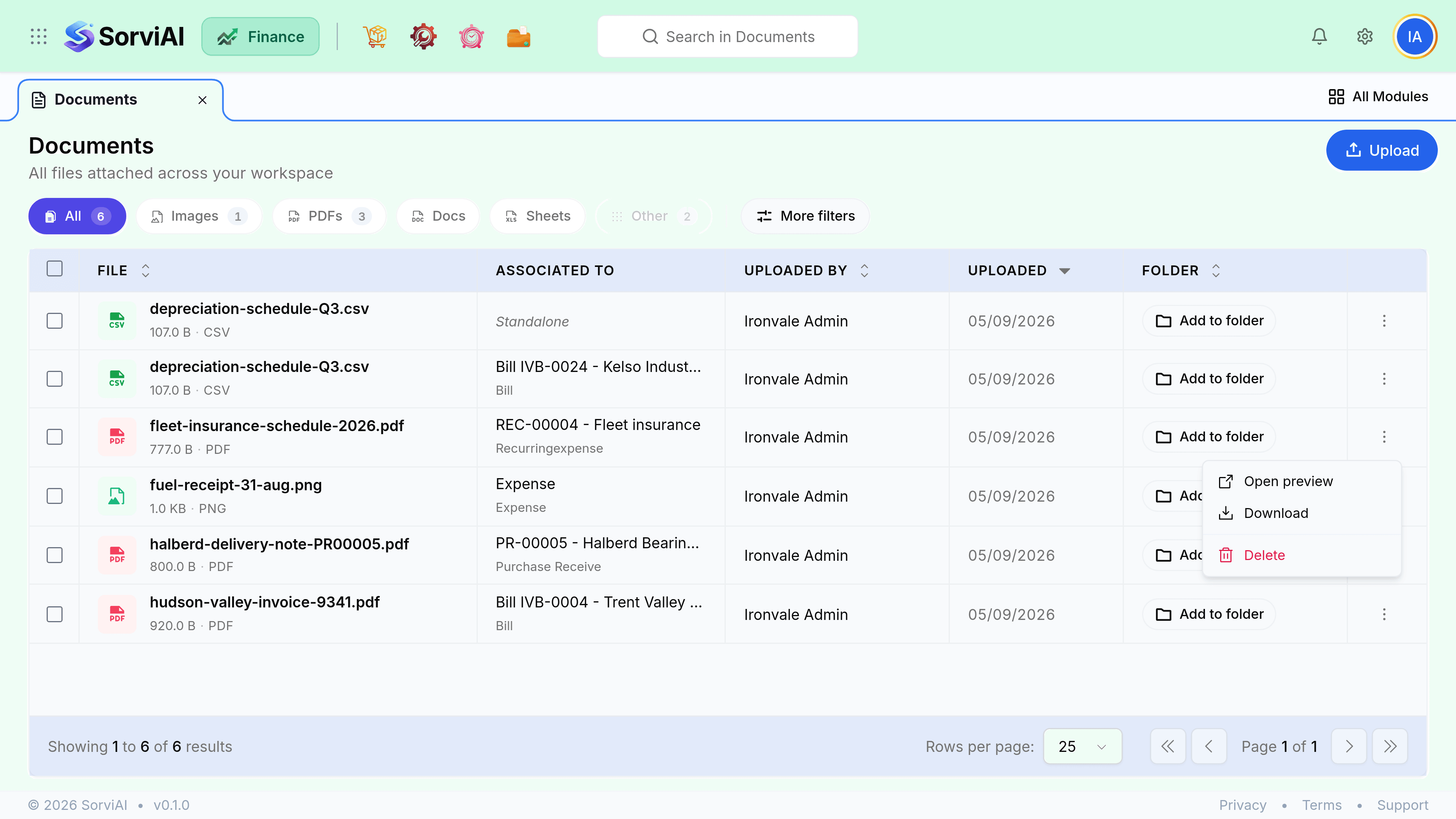
Deleting from the row menu marks the file inactive rather than destroying it, so it leaves the list and stops appearing on its record.
| What happens | Detail |
|---|---|
| To the file | Marked inactive. It leaves the Documents list and its record. |
| To the record | Nothing. Deleting an attachment does not touch the bill or expense it was on. |
| To other records | Nothing. Each attachment belongs to exactly one record, so removing one cannot empty another. |
| On an expense | The deletion is written to that expense's history, naming you and the time. |
Attachments people expect to be compulsory
| Expected rule | What actually happens |
|---|---|
| Require a receipt on an expense | No such setting. Saving an expense with no receipt is allowed. |
| Require an invoice before opening a bill | No such setting. Nothing blocks a bill with no attachment. |
| Mark an attachment to send with the document | No such flag. Attachments are internal, and emailing a document does not carry them. |