
Other Actions in Bills
Voiding, cloning, crediting a disputed bill, and the two lists worth running every month: bills still in draft, and open bills nobody has paid.
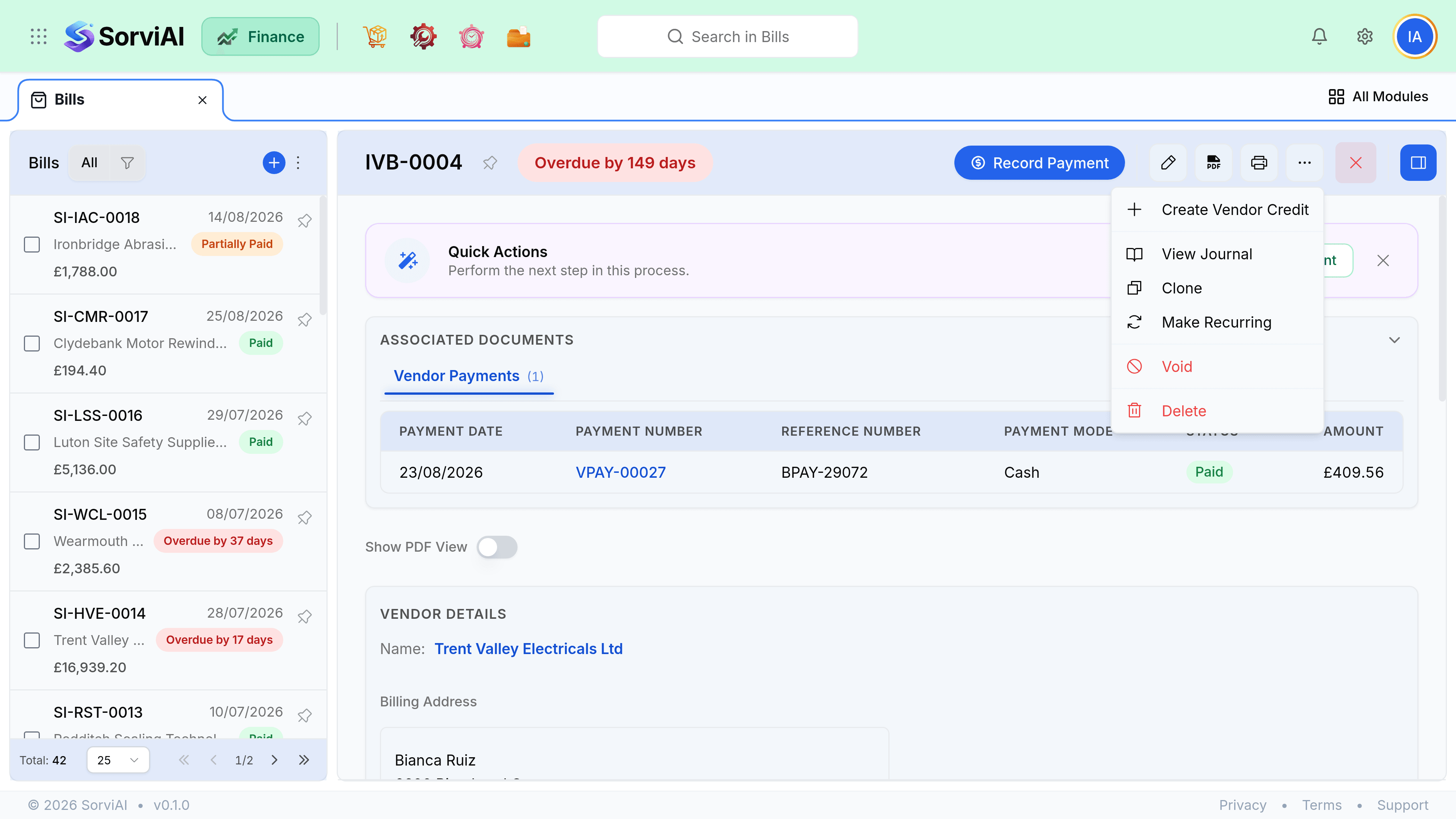
Void, delete, credit
| Action | When | Effect |
|---|---|---|
| Delete | Draft only | Removes it entirely. Nothing posted, nothing to reverse. |
| Void | Open, nothing paid | Reverses the payable, keeps the record and the number. |
| Create Vendor Credit | Open, in dispute or partly paid | A vendor credit for the disputed part, set against what you owe. |
Clone
Cloning copies the vendor, lines, accounts and tax into a new draft. Useful for a repeat cost that is not regular enough for a recurring bill, such as a quarterly professional fee. Make Recurring, one item above it in the menu, is the other half of that choice: it turns this bill into a profile that raises itself.
- Clear the vendor invoice number. A bill number must be unique per vendor, so reusing it is refused outright rather than warned about.
- Check the amount. Prices copy from the original, not from anywhere current.
- Payments and attachments are not copied, only the billing content.
The two lists worth running
- Draft billscosts you have not recorded
- Every one is a cost missing from your profit and loss and a liability missing from your balance sheet. Clear this list before every close.
- Open and unpaid, past duesuppliers you are annoying
- Sorted by due date, this is your payment run. A long tail here is usually bills nobody assigned to a run.
Bulk actions cover the tedious part. Select rows on the list and you are offered Convert to Open for a batch of drafts you have already checked, Record Payment, Export as PDF, Print and Delete.