
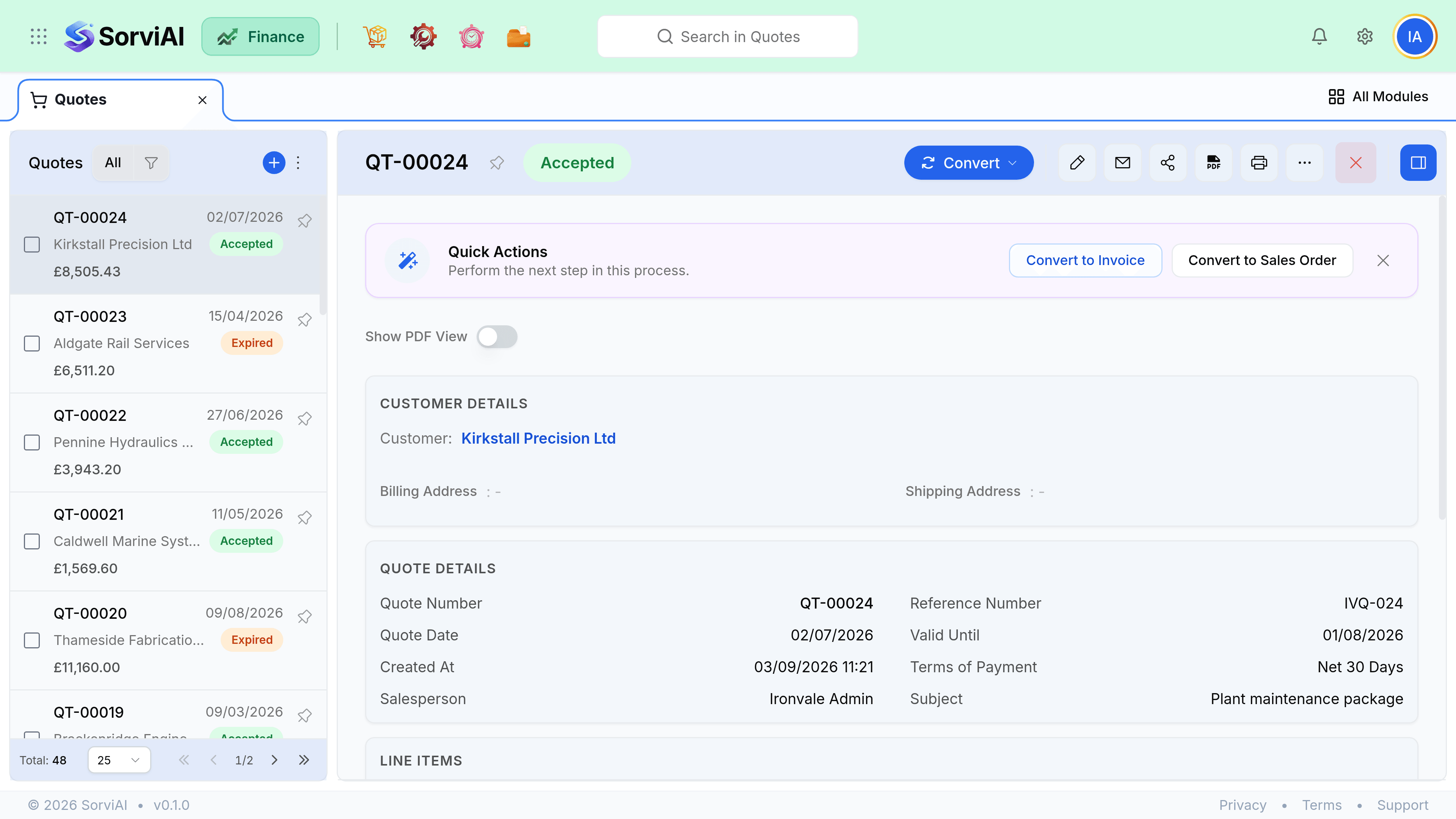
Convert to Invoice
Converting a quote straight to an invoice is the shortest path from agreement to payment.
It is right for services and for anything delivered on the spot, and wrong for anything your warehouse has to touch.
When this is the right path
Skip the sales order when there is no gap between agreeing and delivering: a consultancy day, a licence, a repair completed at the counter. There is nothing to pick and nothing to track, so a sales order would be a document that opens and closes in the same second.
Convert it
Mark the quote accepted
Conversion is not offered on a quote that is still Sent.
Choose Convert to Invoice
From the quote, or from the row menu in the quotes list.
Check the dates
The invoice date decides which accounting period the revenue lands in, and it defaults to today rather than to the quote date. The due date comes from the customer's payment terms.
Check the lines
Everything copies exactly, including one-off description lines and discounts. Prices are not refreshed from the item record, which is what makes the quote binding.
Save as draft, or save and send
A draft invoice still posts nothing. Sending locks the number, posts the journal entry and starts the ageing clock.
What carries and what does not
| From the quote | Onto the invoice |
|---|---|
| Customer, currency, tax treatment | Copied. Currency cannot be changed. |
| Lines, quantities, prices, discounts | Copied exactly, not recalculated. |
| Reference and notes | Copied. Edit before sending if they were internal. |
| Quote date | Not copied. The invoice date defaults to today. |
| Valid until | Not copied. Replaced by the due date from payment terms. |
| Attachments | Not copied. Reattach anything the customer needs to see. |