
Module settings
The Sales, Purchases and Items screens, the tab each document type owns, and the one of them already written up in full.
Three of the four screens under Modules configure the documents Inventory buys and sells with, one tab per document type. The fourth, Inventory, is stock behaviour and has a page of its own.
Go to Settings and look under Modules: Sales, Purchases, Items and Inventory.
What a module tab holds
Most tabs carry two things, and some carry only the second.
- General
- Switches and defaults for that document type, such as the contact type a new customer starts as.
- Field Customisation
- Custom fields added to that document's form. Several tabs are field customisation and nothing else.
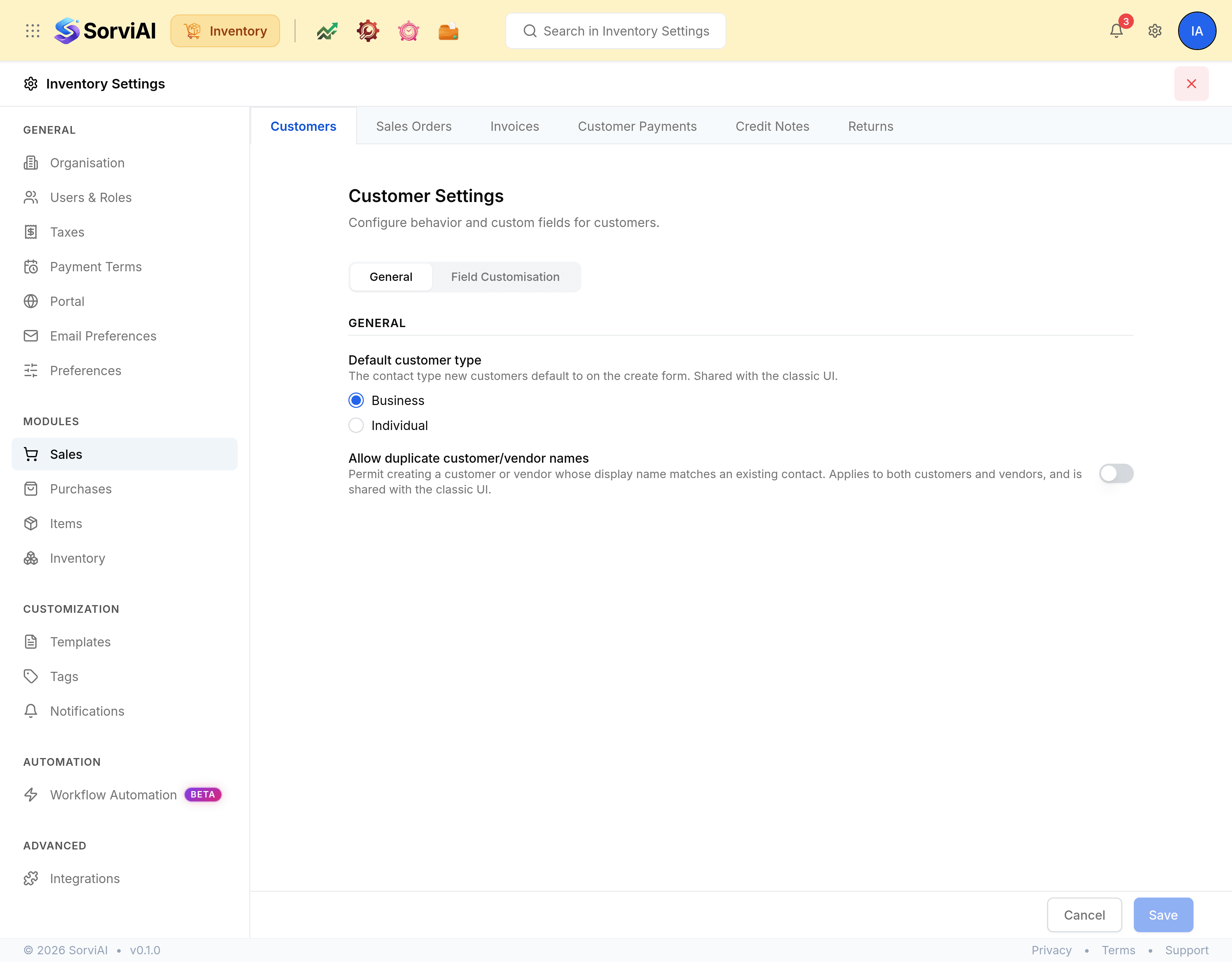
Sales
Six tabs: Customers, Sales Orders, Invoices, Customer Payments, Credit Notes and Returns. Quotes are not among them: quoting belongs to the finance side of the workspace, and Inventory does not mount it.
The Customers tab carries the two settings worth knowing about.
| Field | What it does |
|---|---|
| Default customer type | Business or Individual: the contact type new customers default to on the create form. |
| Allow duplicate customer/vendor names | Permits a customer or vendor whose display name matches an existing contact. It applies to both customers and vendors. |
Purchases
Vendors, Expenses, Purchase Orders, Purchase Receives, Bills, Vendor Payments and Vendor Credits. Purchase Orders is the tab with real settings on it; the rest are custom fields.
Items
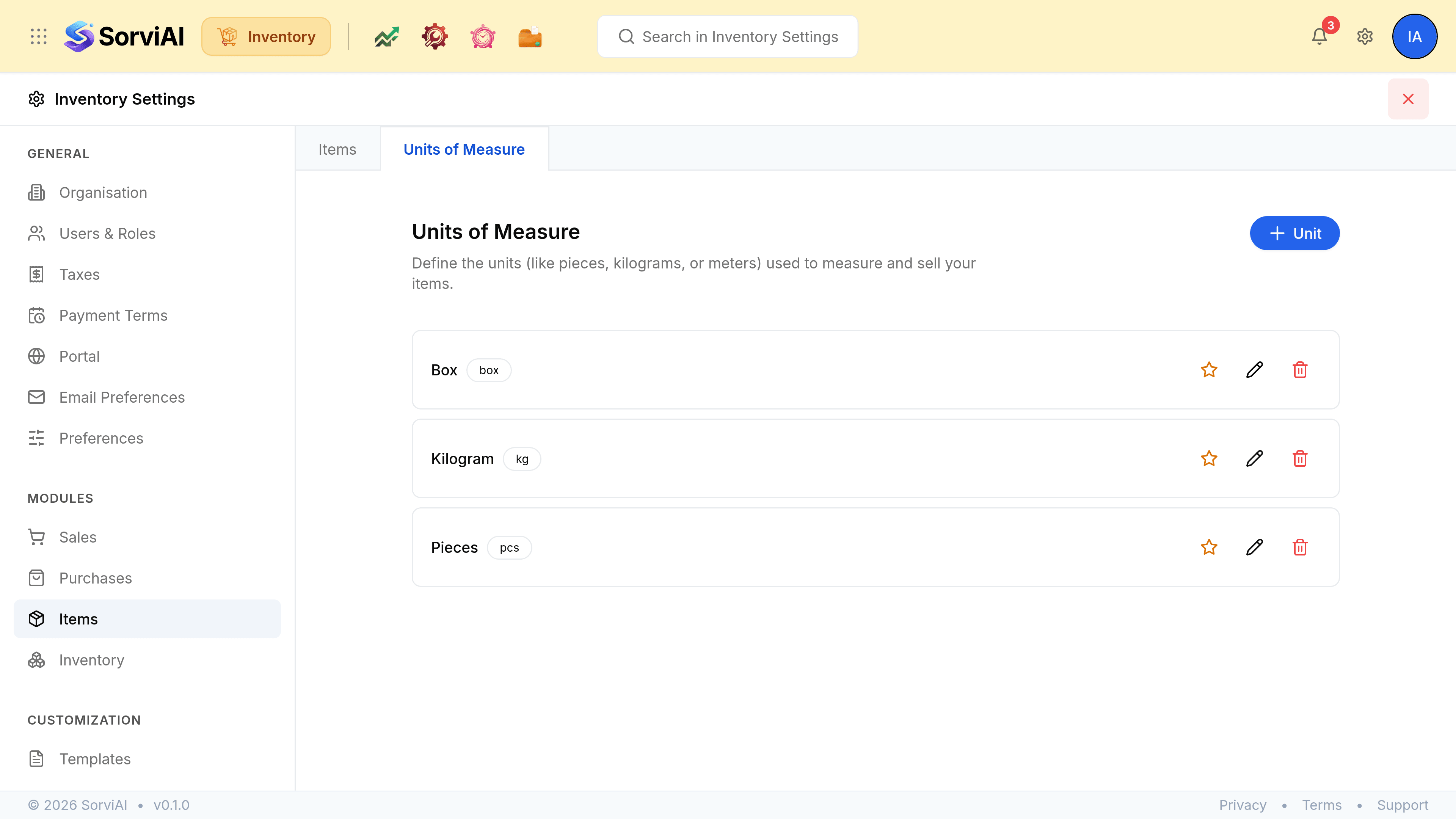
Two tabs, and they are not the same kind of thing.
Units of Measure is the second tab, and it is a list rather than a form: the units a quantity can be counted in, each with a name and an abbreviation.
Inventory
Eight tabs, and the only screen on this rail that decides how stock itself behaves: the axes a variant can vary by, your warehouses, and the trigger that says when a purchase becomes stock. It is long enough to have a page of its own.