
Skip to the article

Introduction - Picklists

A picklist is the warehouse's instruction sheet: what to take off the shelf, for which order, and how it is grouped.

Generating a picklist from a sales order, and completing it against what was actually on the shelf.

It sits between a confirmed sales order and the box that leaves, and it exists for one reason: the person picking is usually not the person who took the order.
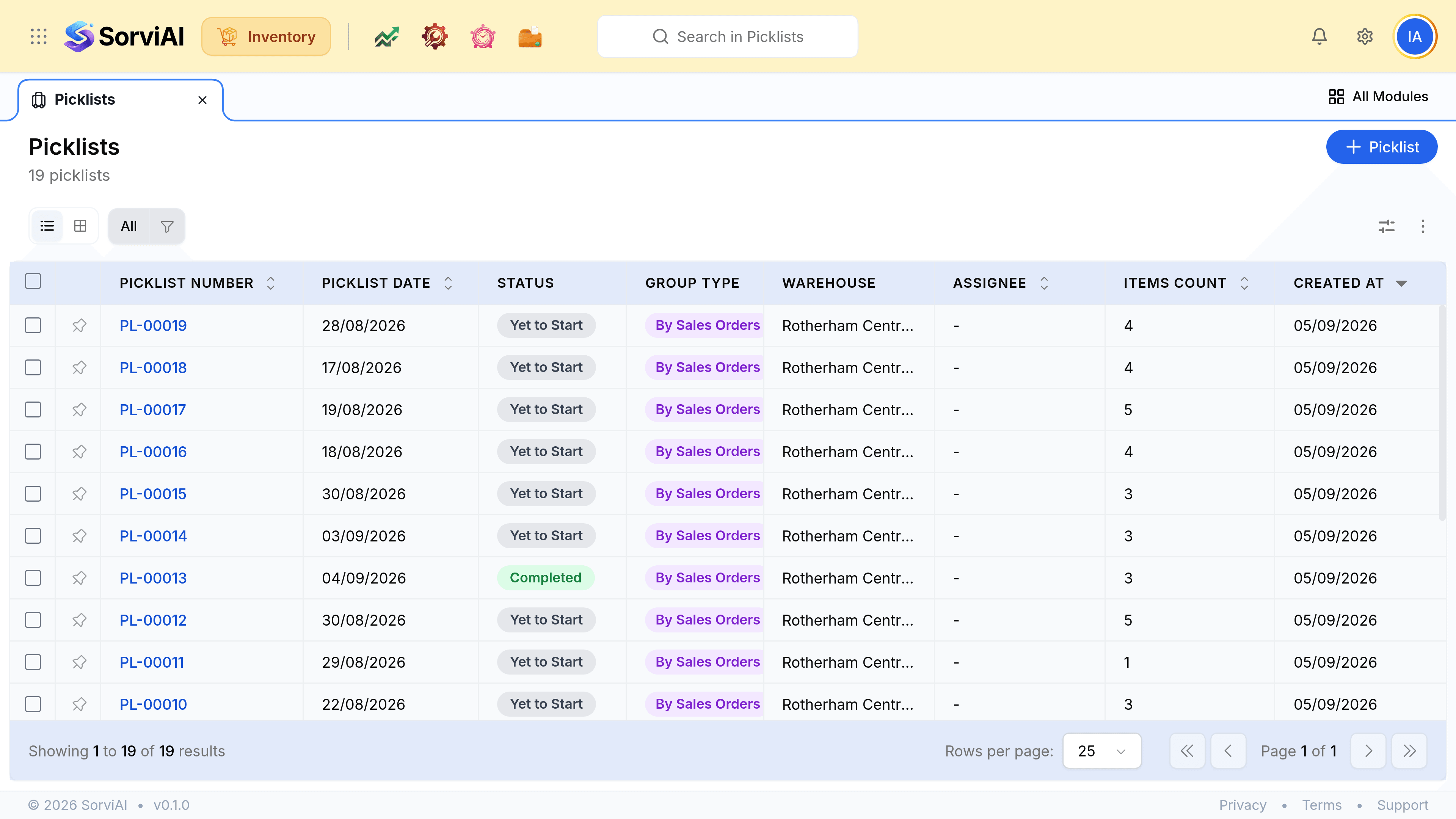
The Picklists screen, headed Picklists with 19 picklists beneath it and its Picklist action. Columns read Picklist number, Date, Status, Group, Warehouse, Assignee and Items. Statuses are Completed or Yet to Start, the Group column reads By Sales Orders on most rows and By Item on one, every row names Rotherham Central Warehouse, Assignee is empty, and item counts run from one to five.
Status, group and item count in one row. Assignee is who is walking the aisles, when you use it.

Where it sits

  1. Sales OrderStock reserved
  2. PicklistPulled off the shelf
  3. PackageBoxed
  4. ShipmentGone

A picklist moves nothing on its own. Reserving happens when the order is confirmed and the count falls when the shipment goes, so a picklist is a working document rather than a stock movement.

Two ways to group a pick

The Group column is the choice that decides how the warehouse walks.

By Sales Ordersorder at a time
One list per order, or several orders on one list. The picker finishes an order before moving on, which keeps each customer's goods together.
By Itemaisle at a time
Grouped by what is being picked rather than who it is for. Fewer return trips down the same aisle, at the cost of sorting the goods afterwards.

What the record carries
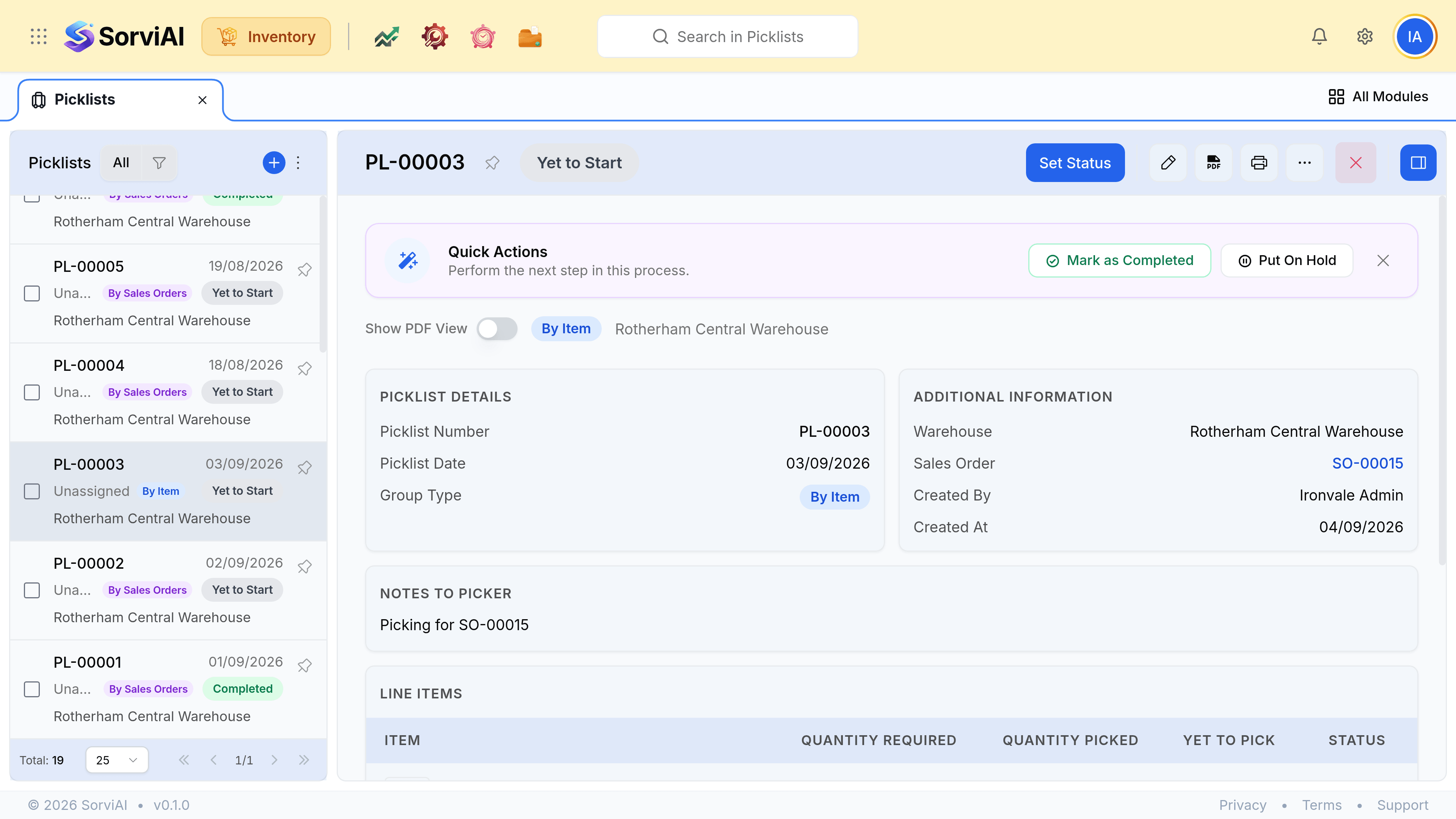
The record for picklist PL-00013, marked Completed. Picklist Details shows the number, the date and a Group Type of By Sales Orders. Additional Information names Rotherham Central Warehouse, sales order SO-00042 and who created it. A Notes to Picker panel reads picked from Rotherham mezzanine. Associated Documents has tabs for Sales Orders and Packages. A Line Items table lists an Air Preparation Unit FRL 1/2in BSP with columns Quantity to Pick 20, Quantity Picked 20, Yet to Pick 0 and status Completed.
Quantity to Pick against Quantity Picked, with Yet to Pick doing the arithmetic. That gap is the whole point of the document.

Was this document helpful?