
Introduction - Rate Lists
A rate list overrides an item's own price for a chosen customer, vendor or document.
An item carries one selling price and one cost price. A rate list is how the same item goes out at a different number for a contract account without anybody editing the item or remembering a discount by hand.
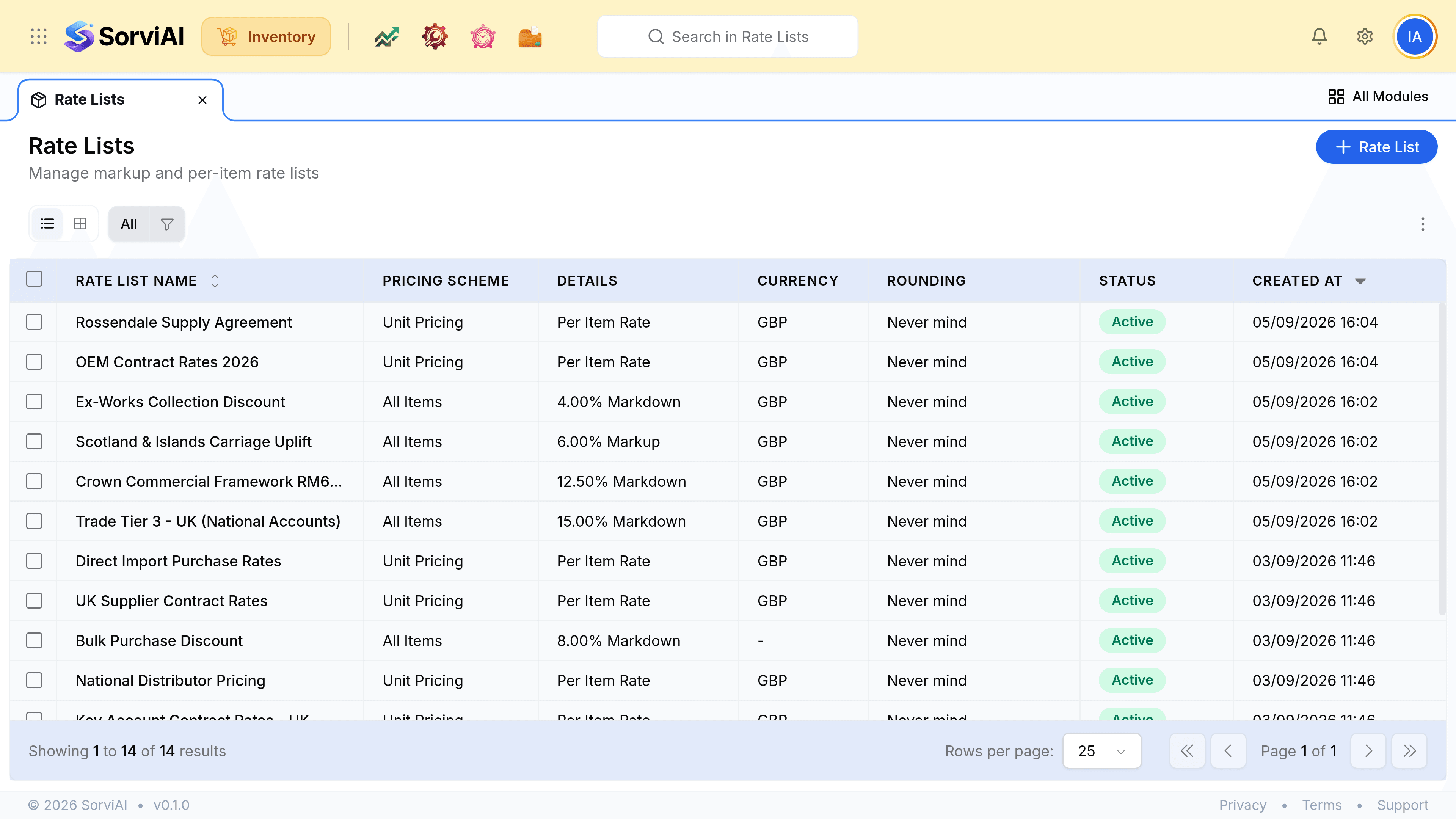
Two shapes of list
The Type column separates them, and the choice is made once when the list is created.
- All Itemsa percentage
- Marks every item up or down by one figure. New items are covered automatically, because the list names no items at all.
- Individual Itemsshown as Unit Pricing
- Names the items and their exact rates. This is what a negotiated contract usually is, and an item absent from the list keeps its own price.
Sales and purchases both
A list applies to one side or the other, never both at once. The Transaction Type is set on the list and cannot be mixed.
| Transaction type | Attached to | Fills the rate on |
|---|---|---|
| Sales | A customer | Sales orders and invoices |
| Purchase | A vendor | Purchase orders and bills |
What it changes, and what it does not
| Rate lists change | Rate lists do not change |
|---|---|
| The rate on a document line | The item's own selling or cost price |
| What a named customer is charged | What the item is valued at |
| What a named vendor charges you | Stock on hand, in any depot |
| The default, still editable per line | Anything already posted |
This is worth being clear about because the two look alike on screen. A rate list is a pricing decision; valuation is what your stock is carried at, and it comes from what you actually paid on the receives that brought the goods in. Changing a rate list never moves a valuation.