
Item Preferences
Defaults for new items, the units everything is measured in, and the settings that decide how rate lists behave.
Item preferences decide what a new item starts out as, so you fill in less every time. Two of them change more than a default.
Go to SettingsItems.
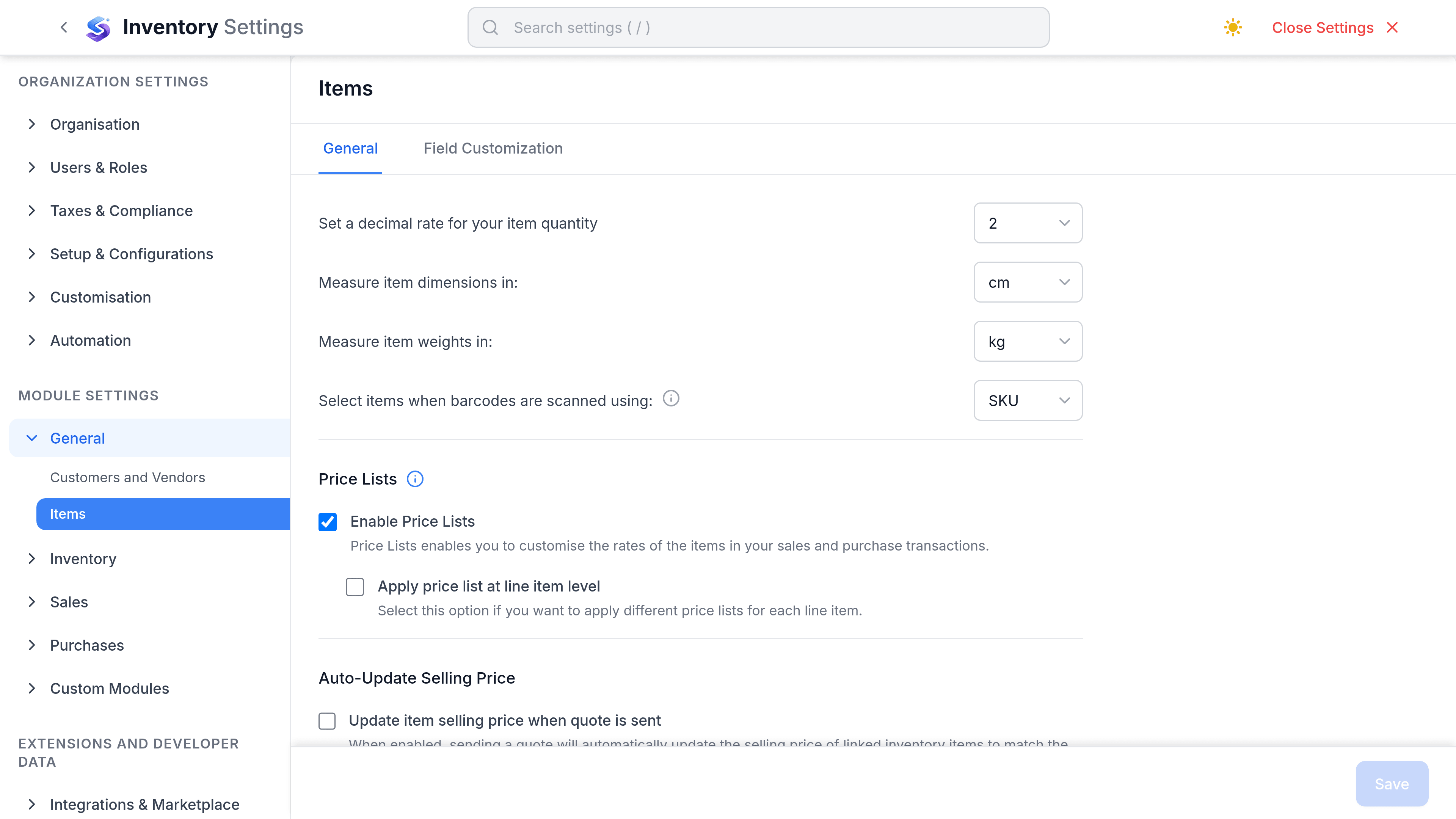
Defaults
| Preference | What it does | Worth changing when |
|---|---|---|
| Create new items as services | New items open with Type set to Service instead of Goods. | You sell mostly labour rather than stock. |
| Create new items with variants | The item form starts in variants mode rather than as a single item. | Most of your catalogue comes in bores, sizes or grades. |
| Allow duplicate item names | Chooses what an import matches on. It does not gate saving an item. | Your SKUs are complete and you want imports keyed on them. |
General
| Preference | What it does |
|---|---|
| Quantity decimal places | How many decimals a quantity accepts, up to the three that are stored |
| Dimension unit | The unit item dimensions are measured in |
| Weight unit | The unit item weights are measured in |
| Barcode scan field | Which field a scanner types into when it reads a code |
These are organisation-wide rather than per item, so changing one restates every item's dimensions in the new unit rather than converting them.
Inventory defaults and rate lists
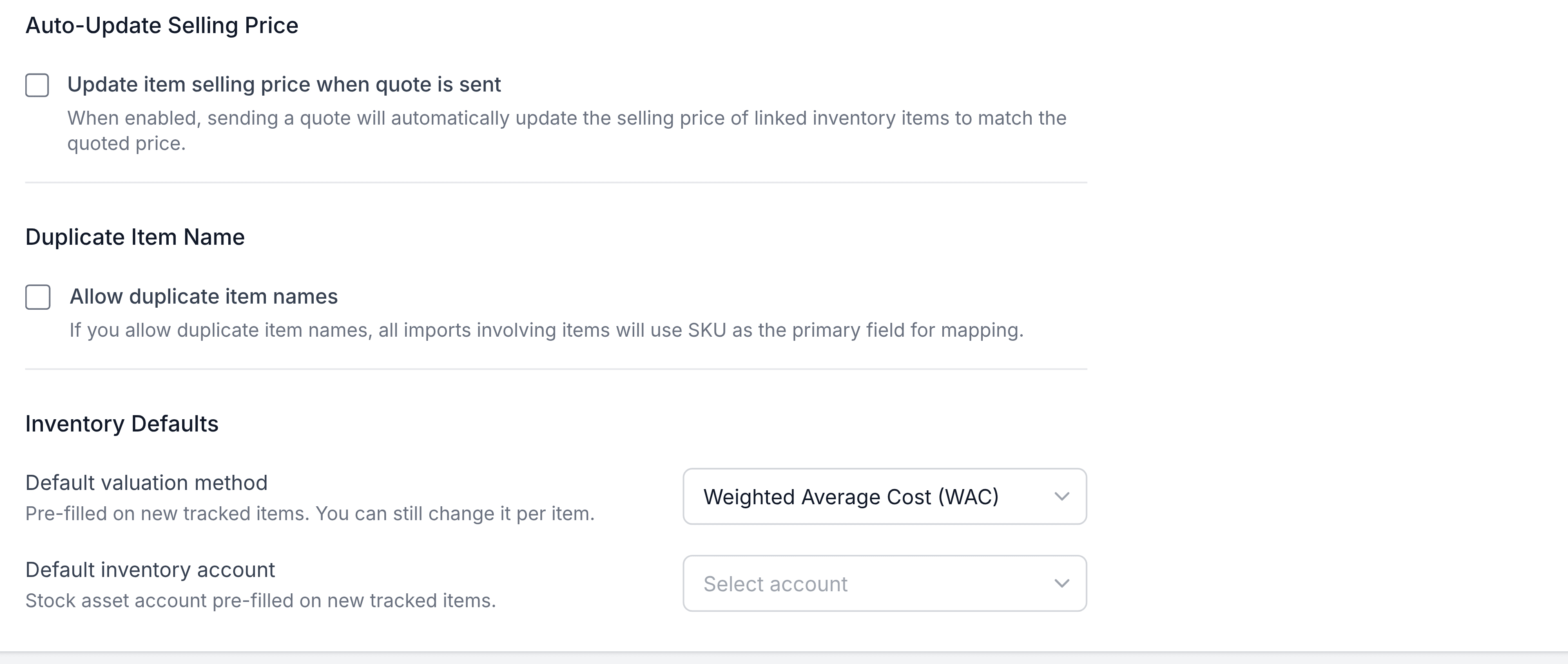
Inventory defaults
| Preference | What it does |
|---|---|
| Default valuation method | Pre-selected on new tracked items |
| Default inventory account | The stock account new tracked items post to |
Rate lists
| Preference | What it does |
|---|---|
| Enable rate lists | Turns the rate list field on across sales and purchase documents |
| Apply rate list at line item level | Lets a single line take a different rate list from the rest of the document |
| Update selling price when a quote is sent | Writes an edited quote price back onto the item as its new selling price |