
Skip to the article

Introduction - Purchase Receives

A receive records what actually turned up, against what was ordered. It is the document that increases your stock.
Counting a delivery in, and why the receive rather than the order is what you should bill against.

This is the step people skip, and it is the one that earns its keep. It is where stock enters the system, and it is the only place a short delivery gets caught before you have paid for the full order.
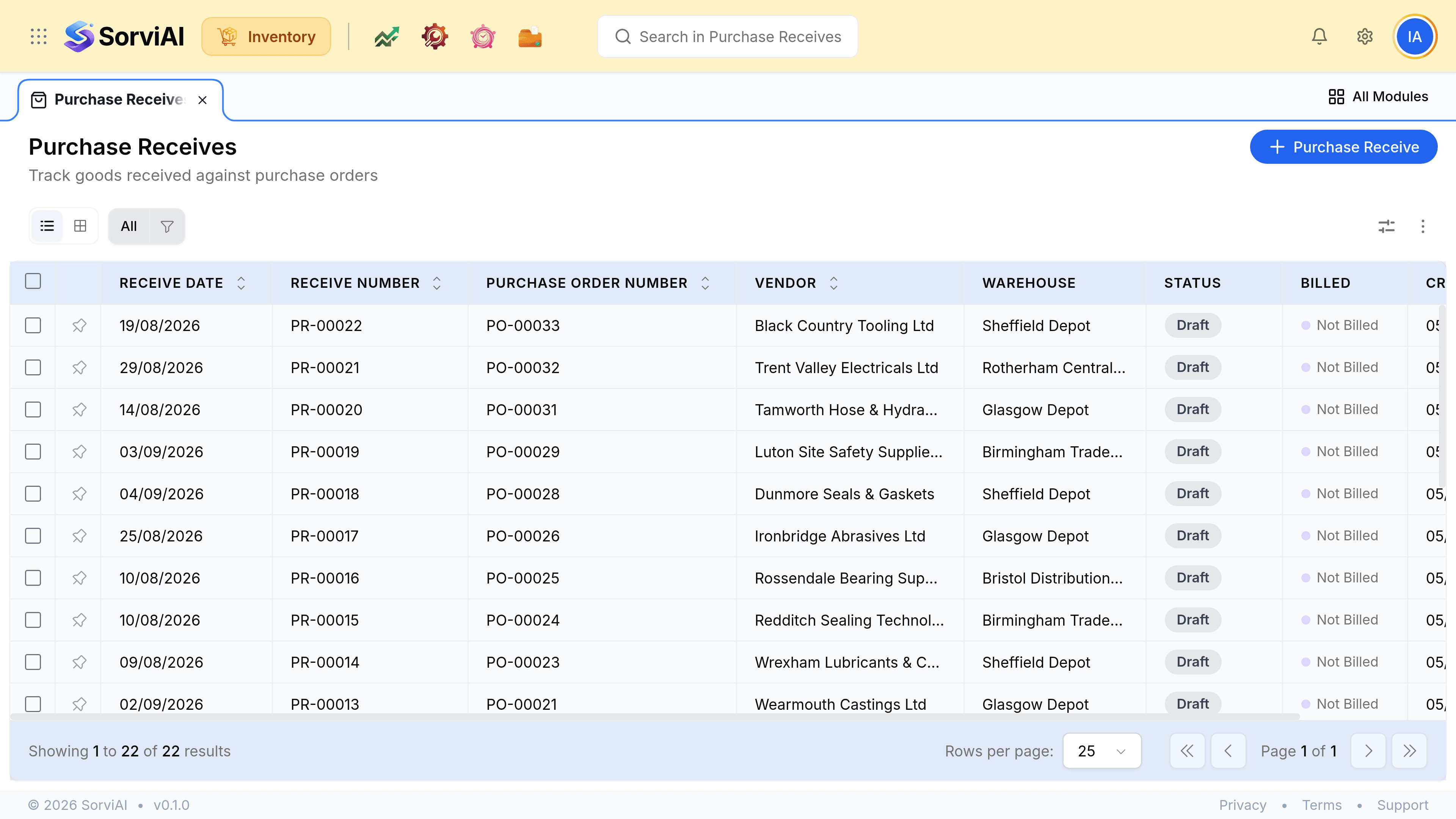
The Purchase Receives screen, subtitled Track goods received against purchase orders. Columns read Receive Date, Receive Number, Purchase Order Number, Vendor, Warehouse, Status, Billed and Created At. Receives numbered PR-00002 upward sit against purchase orders and UK suppliers including Dunmore Seals and Gaskets, Wearmouth Castings and Halberd Bearings, landing at Sheffield Depot, Glasgow Depot, Rotherham Central and Bristol Distribution Centre, each marked Draft and Not Billed.
Every receive names a depot, because stock is held per location. The Billed column is what a bill will be checked against.

The moment stock arrives

Before the receive

  • YesOn order from the vendor
  • NoCounted in stock on hand
  • NoAvailable to promise
  • NoHeld in your stock asset account

After the receive

  • NoOn order from the vendor
  • YesCounted in stock on hand
  • YesAvailable to promise
  • YesHeld in your stock asset account

Received is not billed

The Billed column is the whole reason this document is worth raising separately from the bill. Goods routinely arrive before the invoice does, and occasionally an invoice arrives for goods that never turned up.
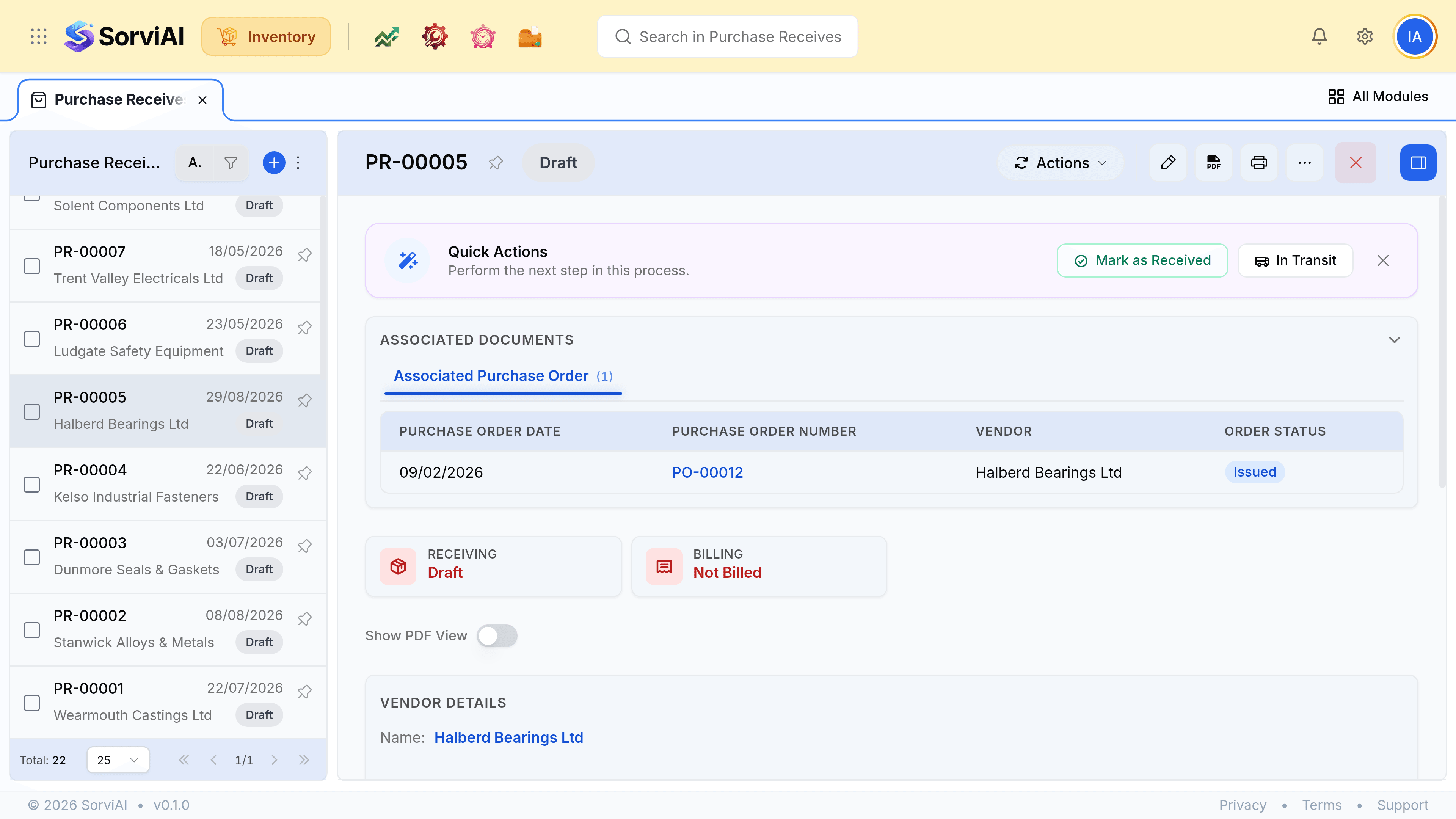
A purchase receive record showing its number, the purchase order it was raised against, the vendor, the receiving depot and the received lines with their quantities, alongside an activity panel.
The received quantities on this record are what a bill should be matched against, not the ordered ones.

Was this document helpful?