
Skip to the article

Introduction - Sales Orders

A sales order is what the customer committed to, and confirming one reserves the stock to fulfil it.
Raising an order, confirming it to reserve stock, and following it through to a shipment.

It is the start of the outbound chain and the document that makes stock unavailable to anybody else. Everything after it, the picklist, the package and the shipment, is the work of making good on what this promised.
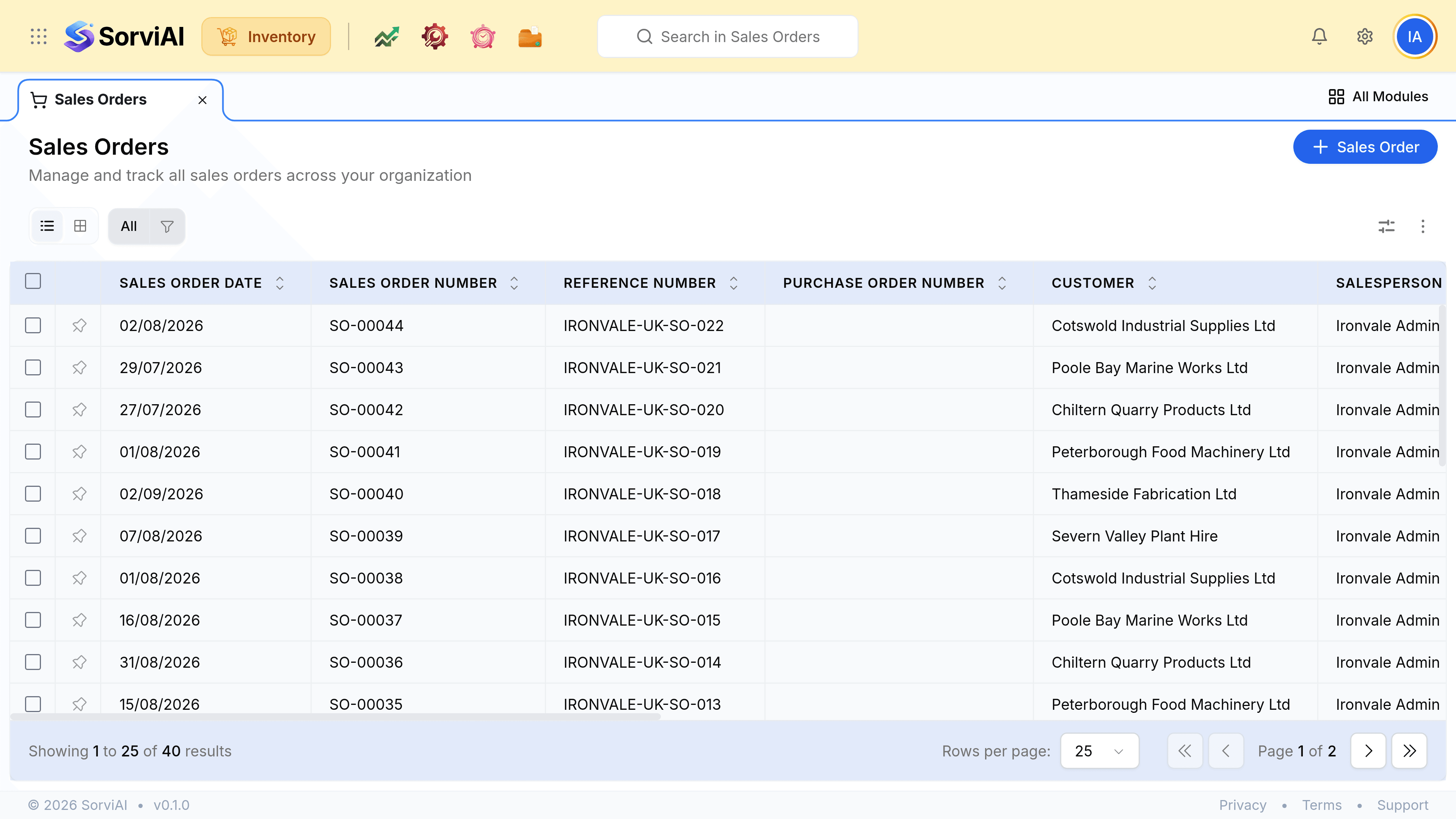
The Sales Orders screen, subtitled Manage and track all sales orders across your organization, and its Sales Order action. Columns read Sales Order Date, Sales Order Number, Reference Number, Purchase Order Number, Customer, Salesperson, Status and Total. Orders run from SO-00030 to SO-00044 against UK trade customers including Cotswold Industrial Supplies, Poole Bay Marine Works, Chiltern Quarry Products and Severn Valley Plant Hire, with statuses of Open or Confirmed.
Forty orders. The Purchase Order Number column is the customer's own reference, not yours.

Open and confirmed

Opennothing reserved
The order exists and the stock is still available to anybody else. Useful while a quantity or a date is still being agreed.
Confirmedstock committed
The units are reserved against this order. They stay on your shelf and in your total, and nobody else can be promised them.

Confirming reserves, shipping removes

  1. OpenNothing reserved
  2. ConfirmedStock committed
  3. Picked and packedStill yours
  4. ShippedOff your count

The gap between reserved and gone is where most stock confusion lives. Reserved units are still on your shelf and still in your total; they simply cannot be promised twice.

What the record carries
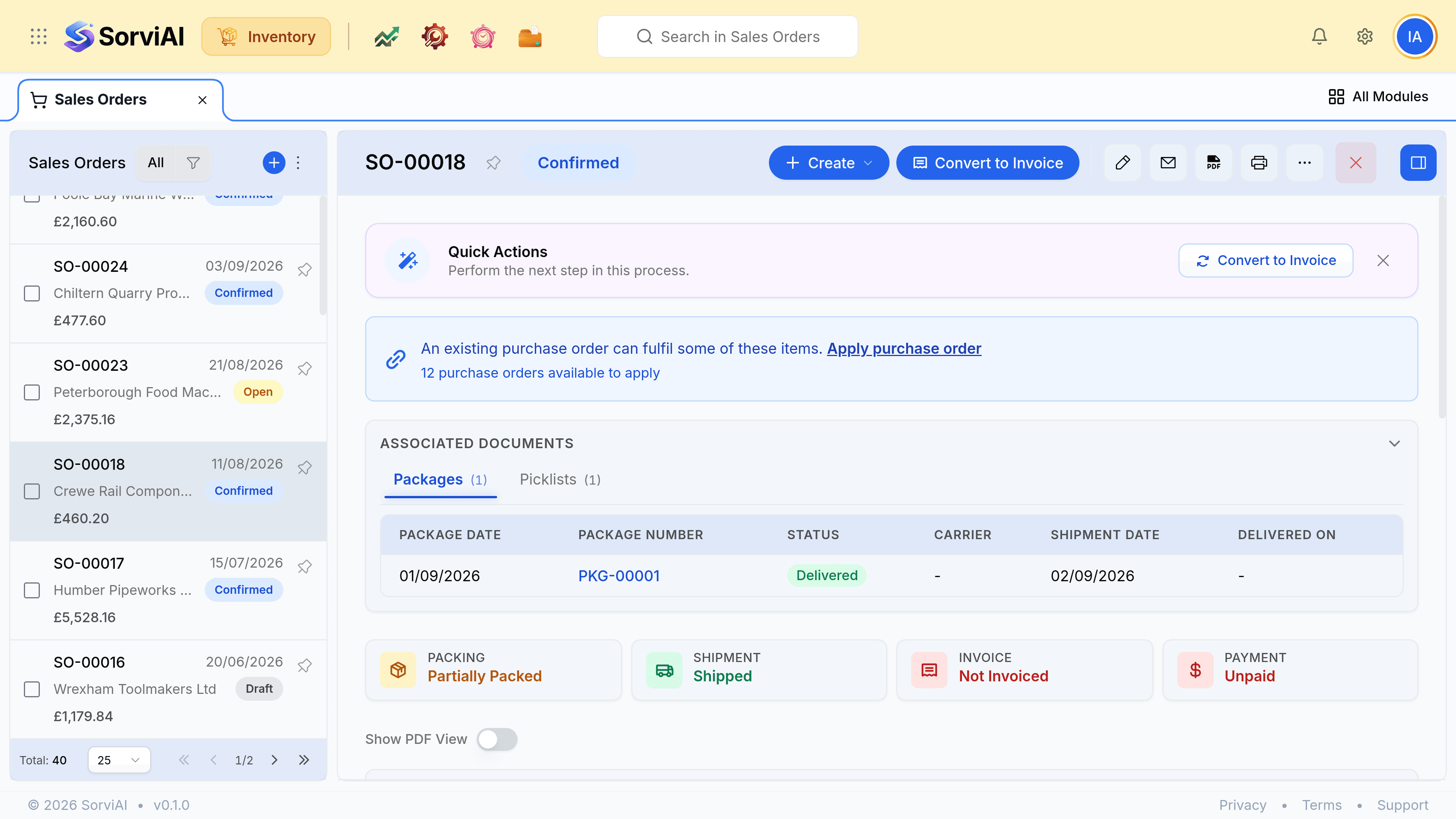
A sales order record showing its number and status, the customer and their addresses, the ordered lines with quantities and rates, the totals, and an activity panel at the right recording what has happened to the order.
The order is the anchor: its picklists, packages, shipments and invoices all hang off this record.

Was this document helpful?