
Log a Visitor
Record an arrival, who they came to see, and why.
Last reviewed
Logging an arrival is a reception job and it is meant to take seconds. The check-in time is stamped for you.
Select Log Visitor.
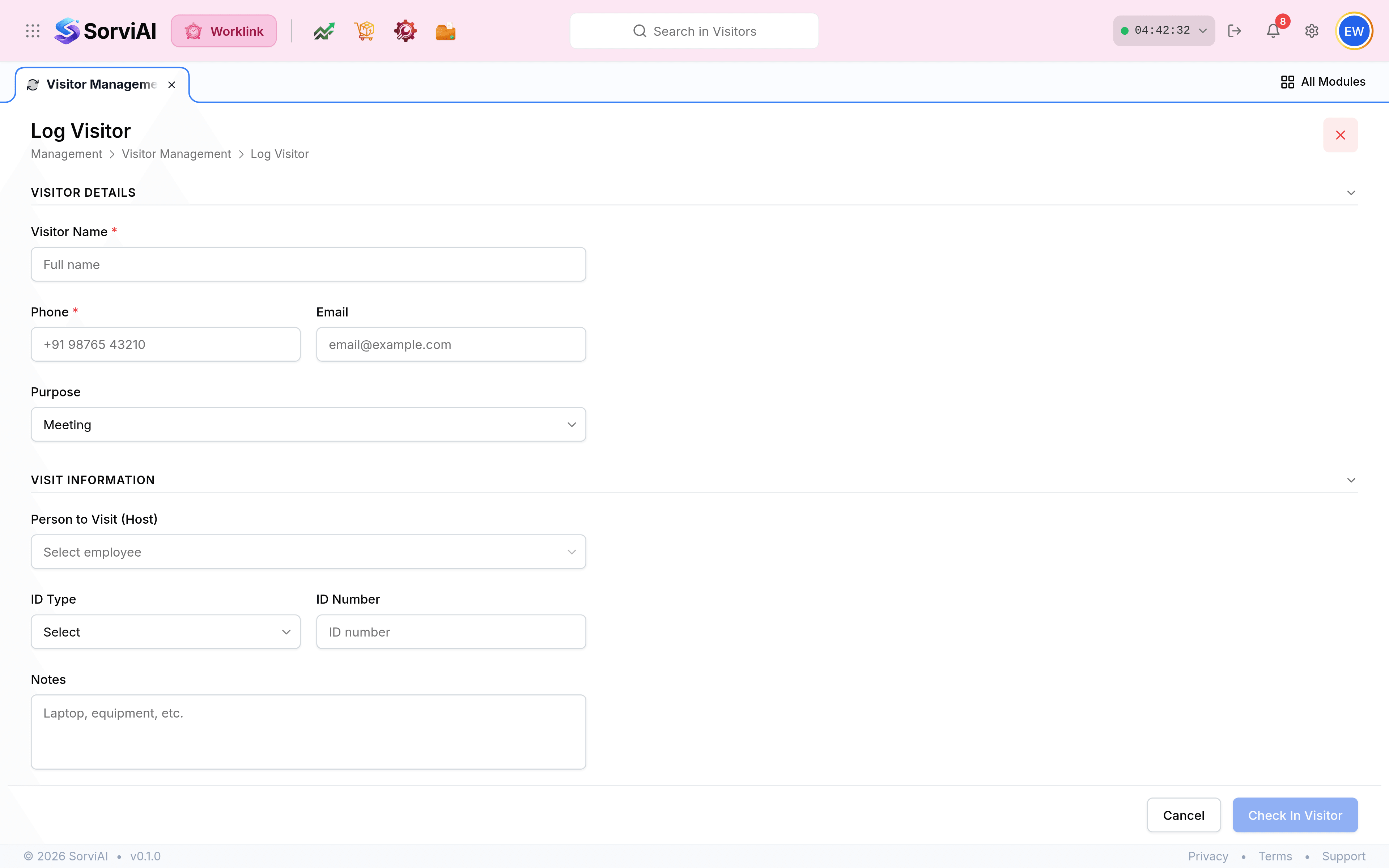
Enter the Visitor Name and Phone. Both are required, and the number is what makes a follow-up possible when nobody remembers who they were with.
Set the Purpose. Meeting, interview, audit and training are the usual ones; anything else can be typed.
Choose Person to Visit (Host) from the employee list. This is the field the log is really built around, and host notifications only fire when it is set from the directory rather than typed.
Add an ID Type and ID Number if your site records them, and Notes for anything carried in. Then select Check In Visitor: the visit opens with a check-in stamp and the status In, and the Currently In count goes up by one.
Logging ahead of an arrival
Nothing stops you logging expected visitors before they arrive, and for an interview day or an audit it is worth doing. Reception then confirms rather than types, which is faster at the moment it matters.
What the log is for
| Question | Answered by |
|---|---|
| Who is on site right now? | The Currently In count, and the list filtered to In. |
| Who let this person in? | The Host column. |
| Has our auditor arrived? | Searching the visitor name. |
| Who did we see last quarter? | The full log with the period filter widened. |