
Read a Balance
What a cell in the grid means, how to sort it, and how to take the whole thing away as a file.
Every cell in the grid is a pair of numbers separated by a slash, and reading them the wrong way round is the easiest mistake on this screen.
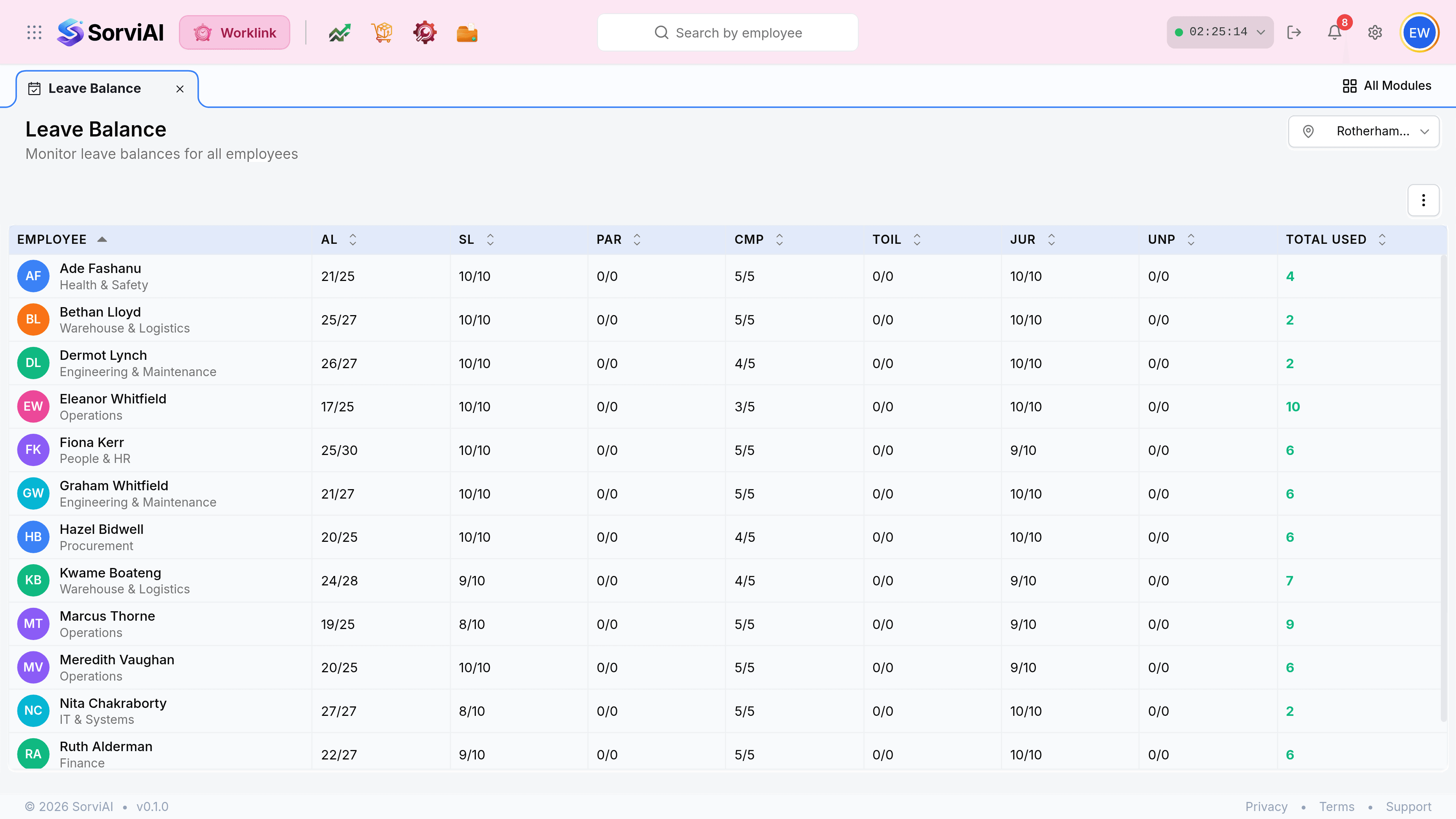
Reading a cell
| Field | What it does |
|---|---|
| Employee | Name above department. The department is not a filter here, but it is what the sort groups read against. |
| A type column | Remaining over total for that leave type. 21/25 is twenty-one days still available out of a twenty-five day entitlement. |
| 0/0 | No entitlement of this type, rather than an exhausted one. Nobody granted it. |
| Total Used | Days taken across every type, added up. It is the one figure on the row that counts consumption rather than what is left. |
Sorting the grid
Every column carries the paired sort arrows, including each leave type. Sorting by a type column is how you find who is about to lose days and who has barely taken any.
| Sort by | Ascending gives you | Useful for |
|---|---|---|
| Employee | Alphabetical by name. | Finding one person quickly. |
| A type column, such as AL | Lowest remaining first. | Who has nearly run out. |
| A type column, descending | Highest remaining first. | Who has not booked their holiday yet. |
| Total Used | Least taken first. | Spotting people who have taken almost nothing all year. |
Taking the grid away
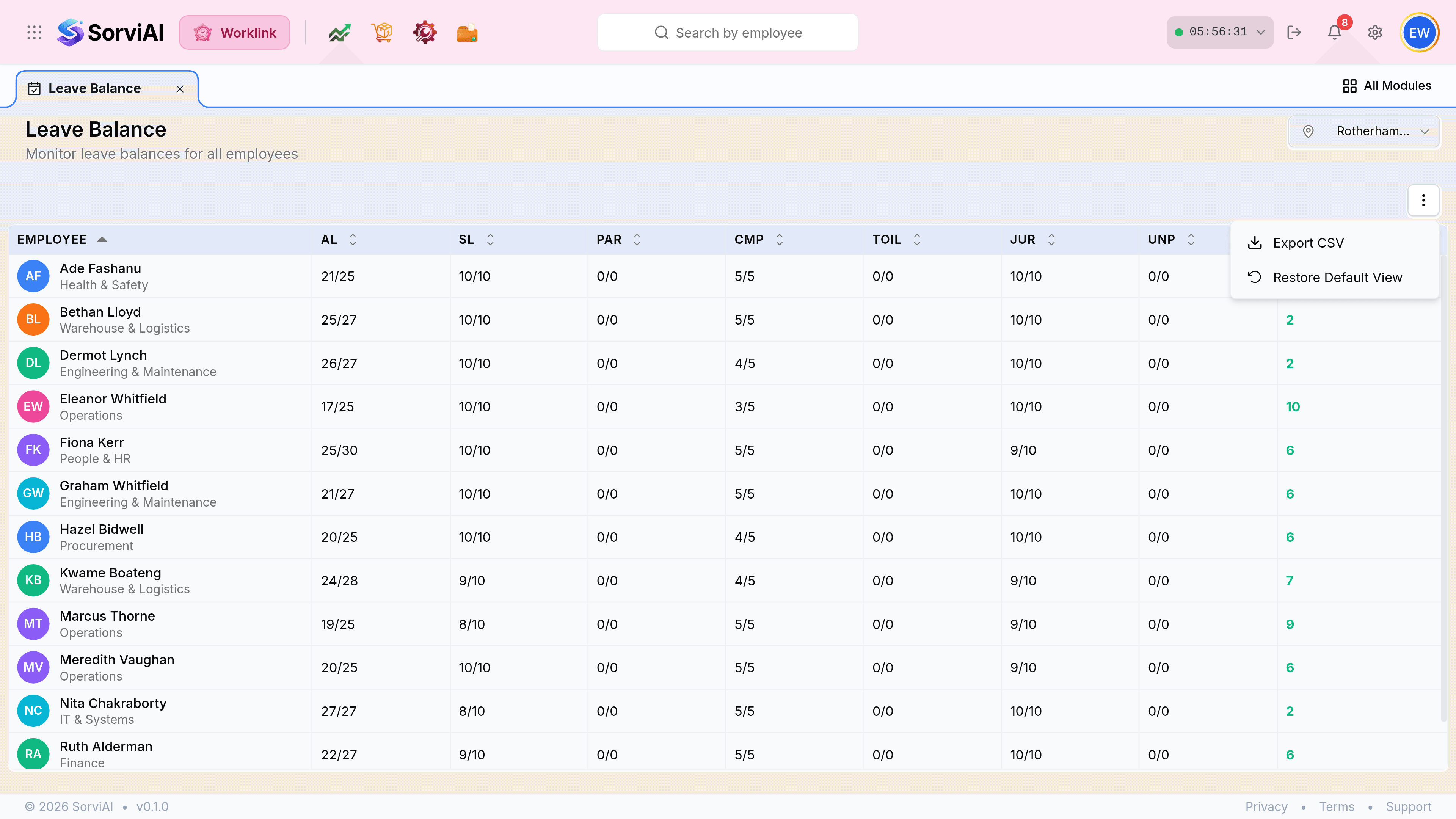
Set the location picker to the depot you want. The export follows the screen.
Select the three-dot button and choose Export CSV.