
Read a Record
Every column on the list, what a missing timestamp means, and how to change the columns you see.
The table is dense on purpose: it is meant to be scanned, not read. This names each column and each state a row can be in.

The columns
| Field | What it does |
|---|---|
| Date and Day | The calendar date and its weekday. Days nobody was rostered for do not produce rows. |
| Employee | Name above department. The department is what the department filter matches on. |
| Check In / Out | The two timestamps. Green for in, red for out, and a row of dashes where one is missing. |
| Break (start / end / total) | Each break numbered from one, with its own start, end and duration. |
| Net Working / OT | Hours after breaks, then overtime beyond the shift. A pair of dashes in the second half means none. |
| Status | What the day resolved to. See the states below. |
The states a row can be in
| Status | Means | What it usually needs |
|---|---|---|
| Checked In | The clock is running; no check out yet. | Nothing, during the day. After the day ends it needs a correction. |
| Checked Out | Both timestamps present; the day is closed. | Nothing. |
| Late | Checked in after the shift start plus its grace period. | Nothing, unless the employee disputes it. |
| Absent | No record and no approved leave for a working day. | Checking whether leave was requested and never approved. |
Choosing the columns
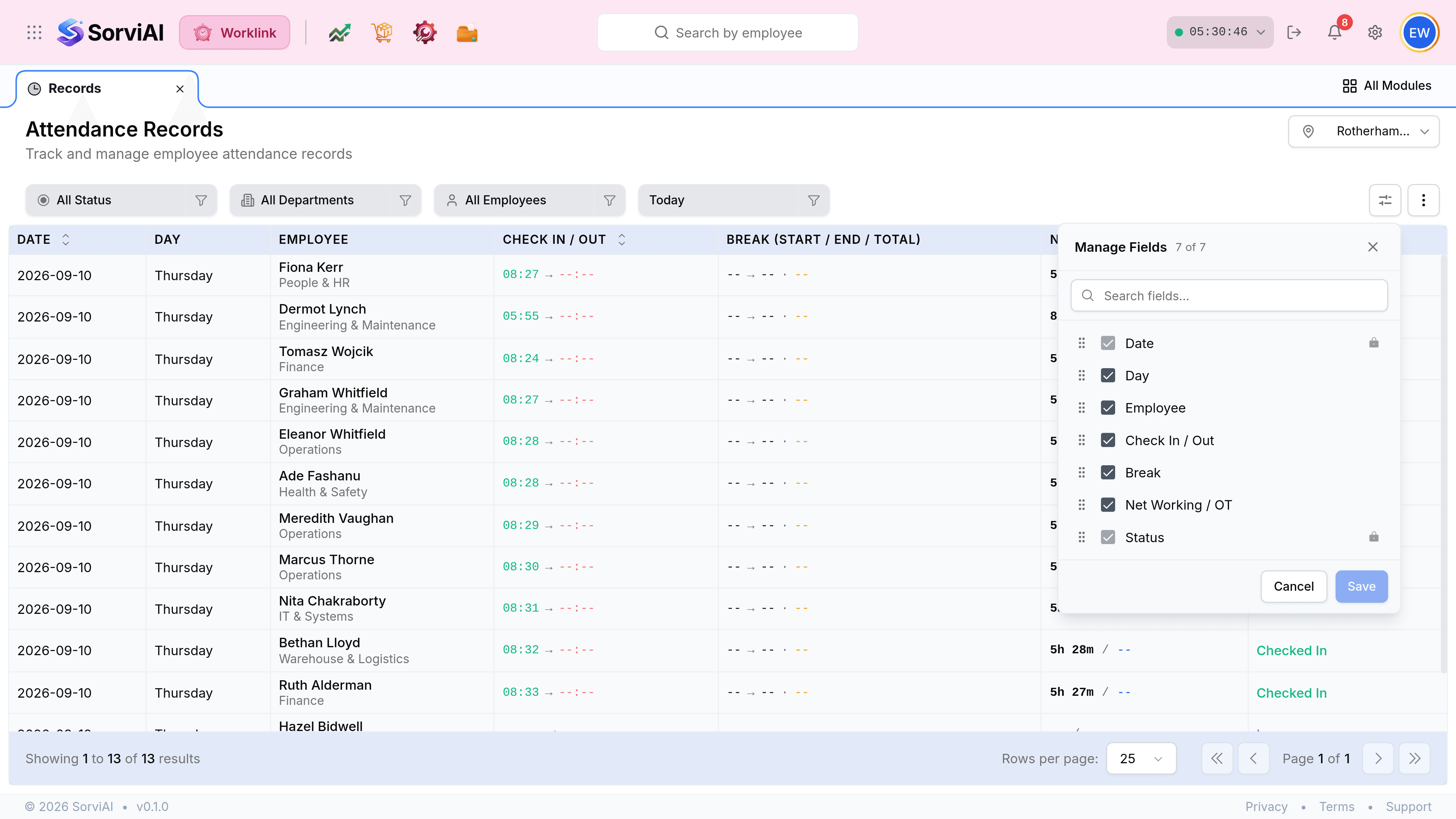
Seven fields are available and all seven are on by default. Two of them cannot be turned off.
Narrowing the list

The chips are independent and they combine. Today is the period, and it is the one to widen first: a person who did not work today produces no row at all, which reads exactly like a person who does not exist.