
Regularization
The request types people can raise when a day recorded something other than what happened, and what each category changes on the form.
A regularization is how somebody says the record is wrong. This screen decides what they may say: the list of types here is the list the request form offers.
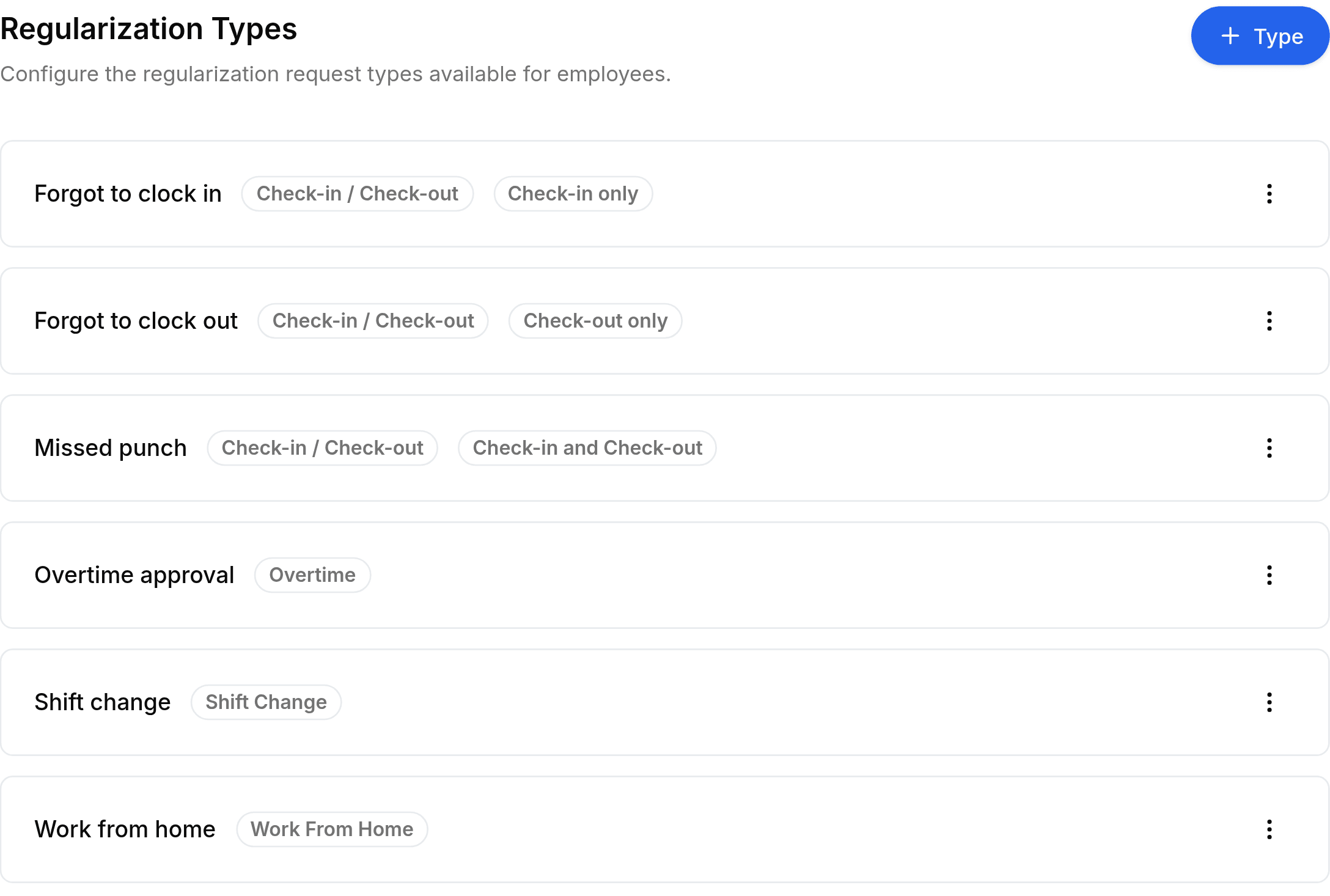
Add a type
Go to Worklink Settings > Regularization, then select + Type at the top right.
Enter a Name people will recognise, such as
Forgot to clock in.Choose a Category. This is the field that matters: it controls which fields the request form shows.
For a check-in or check-out type, set Prefilled time to say which time the form fills in for the person raising it.
Select Save.
The category does the work, the name is a label
| Category | What the request form asks for |
|---|---|
| Check-in / Check-out | A corrected time, for a punch that was missed or recorded wrongly. |
| Leave | A retrospective leave request against the day. |
| Shift Change | A change to the pattern the day was judged against. |
| Work From Home | A day worked away from the office that was not recorded as such. |
Prefilled time
A check-in or check-out type also carries Prefilled time, which decides what the form fills in with the current time and what it leaves blank.
- Check-in onlymorning
- The check-in is prefilled and the check-out is left blank.
- Check-out onlyevening
- The check-out is prefilled and the check-in is left blank.
- Check-in and Check-outboth
- Both are prefilled, for a day that recorded nothing at all.