
Read the Calendar
The nine colours, what each one means, and how to open a single day.
The calendar encodes state as colour in both halves of the screen. This is the key.

The nine states
| State | What it means | Where it comes from |
|---|---|---|
| Checked In | The clock is running and the day is not closed. | A check in with no check out yet. |
| Checked Out | Both timestamps are present. | The normal, finished day. |
| Checked Out (Auto) | Worklink closed the day rather than the person. | Somebody who never checked out; the shift end is used. |
| Late | Arrived after the shift start plus its grace period. | Compared against the assigned shift, not a fixed time. |
| Leave | Approved leave falls on this day. | An approved request in Leave Management. |
| Absent | A working day with neither a record nor approved leave. | The gap that needs explaining. |
| Yet to Check In | Expected today and has not started. | Only meaningful on the current day. |
| Holiday | A day on the holiday calendar. | Scoped holidays only mark the depots they apply to. |
| Weekend | Outside the shift's week pattern. | The employee's own shift, so a four-day week has three. |
Opening one day
Selecting a cell loads that date into the panel on the right. The month does not move, so you can step across a week comparing days without losing your place.
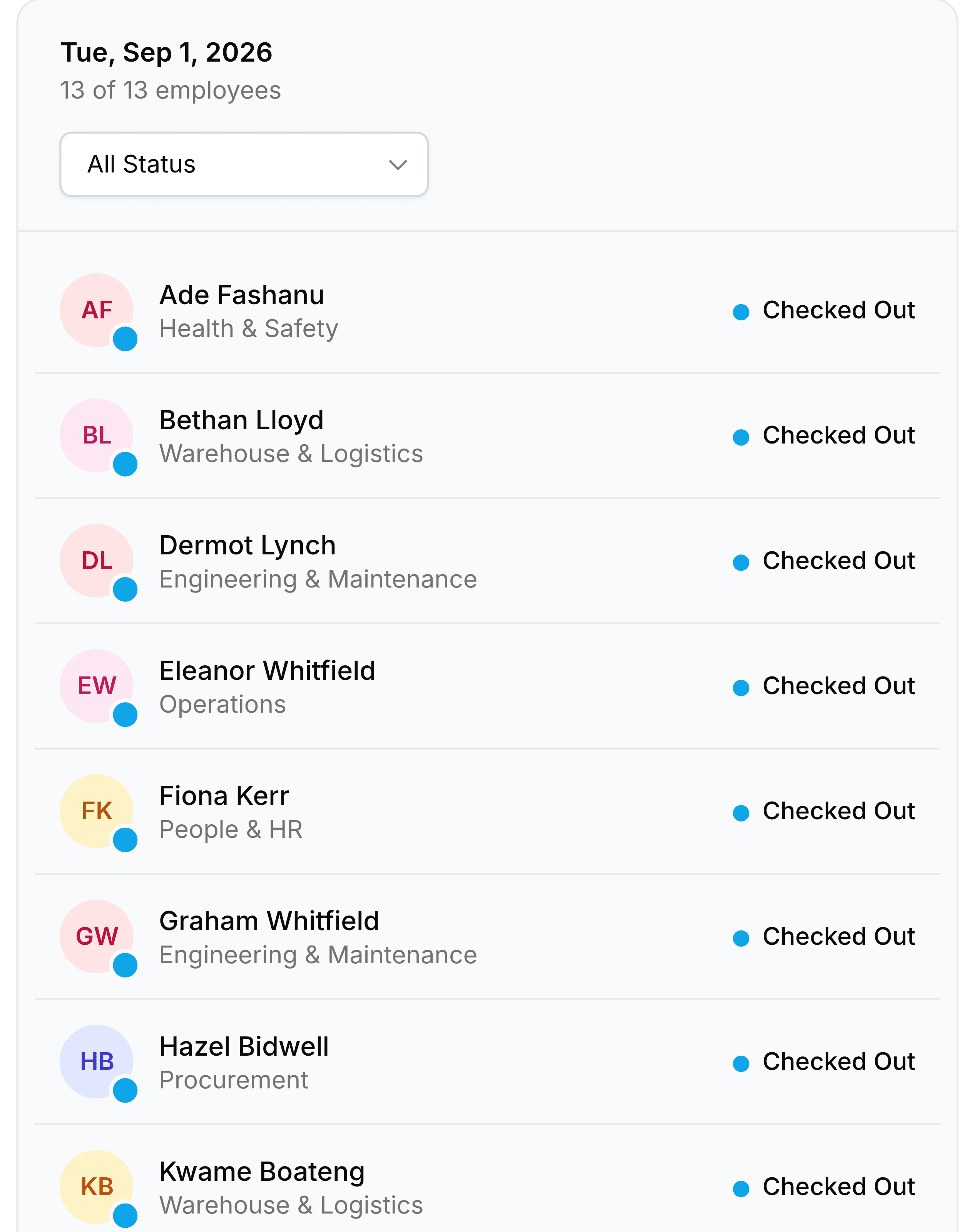
| Field | What it does |
|---|---|
| The date heading | Which cell is selected. It updates as you move around the grid. |
| The count | How many people checked in, out of how many were expected. |
| All Status | Narrows the list below to one state, which is how you get to just the late or just the absent. |
| Each row | Initials, name, department and status. The department is the same one the records list filters on. |