
Change an Entitlement
Where the totals in the grid come from, and the one screen that changes them.
Last reviewed
No cell in the balance grid can be typed over, and there is no per-person override. An entitlement is granted by a leave policy, so changing one means changing the policy or changing who it applies to.
Open Worklink Settings and select Leave Policies under Modules.
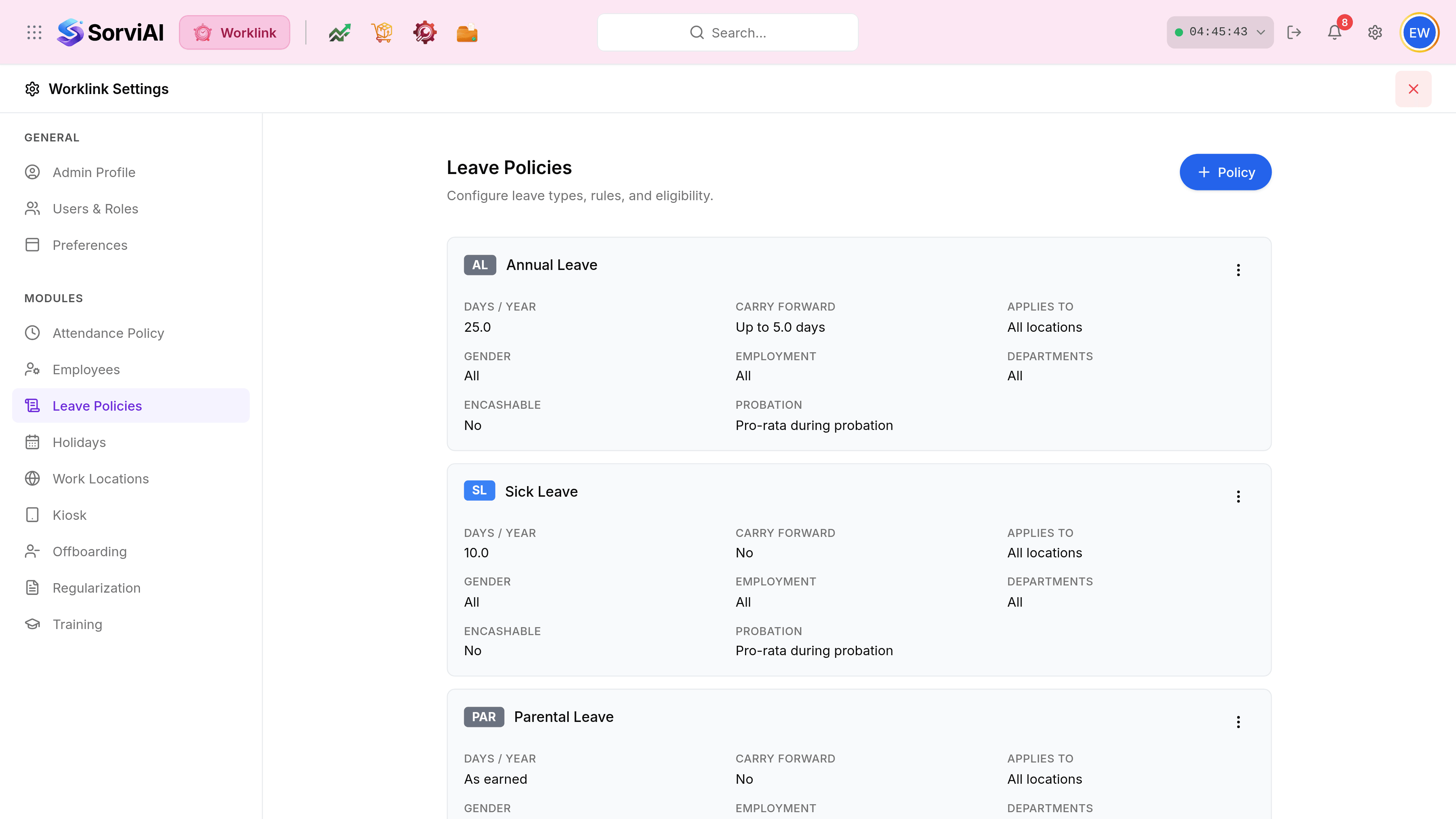
Find the policy behind the column you want to change. The chip on the card carries the same code the balance grid uses, so AL on the card is the AL column.
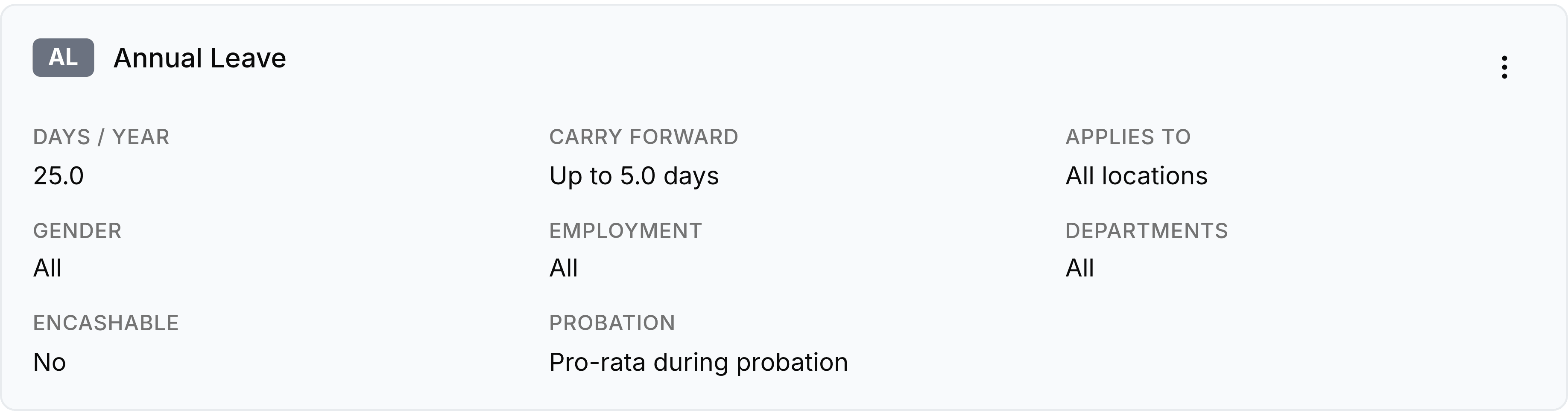
Open the card's three-dot menu and choose Edit, or select + Policy if a group needs its own entitlement rather than a change to everyone's.
Save. Balances rebuild against the new policy, and the grid reflects it.
What a policy controls
| Field | What it does |
|---|---|
| Days / Year | The entitlement. This is the number after the slash in every cell of the balance grid. |
| Carry Forward | How many unused days survive into next year, or No if none do. |
| Applies To | Which work locations the policy covers. All locations, or a named subset. |
| Gender, Employment, Departments | The rest of the eligibility. A policy only grants days to people who match every one of them. |
| Encashable | Whether unused days can be paid out rather than taken. |
| Probation | What somebody gets before they have passed probation, such as a pro-rata share. |
Why two people have different totals
Because more than one policy can exist for the same leave type, each scoped differently. Somebody matching a location-specific policy gets its days rather than the general one's.