
Leave Policies
Add a leave type, set what it grants, and use the criteria and exception lists to decide exactly who receives it.
Every column on the leave balance grid is a policy on this screen. There is no per-person allowance, so a policy is both what somebody gets and who gets it.
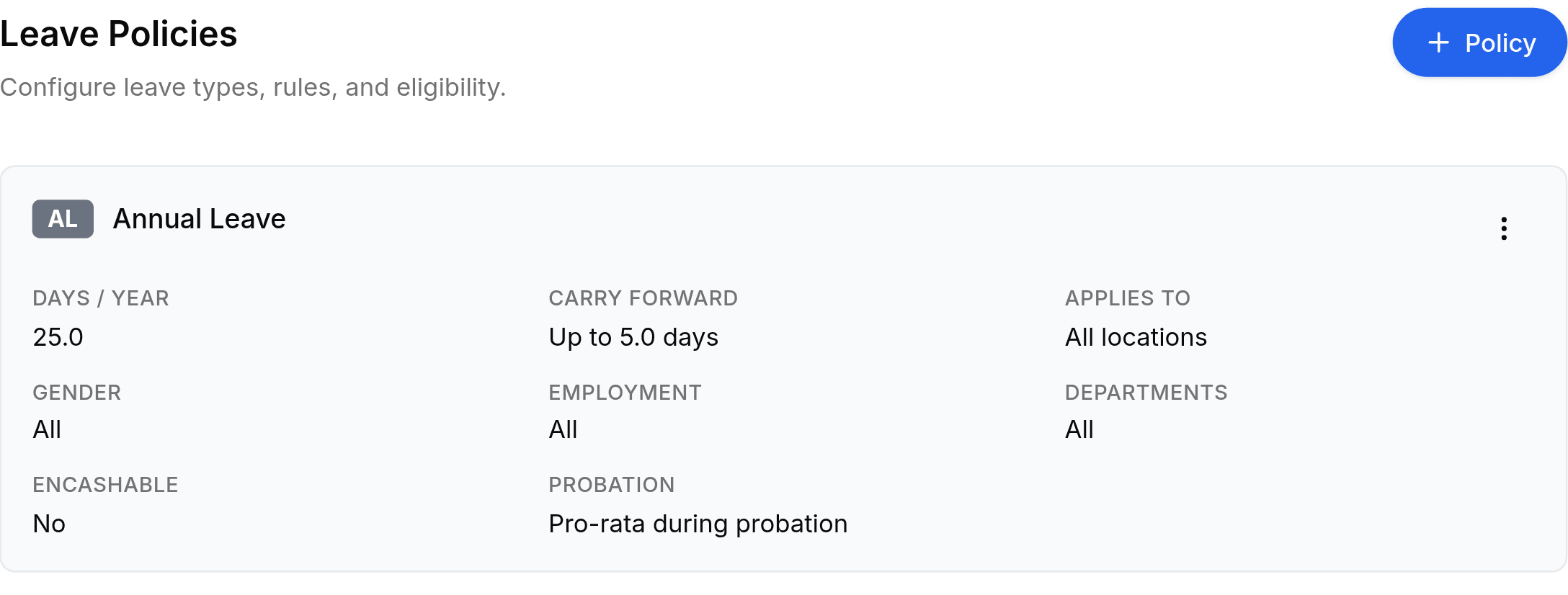
Add a policy
Go to Worklink Settings > Leave Policies, then select + Policy at the top right.
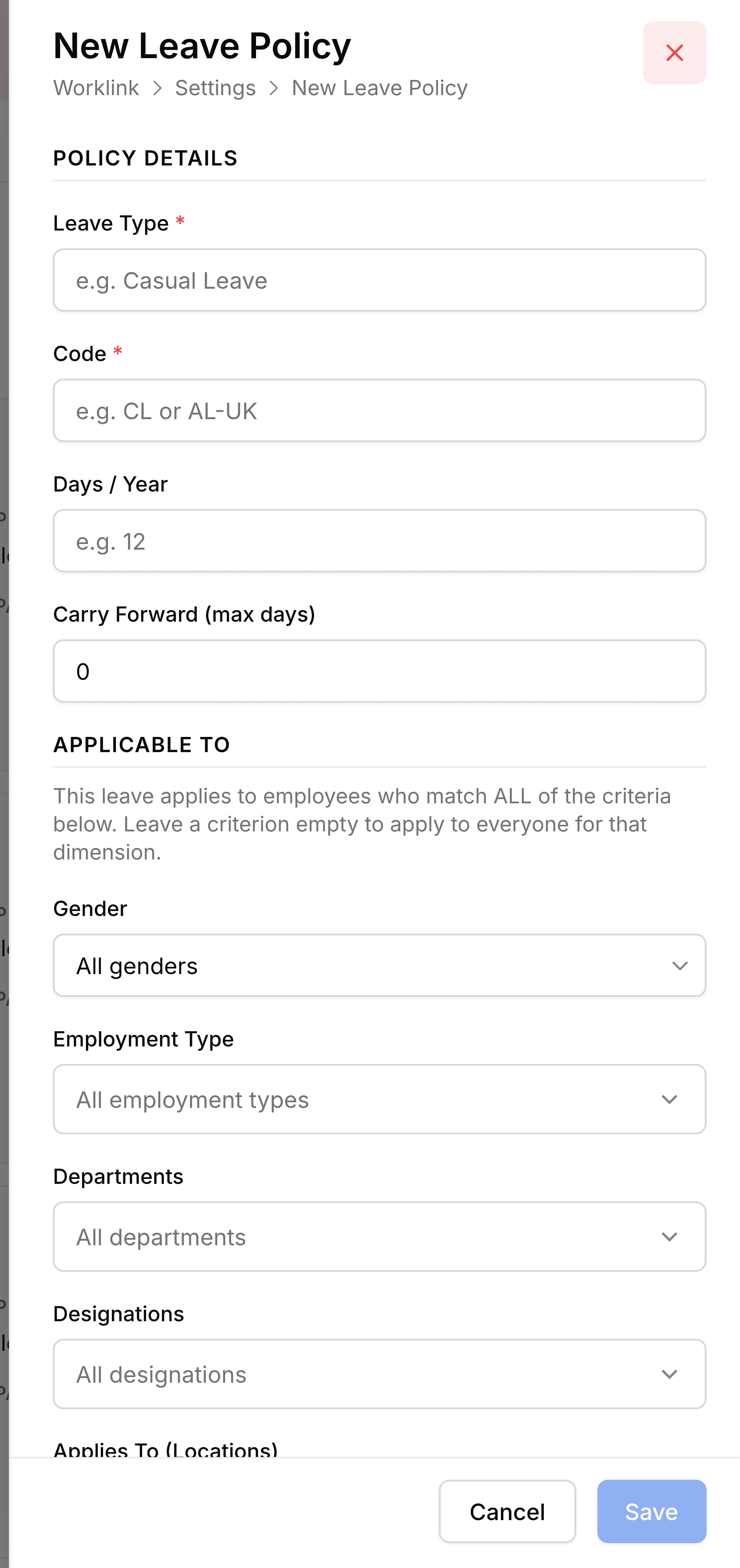
Under Policy Details, enter the Leave Type name and a Code. The code labels the column on the balance grid, so
ALreads as annual leave wherever it appears.Set Days / Year, and Carry Forward (max days) if unused days should survive into next year. Leave carry forward at 0 where they should not.
Work down Applicable To to say who qualifies, leaving any criterion empty to mean everyone.
Add anybody who needs handling individually under Exceptions, then select Save.
Applicable To is an AND, not an OR
A policy applies to employees who match every criterion you set, not any of them. Gender female plus department Operations grants the days to women in Operations and to nobody else.
| Field | What it does |
|---|---|
| Gender | Restricts the policy to one gender. Leave it on All for anything universal. |
| Employment Type | Permanent only, agency temps only, and so on, drawn from the Employees settings list. |
| Departments | One or more departments. Empty means every department. |
| Designations | One or more job titles. Empty means every designation. |
| Applies To (Locations) | Which offices the policy covers. Empty means all locations. |
| Encashable | Whether unused days can be paid out rather than taken. |
Exceptions, for the people the criteria miss
- Also include these employeesan addition
- Grants the policy to somebody the criteria would not have matched, without loosening the criteria for everybody else.
- Never apply to these employeesa removal
- Excludes somebody the criteria did match. The exclusion wins.
- Probation Periodfree text
- What somebody gets before they pass probation, such as a pro-rata share. It shows on the card as Probation.