
Submit Your Resignation
Start your own separation, and follow it through notice and clearance.
Last reviewed
A resignation you submit yourself opens a separation record that your manager and HR then work through. It is the same record an administrator would have opened for you, started from your side.
Open Submit Resignation from your own attendance area.
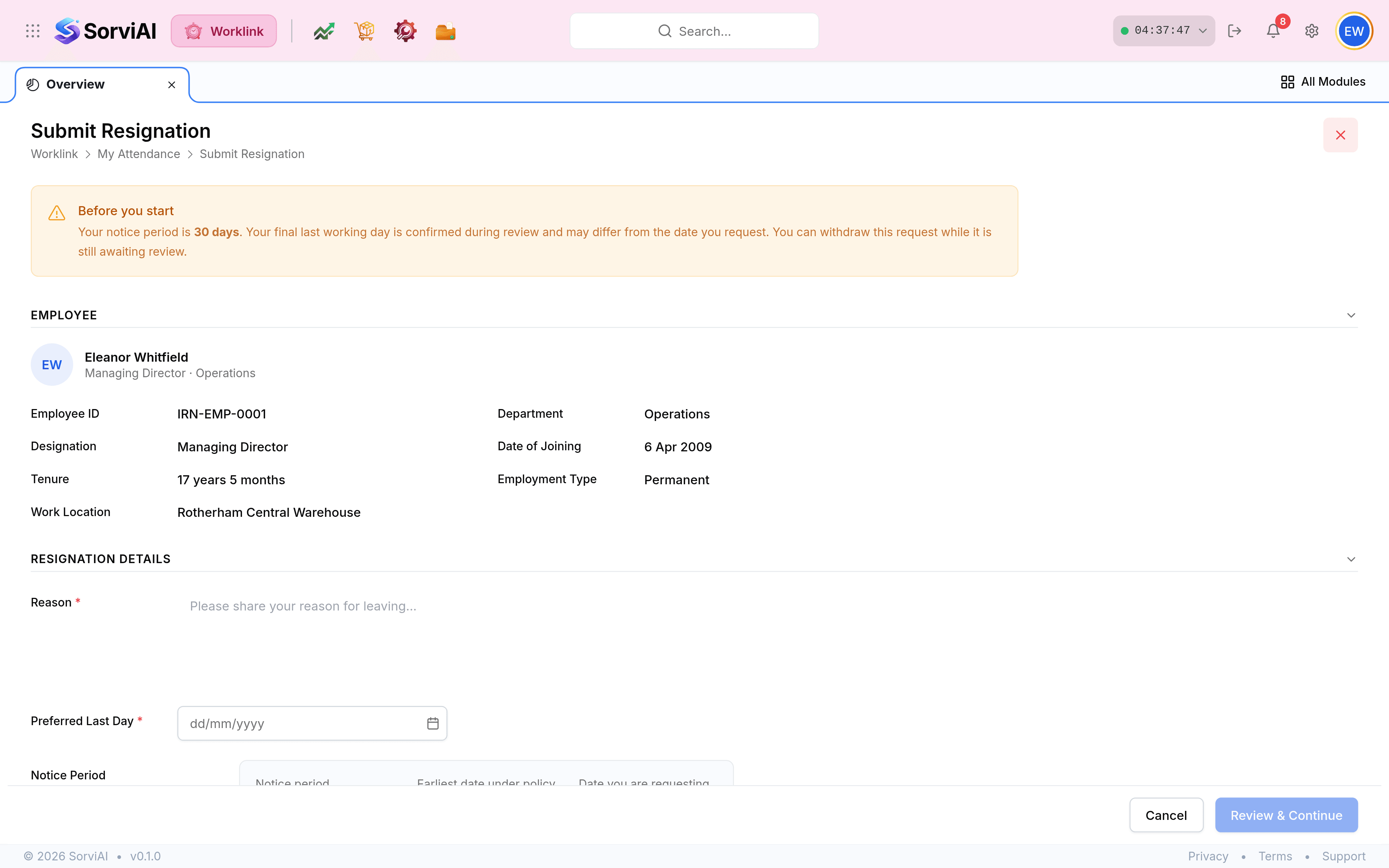
Read Before you start. It names the notice period you are on and warns that the final leaving date is settled during review, not by you.
Write a Reason. It is required, and it is what your manager reads first.
Set your Preferred Last Day. The Notice Period panel beside it shows the earliest date your policy allows against the date you are asking for, so a request that falls short of notice is visible before you send it.
Add Additional Notes if there is anything else worth recording, then select Review & Continue.
Three last working days, and why
The separation record holds more than one leaving date, which looks redundant until somebody negotiates.
| Field | Means |
|---|---|
| Preferred LWD | What you asked for. |
| Calculated LWD | What your notice period produces from the resignation date. |
| Actual LWD | What was agreed. This is the one that counts. |
What happens next
- You submita separation opens
- Approvalyour manager and HR review it
- Clearanceeach department signs off
- Exit interviewarranged and recorded
- Last working daythe record closes
Changing your mind
While the separation is still Pending, open it and use the actions menu: Withdraw Resignation closes it, and Edit Request changes what you asked for. Both disappear once it has been reviewed, so a decision made on your behalf is not something you can quietly undo.