Skip to the article

Reading the Widgets

What each panel on the dashboard is counting, and the figure on it worth acting on.

Each widget is a saved question with its own scope. Two of them are about today whatever the page period says, and one is live.

Today's Snapshot

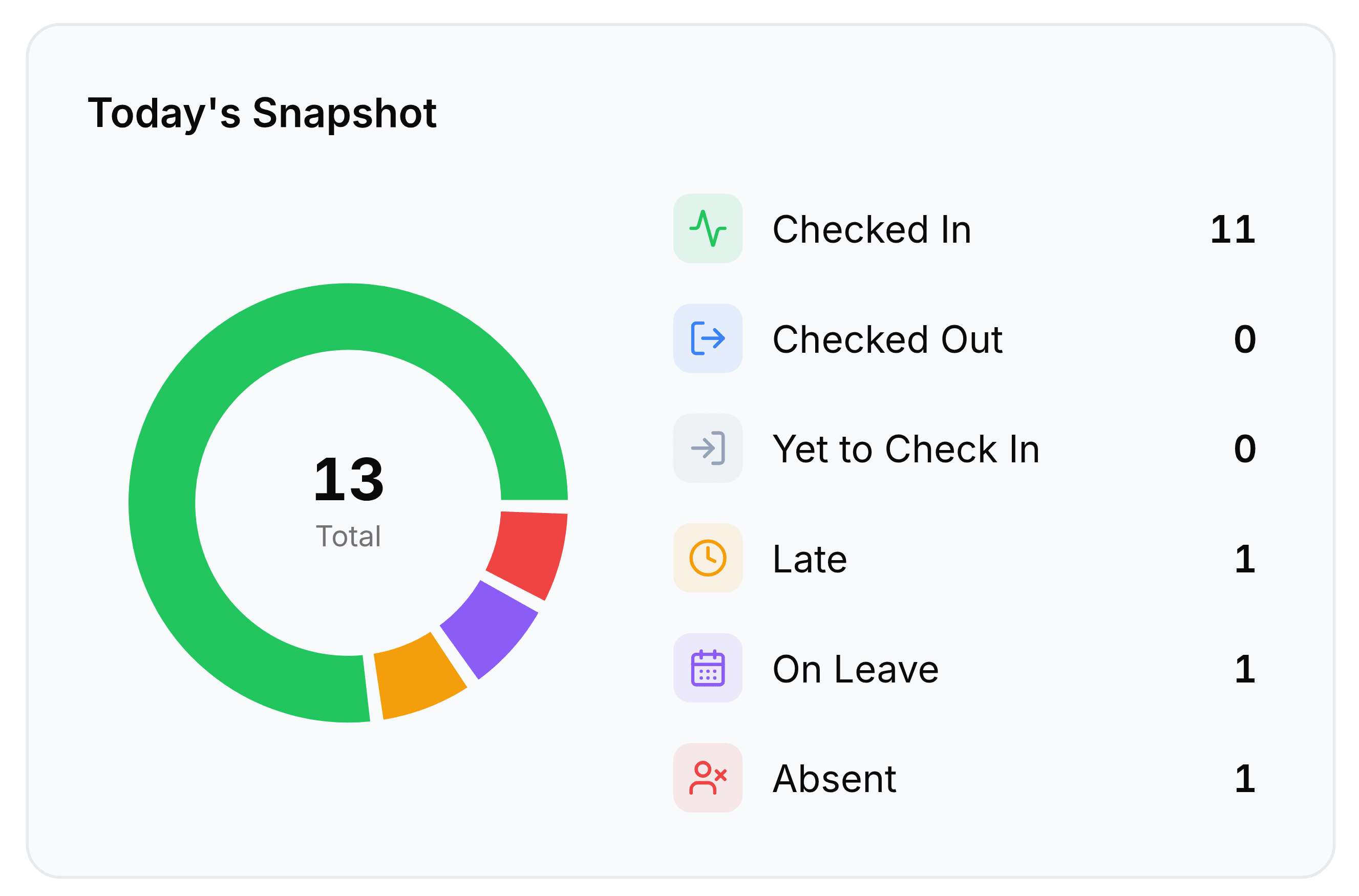
The Today's Snapshot widget. A doughnut chart shows 13 Total, mostly green with smaller red, purple and amber segments, beside a legend reading Checked In 11, Checked Out 0, Yet to Check In 0, Late 1, On Leave 1 and Absent 1, each with an icon.
Thirteen people, six states. The donut and the legend are the same numbers twice.

The six states here are a subset of the seven Presence uses, and they add up to the total. Yet to Check In is the one to read in the morning; Absent is the one to read in the afternoon, because by then it means somebody never arrived rather than has not arrived yet.

Department Turnout

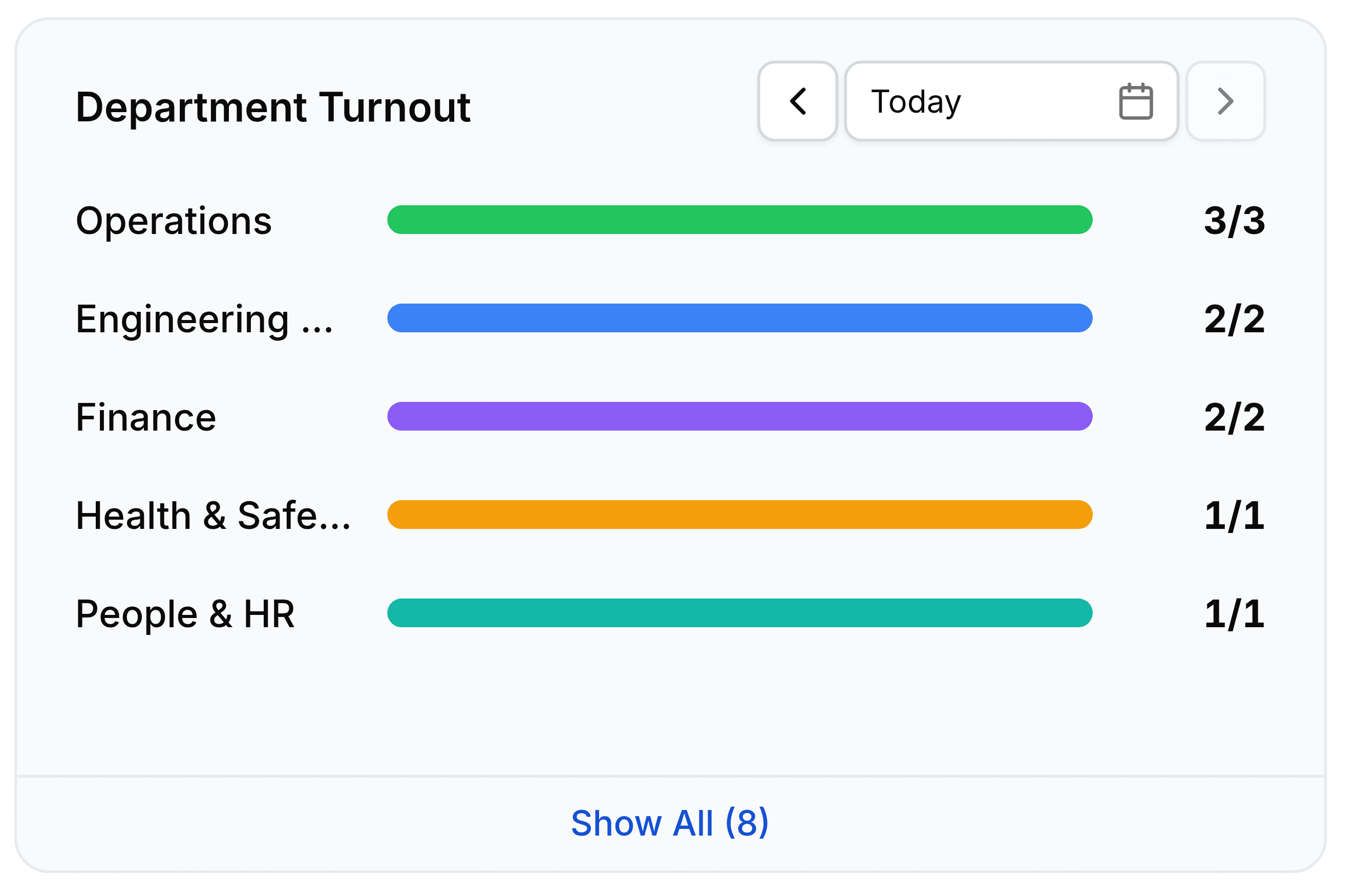
The Department Turnout widget, with a date stepper reading Today. Horizontal bars in different colours list Operations at 3 of 3, Engineering and Maintenance at 2 of 2, Finance at 2 of 2, Health and Safety at 1 of 1 and People and HR at 1 of 1, each bar full. A Show All (8) link sits at the foot.
Present over expected, per department, ranked. A short bar is a team to ask about.

Departments are ranked by turnout rather than listed alphabetically, so the ones needing attention rise to the top on a bad day. Show All expands past the five shown.

Presence

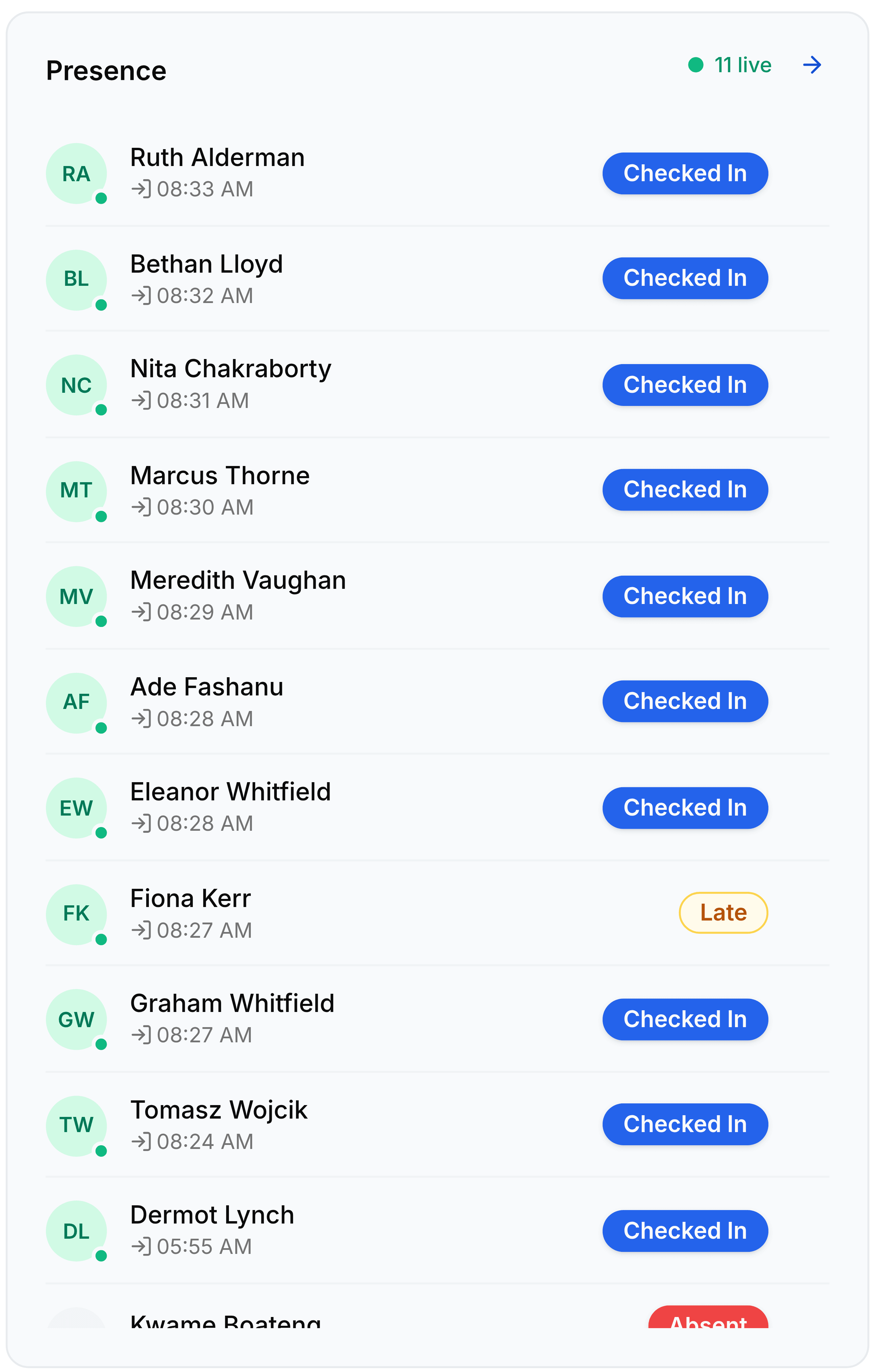
The Presence widget, headed Presence with a green 11 live indicator and an arrow. It lists employees with their check-in times and a status pill each: Ruth Alderman at 08:33 AM, Bethan Lloyd at 08:32 AM, Nita Chakraborty at 08:31 AM and Marcus Thorne at 08:30 AM all Checked In, Fiona Kerr at 08:27 AM marked Late, Dermot Lynch at 05:55 AM Checked In, and Kwame Boateng marked Absent.
Live, and ranked by what needs attention rather than alphabetically. The arrow opens the full Presence screen.

This is the only widget that changes without a refresh, and the 5 live count is the number currently checked in. It is ordered by what needs looking at, so late arrivals surface above people who simply worked their day.

Shift Coverage

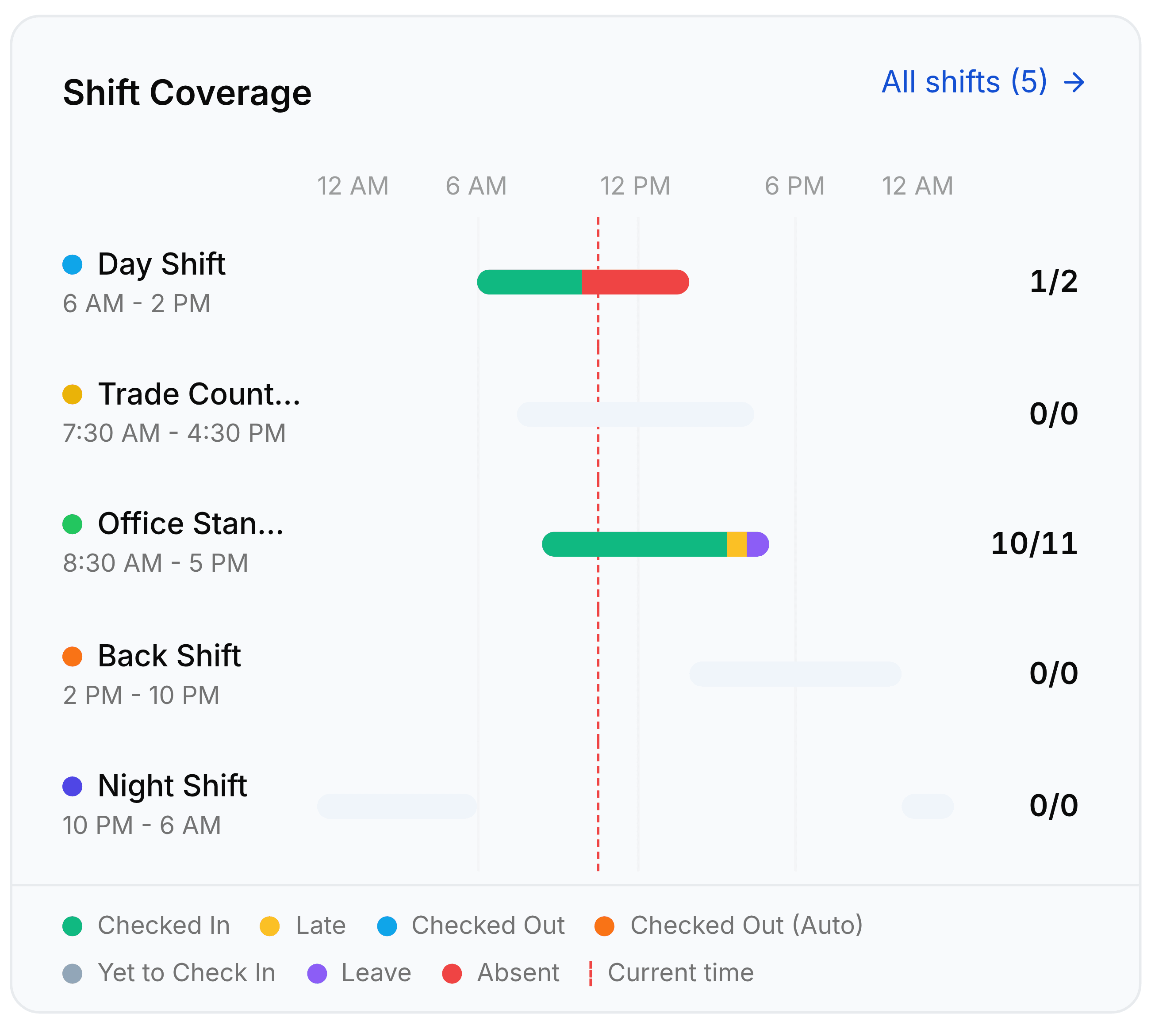
The Shift Coverage widget, with an All shifts (5) link. A timeline runs from 12 AM through 6 AM, 12 PM, 6 PM to 12 AM with a dashed red line marking the current time. Five shifts are listed with their spans and staffing: Day Shift 6 AM to 2 PM at 1 of 2, Trade Counter 7:30 AM to 4:30 PM at 0 of 0, Office Standard 8:30 AM to 5 PM at 10 of 11, Back Shift 2 PM to 10 PM at 0 of 0 and Night Shift 10 PM to 6 AM at 0 of 0. A legend under it names Checked In, Late, Checked Out, Checked Out (Auto), Yet to Check In, Leave, Absent and Current time.
Present over assigned, laid out against the clock. The dashed red line is now.

Pending Approvals

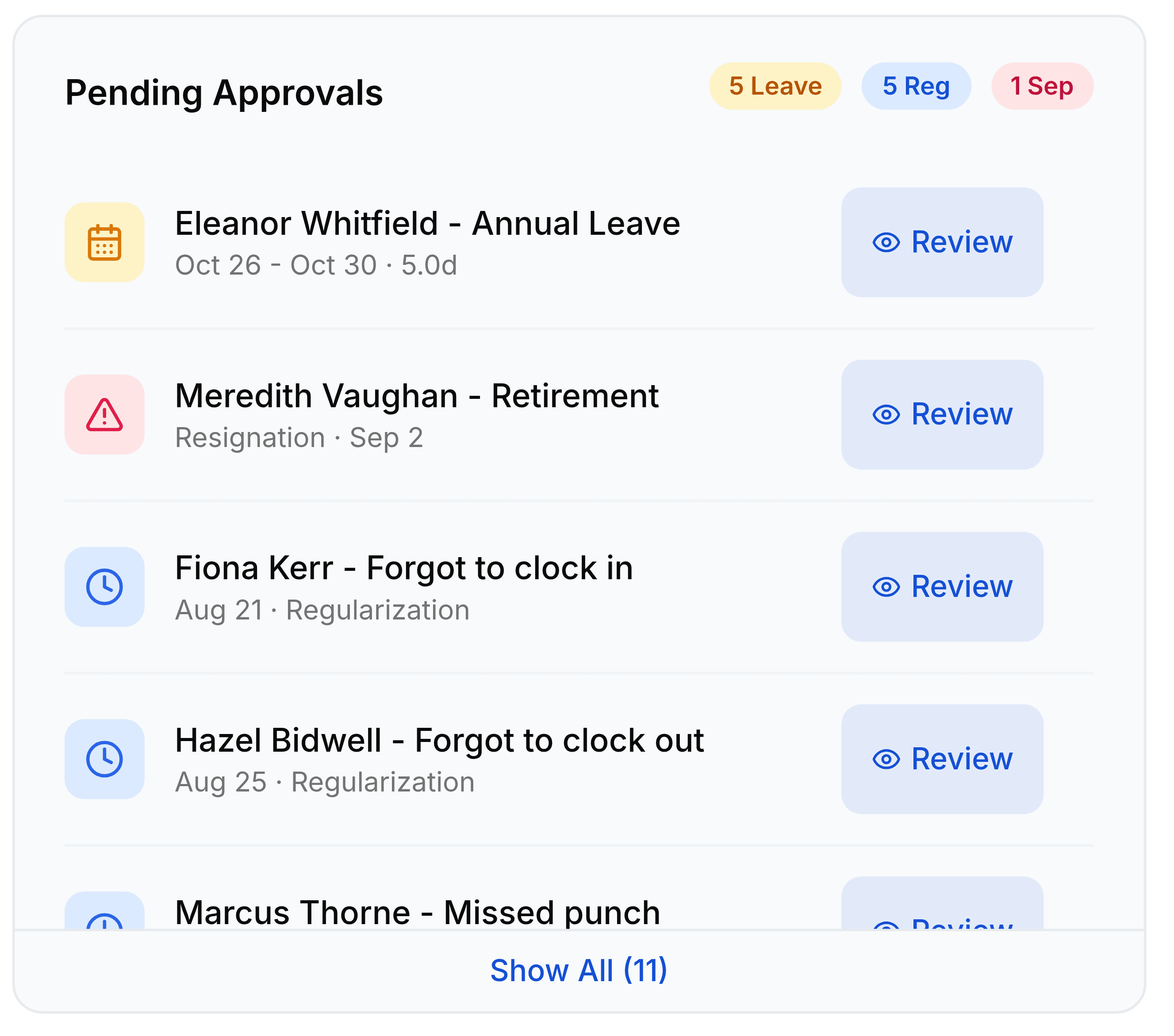
The Pending Approvals widget with three count chips reading 5 Leave, 5 Reg and 1 Sep. Rows list Eleanor Whitfield with Annual Leave from 26 to 30 October for 5 days, Meredith Vaughan with a Retirement resignation on 2 September, Fiona Kerr forgot to clock in on 21 August, and Hazel Bidwell forgot to clock out on 25 August, each with a Review button.
Three kinds of decision in one queue. The chips are the counts; the rows are the work.
The Pending Approvals chips
FieldWhat it does
LeaveLeave requests awaiting a decision, from Leave Management.
RegRegularizations, the attendance correction requests from Operations.
SepSeparations, from Offboarding, waiting on sign-off.

Was this document helpful?