
Introduction - Leave Balance
Everybody's entitlement in one grid, a column per leave type and a row per person.

Leave Balance is the administrator's view of what the whole depot has left. It turns the per-type list an employee sees into a grid: one row per person, one column per leave type, and a total at the end.
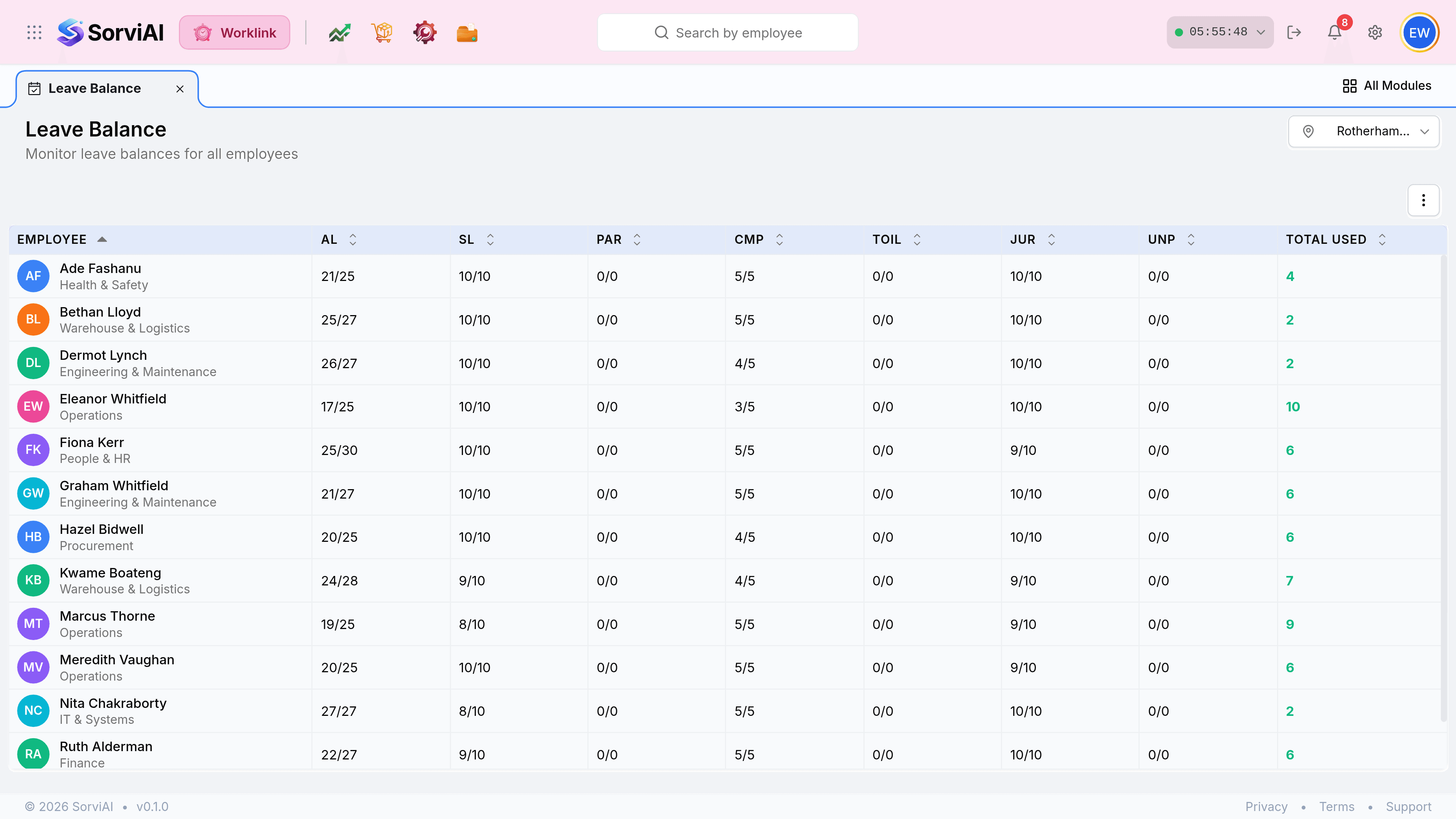
It is a different shape from the Self Service version
The employee's own screen lists leave types down the page with four figures each. This one puts people down the page and types across it, because the question an administrator asks is about coverage rather than about one entitlement.
Leave Balance
the administrator's grid
- YesEveryone at the depot, one row each.
- YesLeave types as columns, by their codes.
- YesRemaining over total in every cell.
- NoNo Pending column; use Leaves for what is outstanding.
My Leave Balance
the employee's list
- YesOne person, their own.
- YesLeave types as rows, named in full.
- YesUsed, Remaining, Total and Pending as four columns.
- NoNobody else's figures.
The column codes
The grid uses the short code from each leave policy rather than its full name, because seven full names would not fit across a page.
| Code | Leave type |
|---|---|
| AL | Annual Leave |
| SL | Sick Leave |
| PAR | Parental Leave |
| CMP | Compassionate Leave |
| TOIL | Time Off in Lieu |
| JUR | Jury Service |
| UNP | Unpaid Leave |