
Introduction - Leaves
Every leave request in the organisation, whoever raised it and whatever state it reached.

Leaves is the whole organisation's request history in one table. It holds what people asked for, what was granted, what was turned down and what was withdrawn, and it does not filter itself down to what still needs a decision.
That last part is the distinction worth holding on to: this screen is the record, and Approvals is the queue.
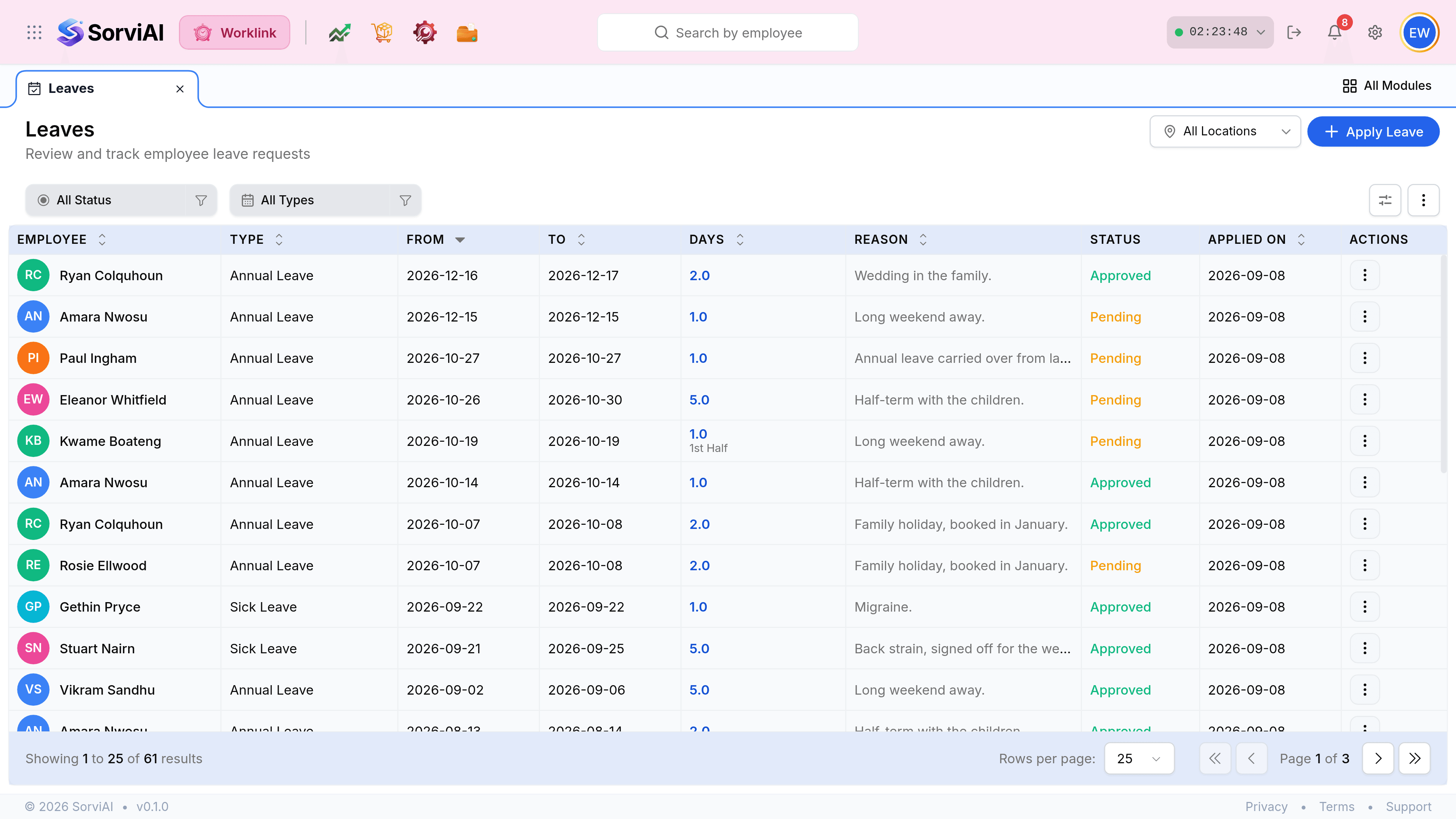
What the screen is made of
- The location pickertop right
- Which depot's people you are looking at. It scopes the table, exactly as it does on Attendance Records.
- Apply Leavebeside the picker
- Raises a request on somebody else's behalf. The form gains an Employee field when opened from here.
- The two filter chipsstatus and type
- All Status and All Types. They combine, so one type in one state is two presses.
- The tableone row per request
- Who asked, for what, when, why, and where the request got to.

Leaves and Approvals are not the same list
Both show leave, and people reach for the wrong one constantly. The difference is what each is for.
Leaves
the record
- YesEvery request in every state, including cancelled ones.
- YesAnswers what happened, and when.
- NoNo approve or reject buttons on the rows.
Leave Approvals
the queue
- YesOnly what is still pending your decision.
- YesApprove and Reject on every row.
- NoNothing already decided; a request leaves the moment you act.
Where a row's leave shows up elsewhere
| Once approved | It appears as | On |
|---|---|---|
| The days are booked | A Leave day, in purple | The attendance calendar |
| The balance moves | Pending becomes Used | Leave Balance |
| The employee sees it | An approved row in their own list | My Leaves, in Self Service |
| Cover is visible | The person is off, not absent | Presence and the records list |