
Holidays
The fields on a holiday, the year tabs that keep calendars apart, and what Optional and Applies To actually change.
Holidays are added here and displayed on the holiday calendar, which is read-only. This page is the field-by-field reference; the procedure for adding one, including importing a country's public holidays in a single pass, is in Add a Holiday.
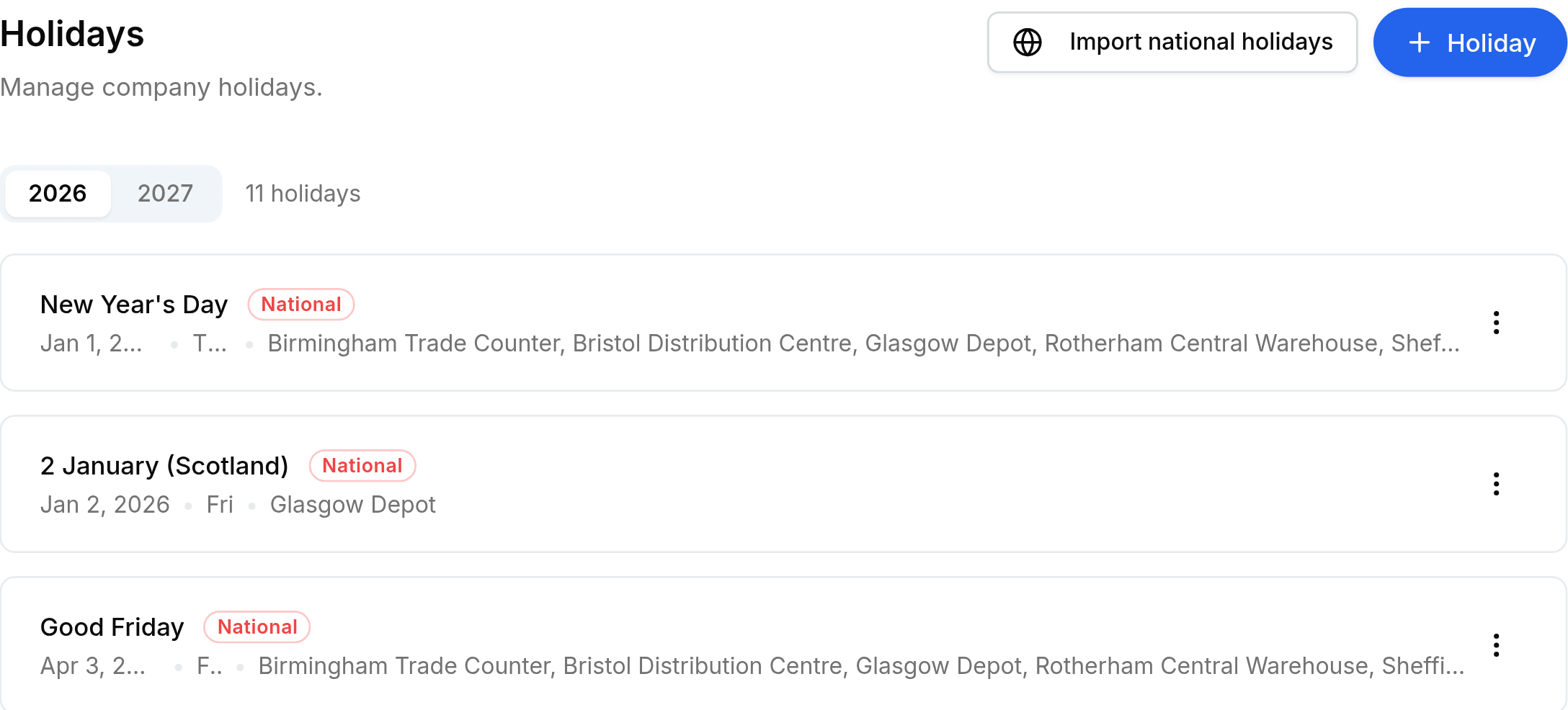
Fields on a holiday
| Field | What it does |
|---|---|
| Holiday Name | What the day is called. It appears on the calendar and on the card. |
| Date | The single day it falls on. Holidays are per day, so a two-day shutdown is two entries. |
| Type | Gazetted or National. It sets the badge on the card and tells a statutory day from a company one. |
| Applies To | The work locations that close. This is the field that decides which sites are affected. |
| Optional (restricted) | Yes makes it a restricted holiday: shown to employees, but it never blocks a check-in. |
The year tabs are separate calendars
Holidays are held per year and the tabs switch between them. Nothing carries over: importing 2026 does nothing for 2027, and a new year needs its own import or its own entries.
What Optional really means
An optional holiday is a day people may take, not a day the office closes. Worklink shows it on the calendar, badges it Optional, and then stays out of the way: it does not stop anybody checking in, and it does not turn the day into a non-working one.
- Nationalred badge
- A statutory public holiday, usually arriving through the import rather than typed in.
- Gazettedplain badge
- Everything else, including company shutdowns and local days.
- Optionalamber badge
- A restricted holiday. Offered, never enforced.