
Introduction - Overview
The dashboard Worklink opens on, and what the whole depot looks like at a glance.

The Overview is the first screen an administrator sees, and it answers one question: what needs you today. Everything on it is a widget, and every widget is a shortcut into the module that owns the data.
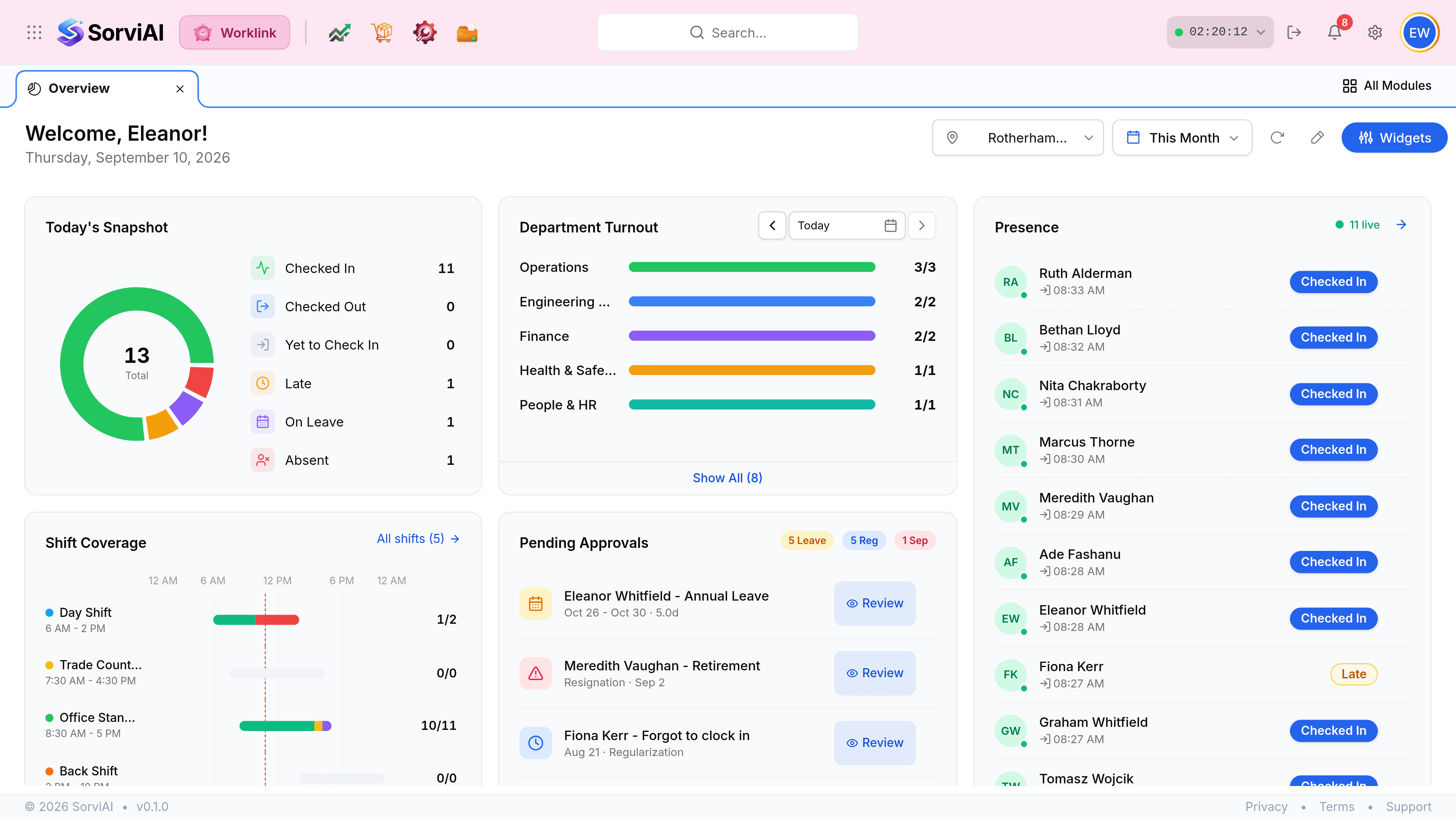
This is not the same screen as My Attendance
Both open on a greeting, both carry a Widgets button, and they are entirely different things. The distinction is whose day you are looking at.
Overview
the depot
- YesEverybody at the selected site.
- YesApprovals, turnout, coverage and who is in.
- YesNeeds the administrator or manager permissions.
- NoSays nothing about your own hours.
My Attendance
you
- YesYour own clock, shift and month.
- YesAvailable to everybody, no permission needed.
- NoShows nobody else's day.
The toolbar

| Field | What it does |
|---|---|
| Location | Which depot the whole dashboard describes. Every widget follows it. |
| Period | The span for widgets that measure over time. Widgets about today ignore it. |
| Refresh | Re-reads the data. The dashboard does not poll on its own. |
| Edit layout | The pencil. Puts the grid into a mode where widgets can be dragged and resized. |
| Widgets | Opens the catalogue of every available widget, to switch them on and off. |
Where each widget leads
| Widget | Answers | Opens |
|---|---|---|
| Today's Snapshot | How is the depot attending today? | The attendance records list. |
| Department Turnout | Which teams turned out, and which did not? | The department's own records. |
| Presence | Who is at work right now? | The Presence screen. |
| Shift Coverage | Is every shift staffed? | Shifts and their rosters. |
| Pending Approvals | What is waiting on a decision? | The leave, regularization or separation itself. |