
Introduction - My Attendance Records
Every working day you have logged, one row each, with the status Worklink gave it.

My Attendance Records is the permanent version of what My Attendance shows for today. One row per working day, going back as far as your employment does, with the check in, the check out, the breaks and the hours those produced.
It is a read-only screen. Nothing here can be edited from your side, which is what makes it worth reading.
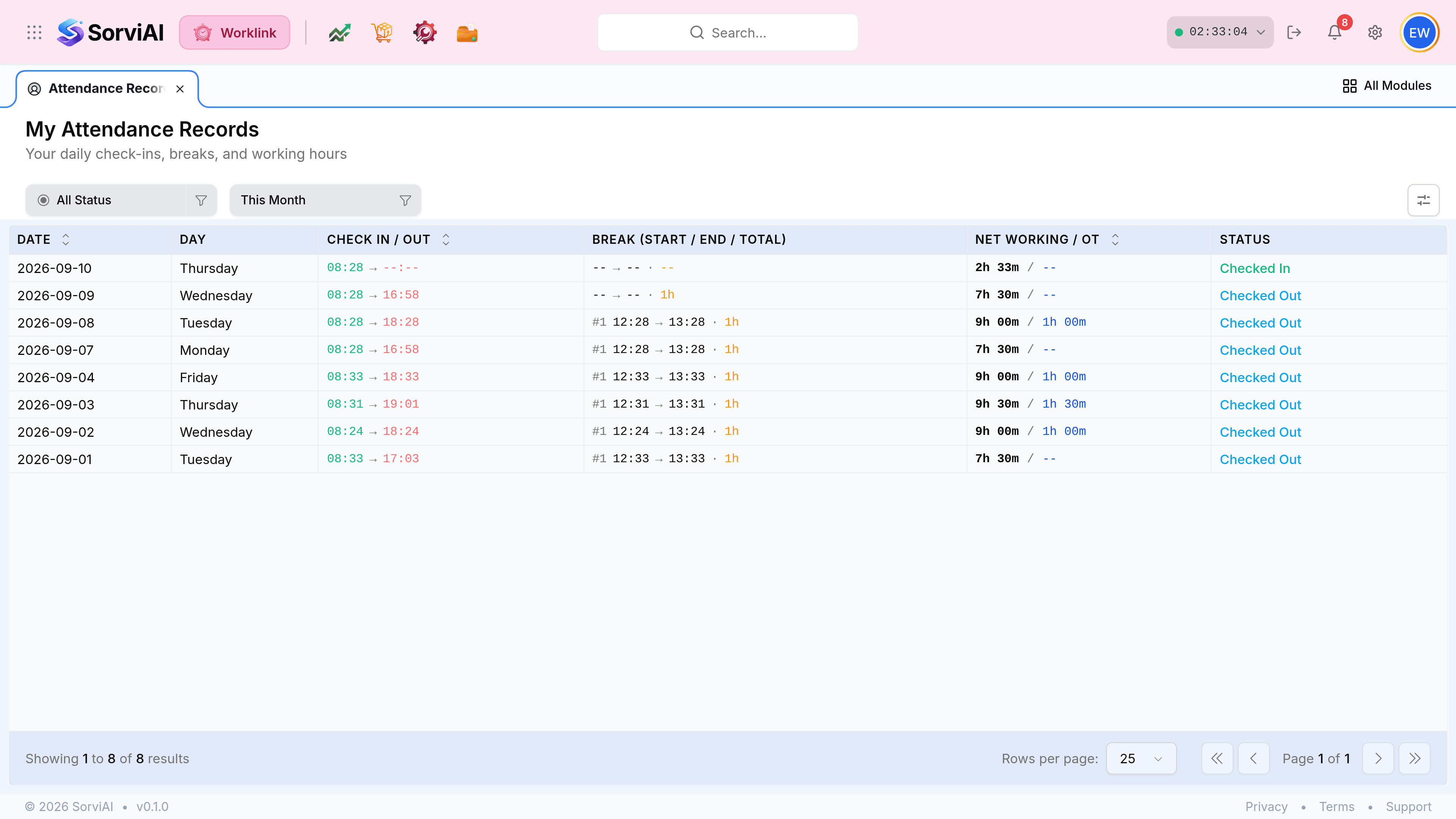
What each column carries
| Field | What it does |
|---|---|
| Date and Day | The calendar date and its weekday. Days you do not work do not appear at all. |
| Check In / Out | The two timestamps, in and out. The check in is green, the check out red, so a missing half is obvious at a glance. |
| Break (start / end / total) | Each break taken, numbered, with its own start, end and duration. |
| Net Working / OT | Hours worked after breaks, and any overtime beyond your scheduled hours. A pair of dashes means no overtime. |
| Status | What the day resolved to once it closed: Checked Out, Present, Absent, Late and so on. |
This screen and My Attendance are the same data
The difference is span, not source. My Attendance is today, live, with the clock still moving. My Attendance Records is every day including today, settled, with nothing moving.
My Attendance
today only
- YesThe clock, live, while you are checked in.
- YesThe shift and the month's totals beside it.
- NoNo history beyond the current week's bars.
My Attendance Records
every day
- YesEvery day you have worked, filterable.
- YesBreak detail, per break, per day.
- NoNothing live; today's row settles when you check out.