
Introduction - My Leaves
Every request you have made, what state each is in, and what you can still do about it.

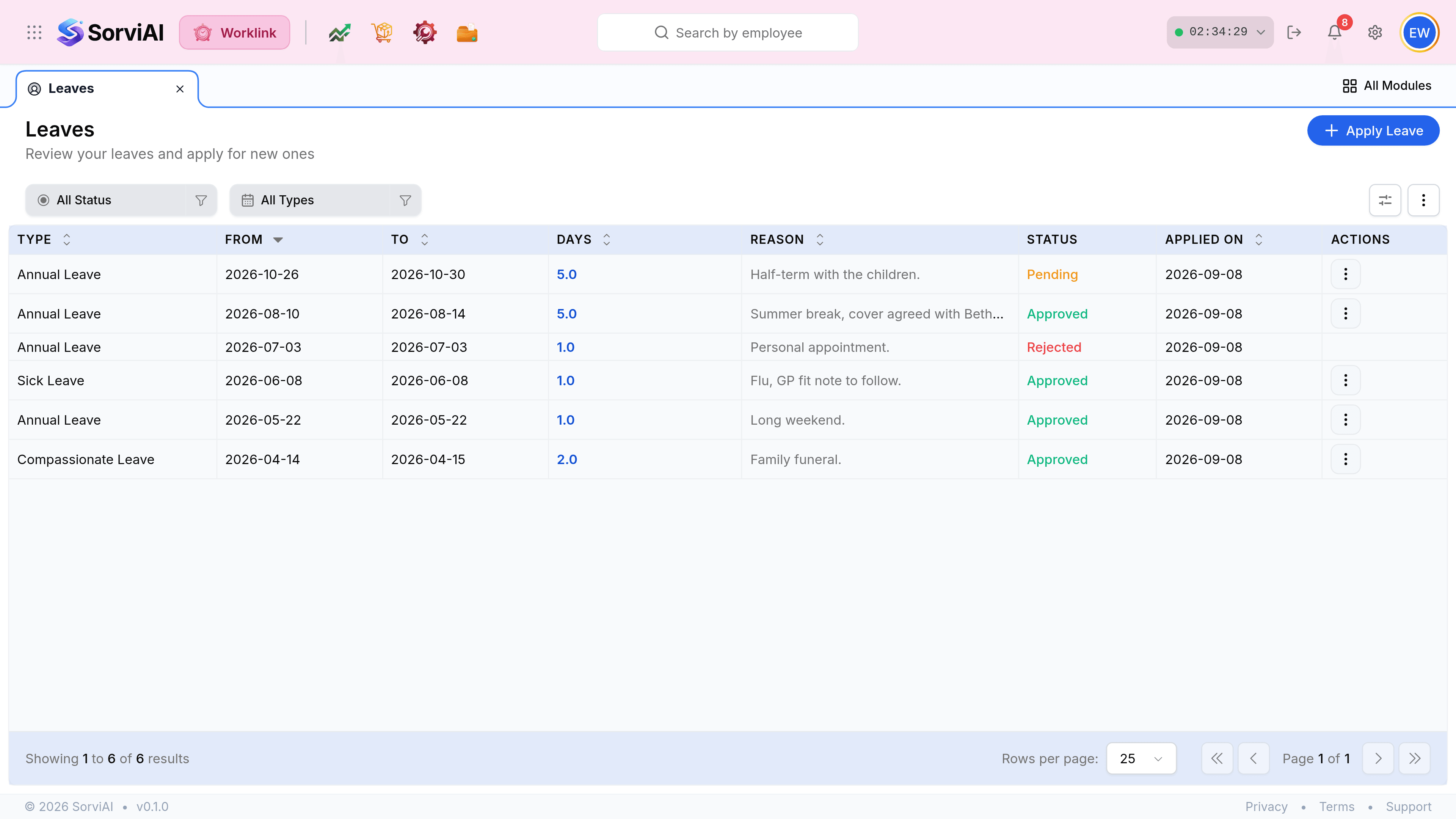
My Leaves holds two things that are easy to run together: leave already granted, and leave still waiting on somebody's decision. The Status column is what separates them, and it is the column worth reading first.
What the columns tell you
| Field | What it does |
|---|---|
| Type | Which entitlement the request draws on, and therefore which balance it moves. |
| From and To | The span requested. A single day carries the same date in both. |
| Days | What it costs your balance, to one decimal place, so half days read as 0.5. |
| Reason | What you wrote when you applied. It is truncated in the list and shown in full on the row. |
| Status | Pending, Approved or Rejected, colour coded. |
| Applied On | The date you submitted, not the date the leave falls on. |
The three states

- Pendingwith your manager
- Submitted and awaiting a decision. The days are already held against your balance, and you can still withdraw it.
- Approvedgranted
- The days have moved from Pending to Used. Cancelling now depends on whether the leave has started.
- Rejecteddeclined
- The days went straight back to your balance. The row stays as a record and carries no further actions.