
Introduction - Attendance Records
Every employee's working day in one list, scoped to a depot and filtered four ways.

Attendance Records is the organisation-wide version of the day each employee logs for themselves. One row per person per date, written by their check in, and read by everybody from a line manager to payroll.
It needs the record-viewing permission, so not everyone sees it. What an employee sees of their own days lives in Self Service instead.
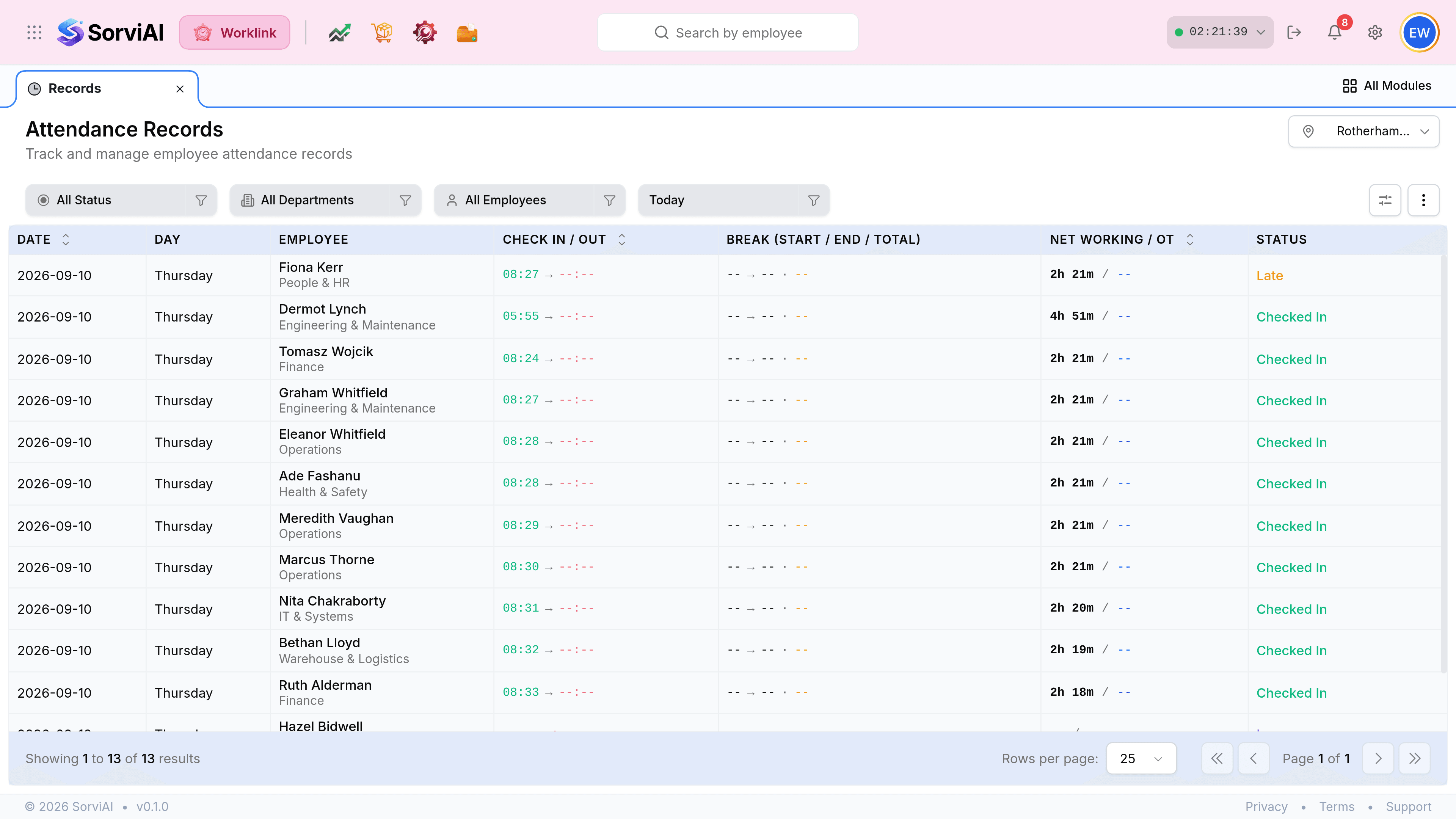
What the screen is made of
- The location pickertop right
- Which depot you are looking at. It sits outside the filter row because it scopes the whole screen, not just the table.
- The filter chipsstatus, department, employee, period
- Four independent narrowings. They combine, so a department plus a status gives you one team's late days.
- The tableone row per person per day
- Date, employee, the two timestamps, breaks, hours and the status those produced.
- The two icon buttonsfar right
- Manage Fields chooses the columns; the three-dot menu holds Export, Bulk Upload and Restore Default View.
The location picker scopes everything
Worklink is built for organisations with more than one site, so the first question this screen asks is which one.

This screen and Self Service hold the same rows
The difference is scope and permission, not data. Your own day appears in both, and it says the same thing in both.
| Attendance Records | My Attendance Records | |
|---|---|---|
| Whose days | Everyone at the selected depot. | Only your own. |
| Permission | Needs the record-viewing permission. | Everyone has it. |
| Extra columns | Employee and department. | None; every row is you. |
| Location picker | Yes, and it scopes the screen. | No; you are at one site. |
| Export | Yes, through the three-dot menu. | No. |