
Introduction - Worklink Settings
Twelve screens behind one gear: three about people and access, nine that configure a part of Worklink.
Get to know Worklink Settings through these help pages. Each screen is covered on its own page, field by field.
What you can set up
- Admin ProfileYour own record, across seven tabs.
- Users and RolesWho gets in, and what they may do.
- PreferencesYour header widget, on or off.
- Attendance PolicyThe rules a working day is judged by.
- EmployeesTypes, statuses and asset categories.
- Leave PoliciesWhat each leave type grants, and to whom.
- HolidaysThe company calendar, per year and per site.
- Work LocationsYour offices and the hours they keep.
- KioskWall tablets that need no login.
- OffboardingExit types, notice and clearance.
- RegularizationThe corrections people may raise.
- TrainingThe categories courses are filed under.
One panel, two halves
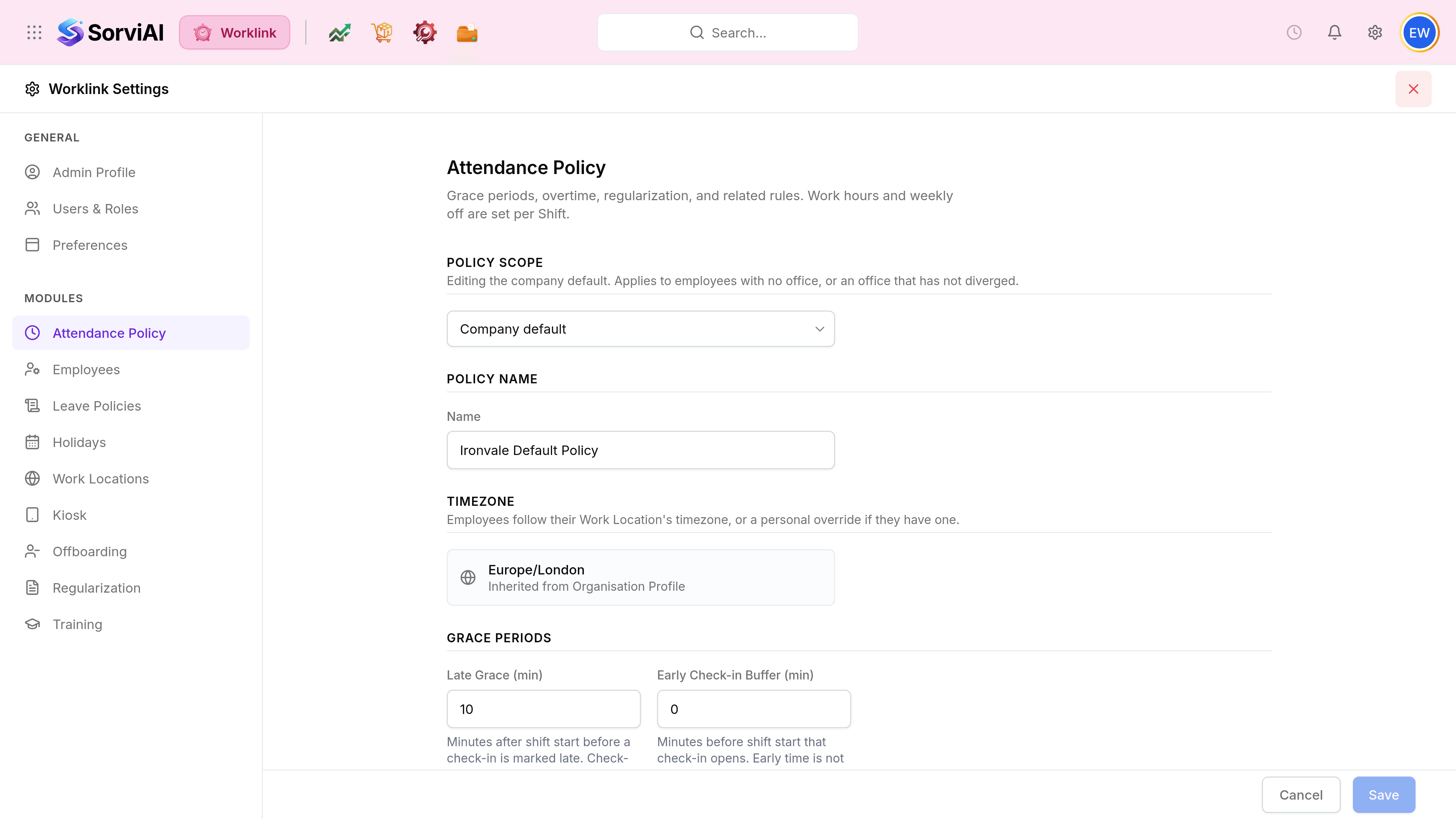
Open the panel with the gear in the header, from anywhere in Worklink. The red cross closes it and puts you back on the Worklink overview.
Not everybody sees all of it
The rail is drawn from what your role allows. An employee with no administrative access opens the same gear and finds two rows: their own record, renamed My Profile, and Preferences. Modules, and Users & Roles with it, belong to an administrator.