
Assign a Shift
Put people on a pattern from a date, one at a time or a whole depot at once.
A shift does nothing until somebody is on it. Assigning is done from the shift, and it takes a start date rather than applying retrospectively.
Select the shift's tab, so the roster below is the one you mean to add to.
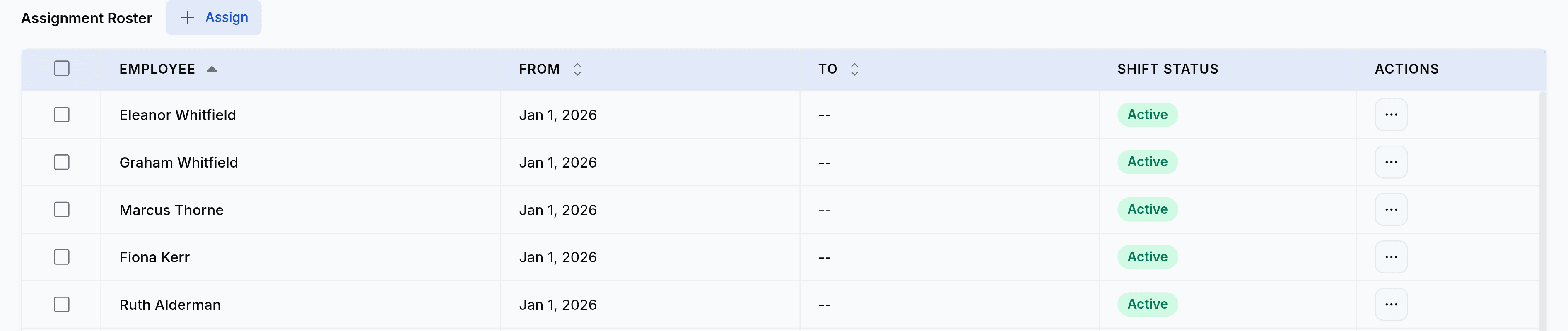
Select Assign and pick the date the pattern starts for these people.
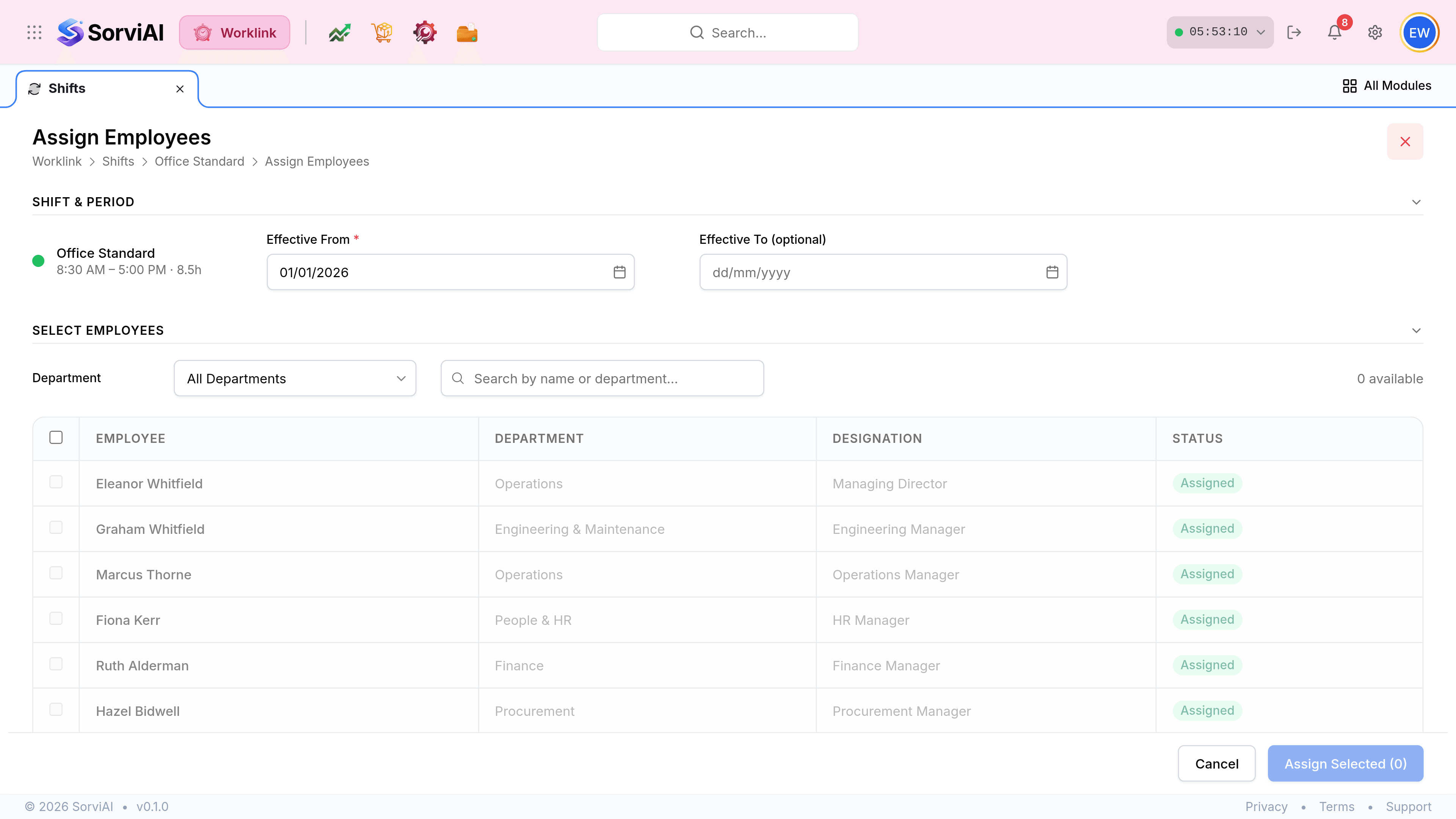
Tick the employees, then confirm. Each one becomes a row on the roster with your date in From and an open To.
An employee can only be on one shift at a time
Assigning somebody who is already on another pattern closes the old assignment rather than running both. That is what makes the roster readable: one row per person per period, never two overlapping expectations for the same day.
| Situation | What to do |
|---|---|
| A new starter | Assign them on their first working day, not on the day you set the record up. |
| A permanent rota change | Assign the new shift from the change date. The old assignment closes itself. |
| A temporary cover week | Assign from the Monday, then set a To date on the assignment for the Friday. |
| Somebody who has left | Nothing. The separation closes it when it completes. |