
Add a Holiday
Import a country's public holidays in one pass, or add a single day and choose which depots it closes.
Last reviewed
Holidays are added in Worklink Settings, not on the calendar that displays them. The calendar is a read-only view; there is no add control on it.
Open Worklink Settings and select Holidays under Modules.
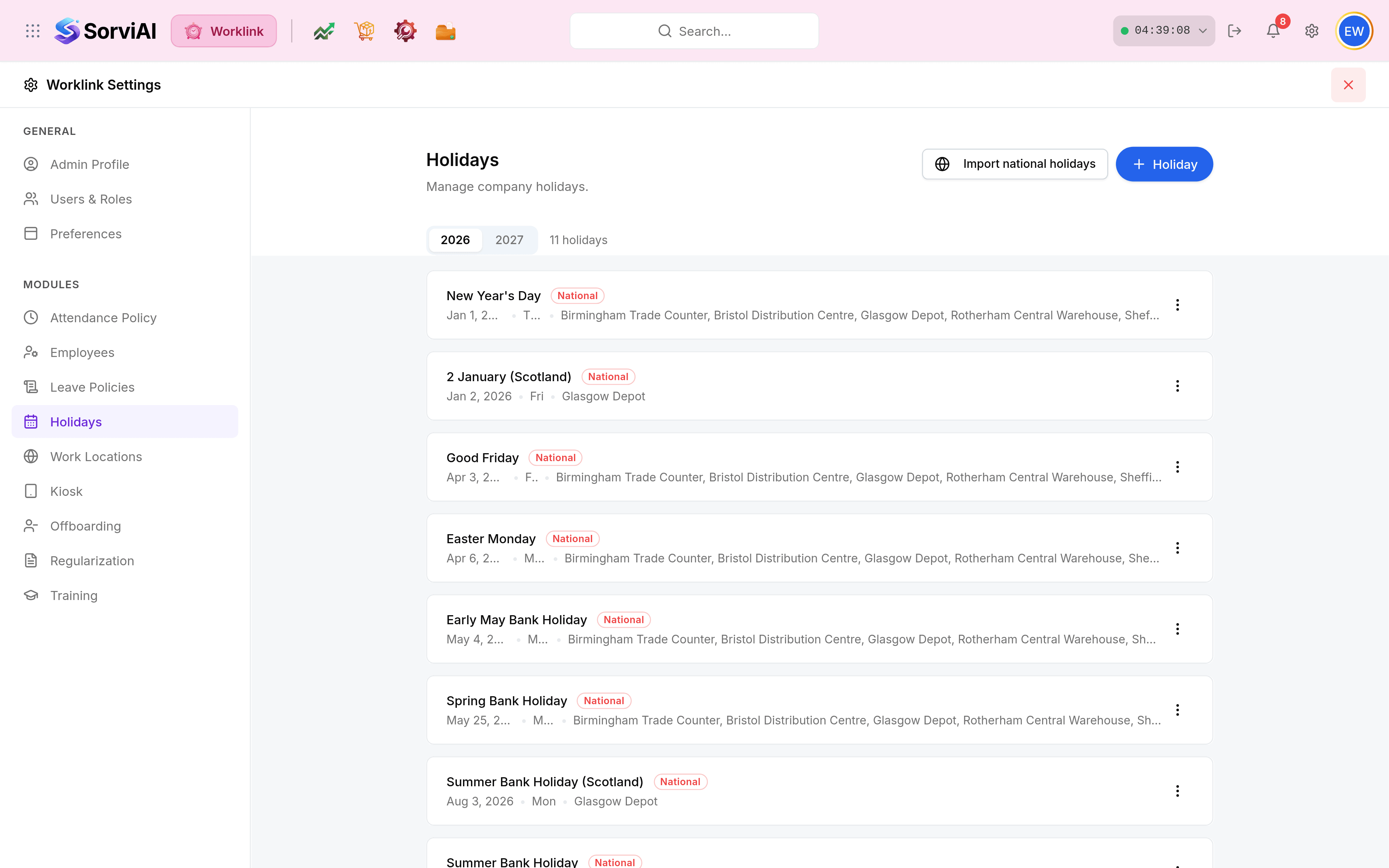
Choose the year with the tabs, then either Import national holidays to bring in a whole country's public holidays at once, or + Holiday for a single day.

Name the day and set its date.
Choose the work locations it applies to. This is the field that decides which depots close, and leaving it wrong is the usual cause of a holiday nobody can find.
Select Save. Nothing is applied until you do; Cancel discards the lot.
Importing rather than typing
SorviAI builds each office's public holiday list from the country it sits in, and nothing is added until you have reviewed it on the following step. For an organisation on one national calendar this is the whole job.
Scoping a holiday to some depots only
A holiday card shows every location it covers, which is how you audit the calendar without opening each one.

| Scope | Card shows | Effect |
|---|---|---|
| Organisation-wide | Every work location, truncated with an ellipsis. | Closes every depot. |
| Region-specific | Just the depots it covers, such as Glasgow Depot alone. | Those sites close; the rest work normally. |
| A single site | One location name. | A shutdown or a local event at that site only. |