
A restore is refused
Why Nest won't restore an item, why something is missing from Trash, and what to do about each.
Most problems with Trash are about where an item would go back to, or who's allowed to send it there. Each heading below is something you might see, with the reason and the fix.
Restore the folder first
Why: the file was deleted together with its folder, and the folder is still in Trash, so the file has nowhere to go. The message names the folder.
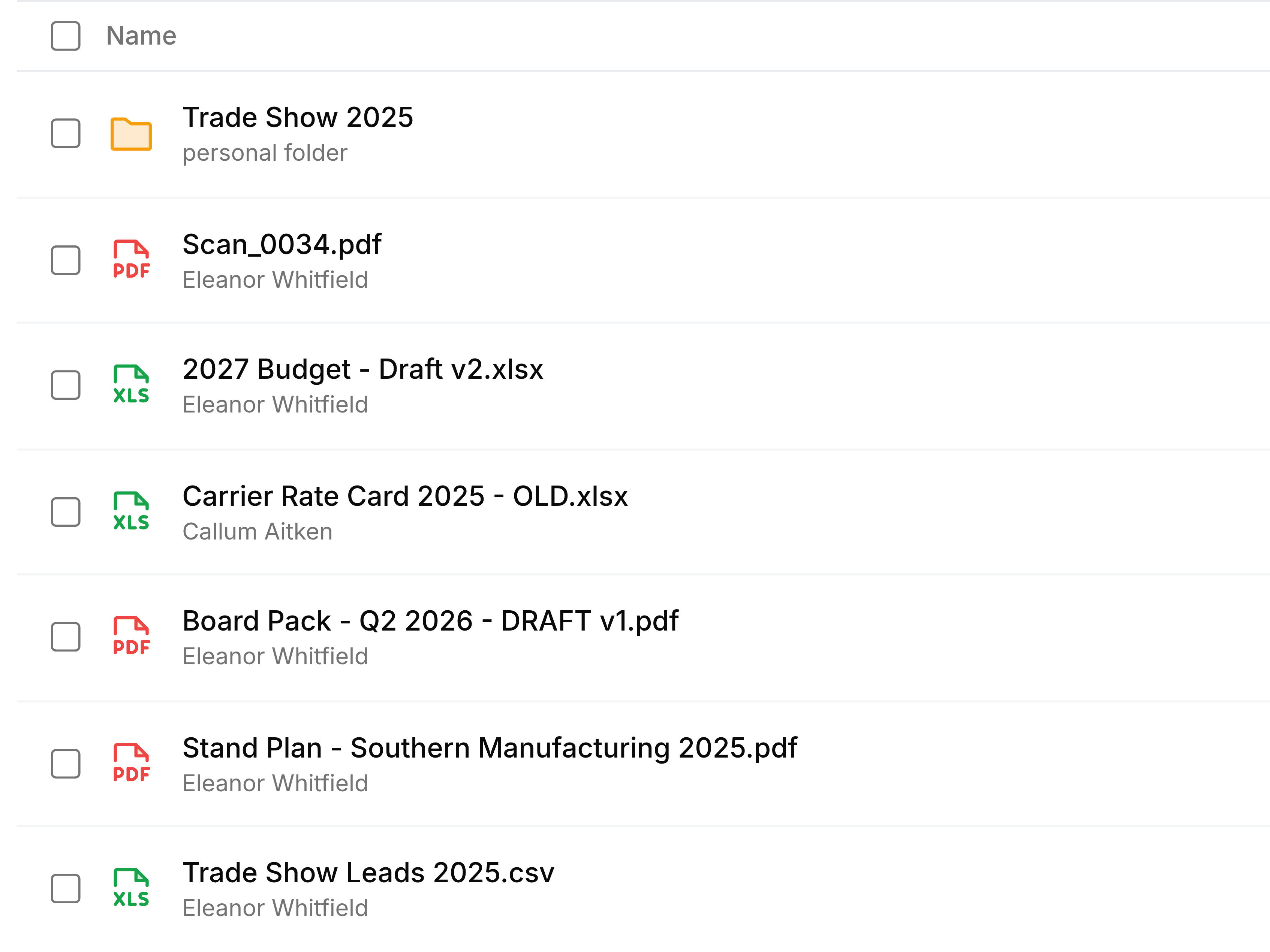
What to do: restore the folder named in the message. Its files come back with it, and anything you didn't want can be deleted again from the folder.
Permission denied
Why: the item was in a team folder, and your role there doesn't include Move to trash, which restoring needs, or Delete permanently, for deleting it for good.
What to do: ask someone with an Admin or Organizer role in that team folder to restore it.
Something I deleted isn't in Trash
Why: it has been deleted permanently, by someone emptying their items or deleting it for good, or by the time limit running out.
What to do: nothing brings it back. If a colleague has a copy, ask them for it.
A file I never deleted is in my Trash
Why: a colleague deleted it from a team folder you belong to, or deleted a file they had shared with you. Trash shows everything you had access to.
What to do: if it shouldn't have gone, restore it if your role allows, or ask the colleague who deleted it to. A file that was only shared with you can be restored by its owner alone.
The page says Trash is empty
Why: nothing you can reach has been deleted, or everything has already been restored or removed.
What to do: nothing needs fixing.