
Check a file's activity
Open a file's history from Recent Files: who uploaded it, renamed it, moved it, labelled it and shared it, and when.
Every file keeps a record of what has been done to it and by whom. Reading it before you change a file is the quickest way to learn that a colleague renamed it an hour ago, or has already shared it with the person you were about to send it to.
Point at the file's row, select the three dots at its right-hand end, and select Activity.
Read the panel that opens on the right. The newest entry is at the top, with the person, what they did, and how long ago.
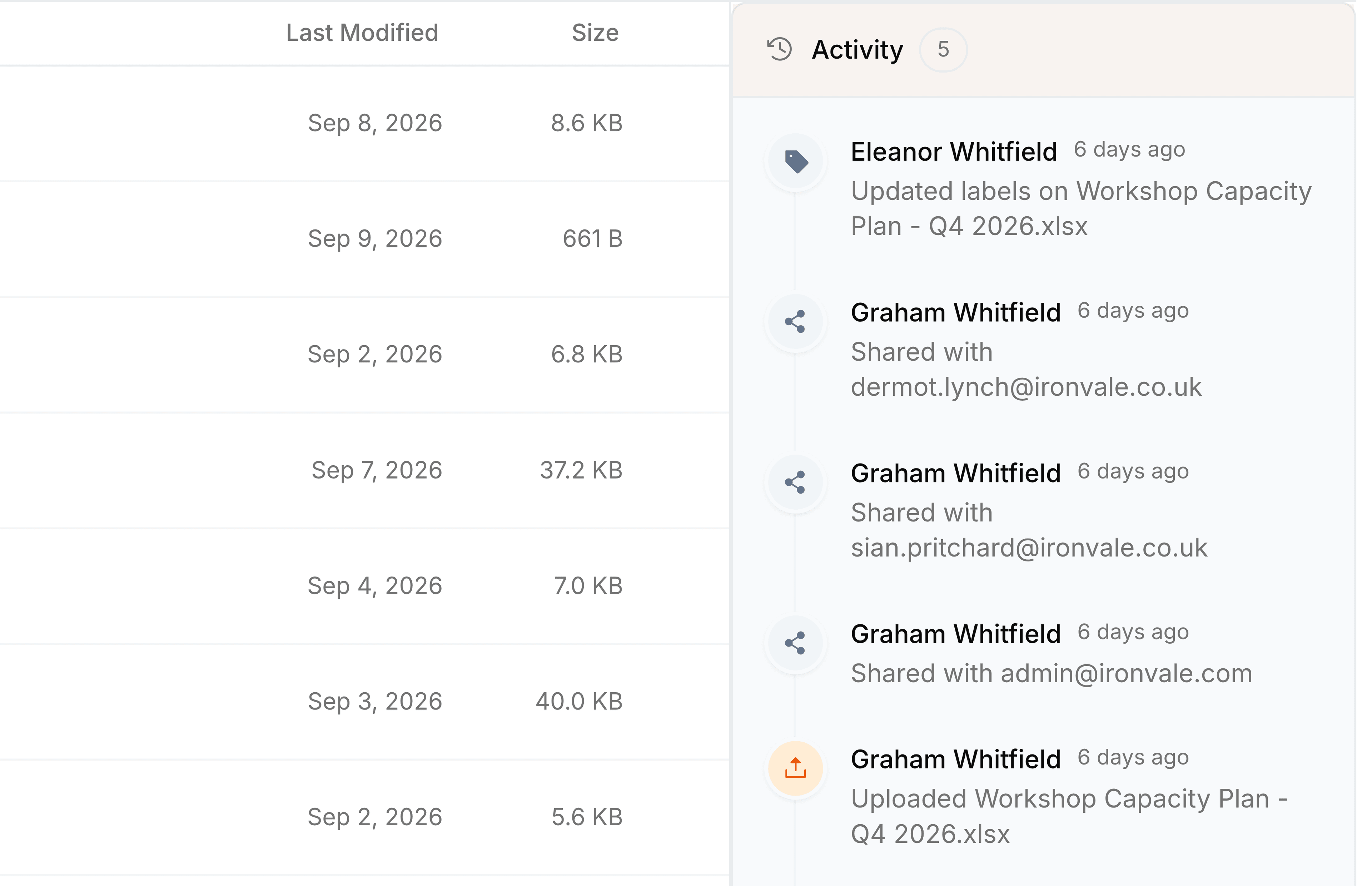
Select Activity on the same file's menu again to close the panel.
What the history records
- Uploaded
- Who added the file to Nest.
- Renamed and moved
- Each new name and each new folder, in order.
- Shared
- Each colleague the file was shared with, by email address.
- Labels updated
- That somebody changed the labels on the file. Labels are personal, so the entry does not say which.
- Trashed and restored
- Each time the file went to Trash and came back.