
Manage public links
Read a public link's card: its views, downloads, password and expiry. Copy the address again, or delete the link.
Every public link on a file has a card of its own on the file's Public Link tab. The card is where you check whether a link is being used, and where you end it.
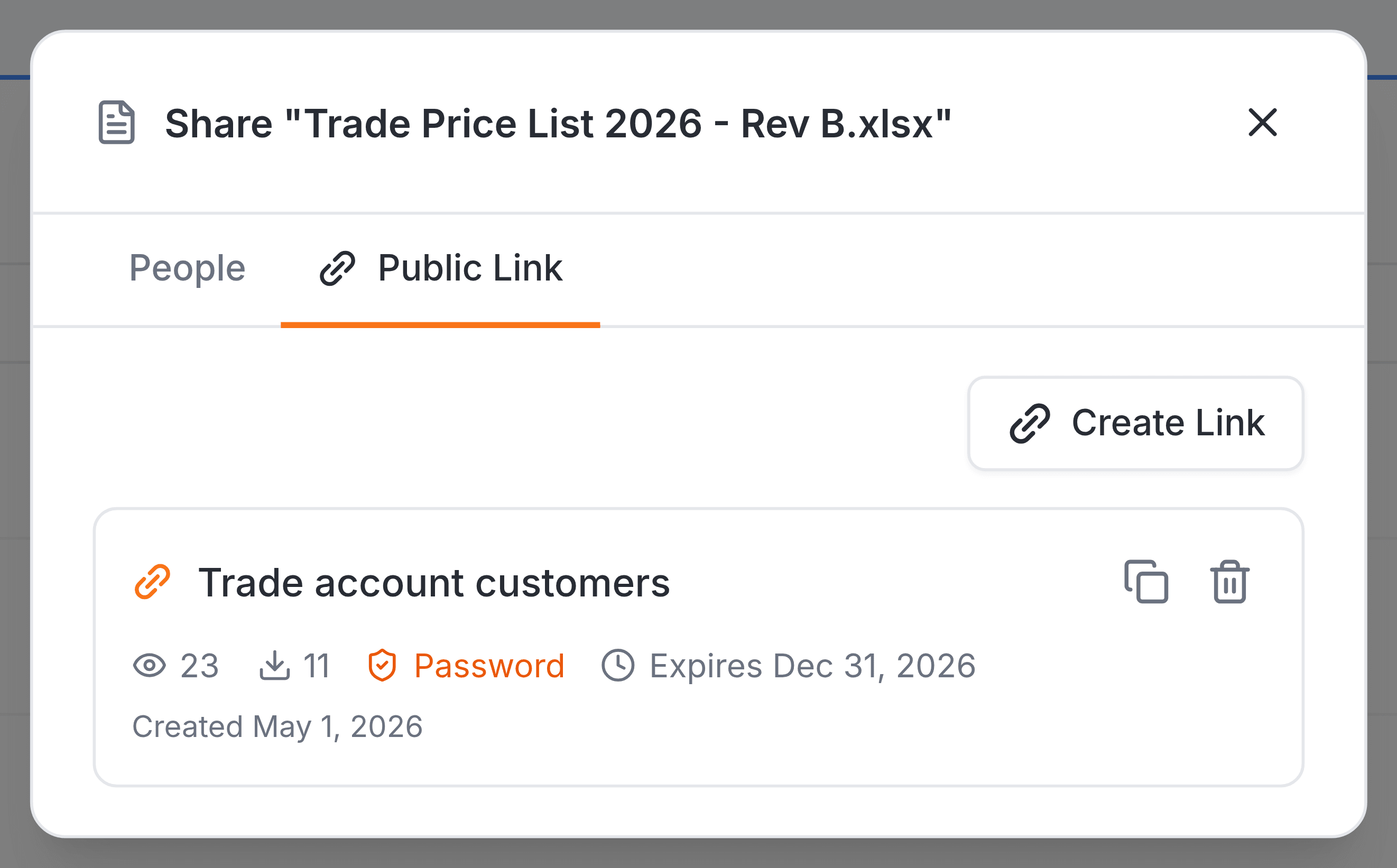
Read a card
| Field | What it does |
|---|---|
| Label | The name you gave the link when you made it. |
| Views | The eye and its number: how many times the link has been opened. |
| Downloads | The arrow and its number: how many times the file was downloaded through this link. |
| Password | An orange badge, shown only when the link has a password. |
| Expires | The date the link stops working, shown only when one was set. It reads Expired once that date has passed. |
| Created | The day the link was made. |
Links that no longer work
A card for a link that has expired or been switched off stays on the list but greys out, and says why. The address on it no longer opens the file.
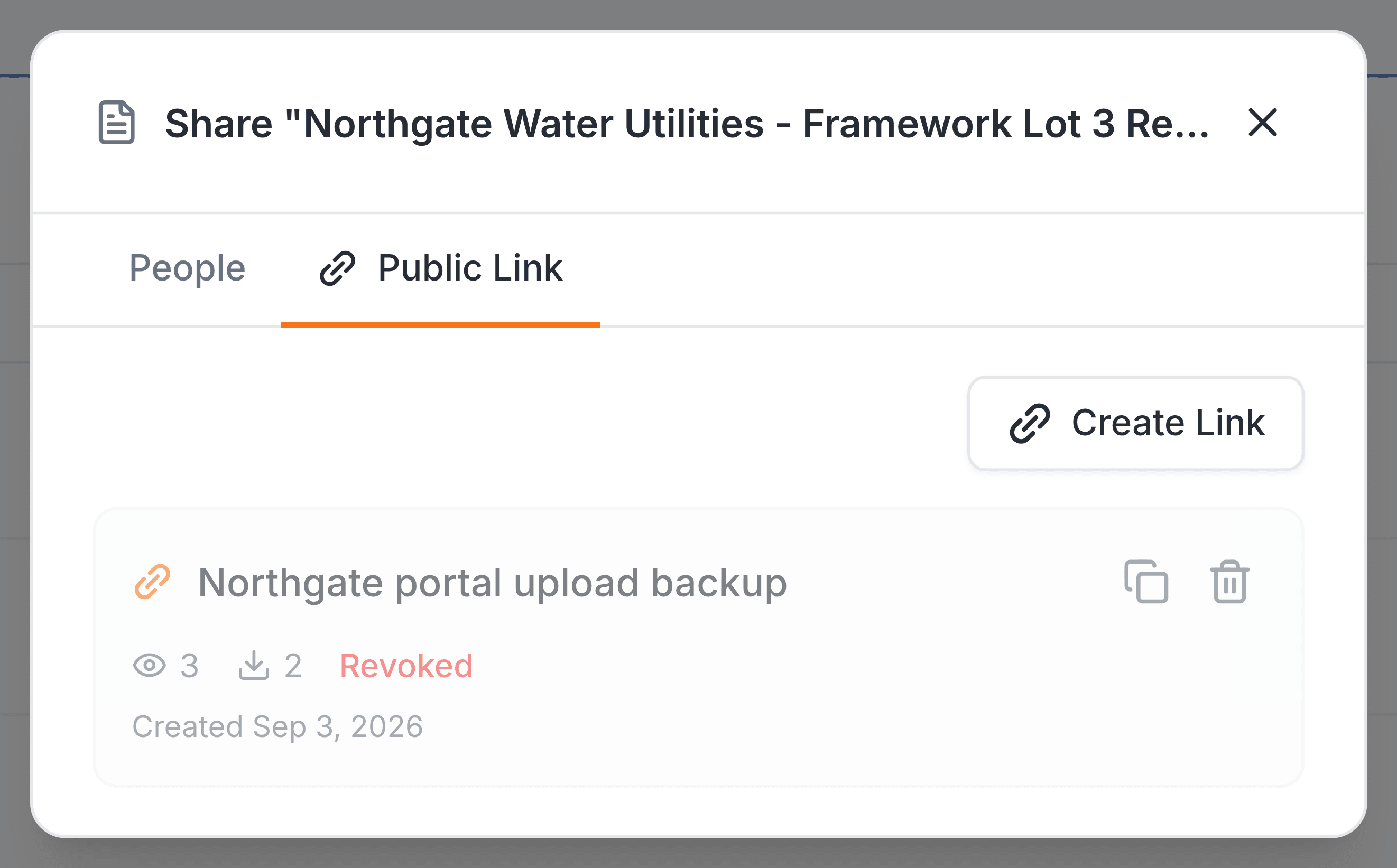
Copy or delete a link
- Copy
- The two-squares icon copies the link's address, ready to paste into an email. It turns into a tick when the copy has worked.
- Delete
- The bin removes the link and its card for good. There's no confirmation, and the address stops working at once.